Using the remote control22
English
• If you have just switched from a different input source to the current one,
you can also press
Recall on the remote control to toggle between the
current and previous viewed input sources.
Jumping to your favorite channels
Press Favorite on the remote control to jump to your preset favorite
channel 1. Press the button again to jump to the next favorite channel, and so
on. You may select from up to 5 channels to set as your favorites.
For more information about how to set up favorite channels, please refer to
"Setting up favorite channels" on page 41.
Using the freeze function
Press / Freeze/Teletext freeze on the remote control to freeze the
image on the screen. Press it again to restore normal viewing.
This function does not control the input source which will continue normally, but
not be displayed while the image remains frozen. When the image freeze is
stopped, normal play will resume in real time. That is, the displayed image will
jump to the current time and any interim video is not displayed.
Do not leave the screen displaying a static image for an extended period of time
(days) because you may temporarily or permanently damage the screen resulting
in image traces which could remain visible long after the original image has been
removed.
Selecting a picture mode
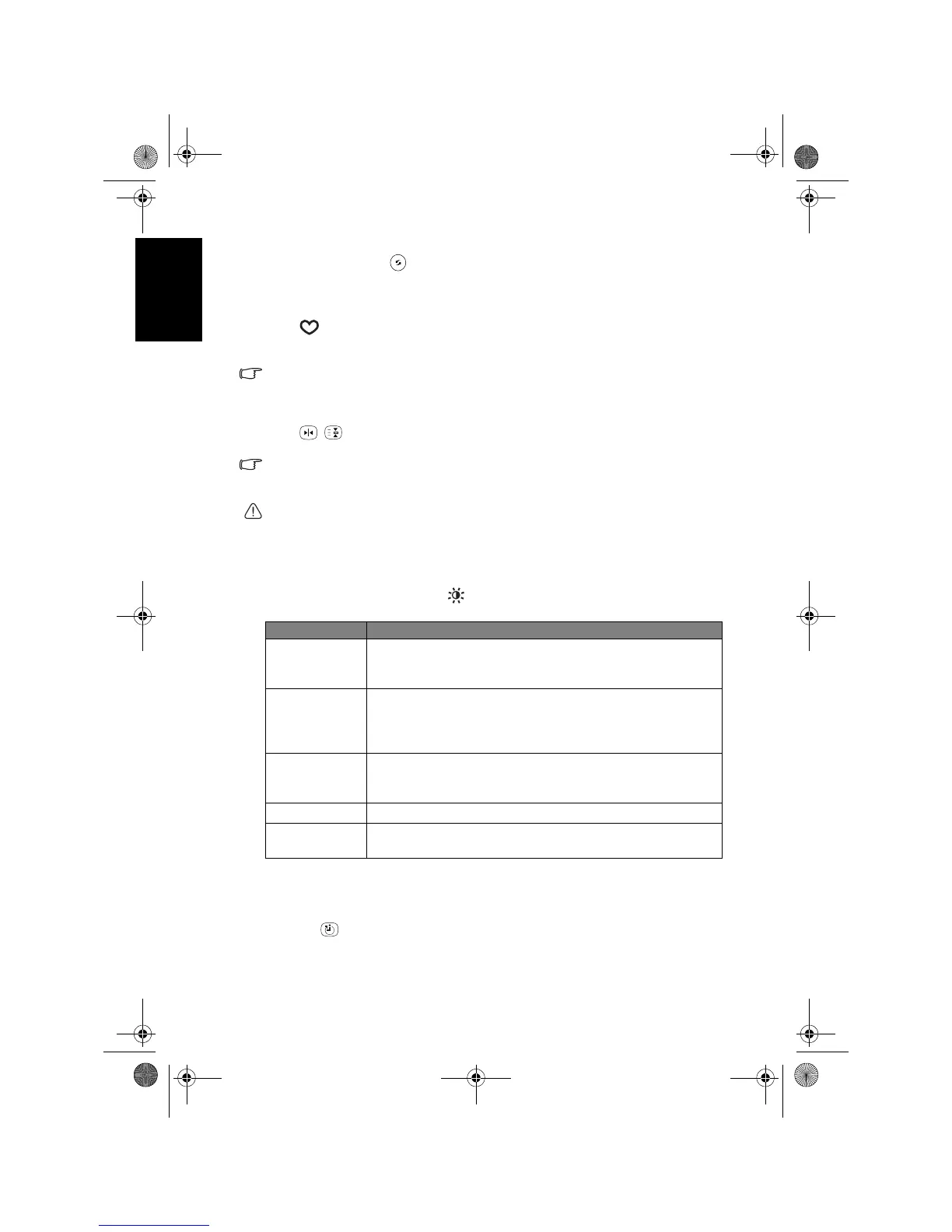
To select a picture mode, press Preset/yellow on the remote control. This
enables you to select from the following settings:
Using the sleep timer
The sleep timer is useful if you want the TV to automatically to go into
standby mode after a set period of time.
1. Press
Sleep/red on the remote control to activate the sleep timer.
2. Press the button again to set the time interval.
For example, if you set the sleep timer to 30 minutes, the TV will enter
standby mode after 30 minutes of time. You can check the remaining time
Picture mode Description
Dynamic
Suitable for viewing in brighter environments. The colour,
contrast, and brightness of the image is increased to suit the
brighter lighting condition.
Standard
Suitable for viewing in environments with normal lighting
condition. This most closely represents the broadcast
standard quality. No alteration to colour, contract or
brightness has been made.
Cinema
Suitable for viewing movies in darker environments. The
colour has been adjusted to more accurately represent
natural skin tones.
Game
Suitable for playing video games.
Personal
Your own customised picture mode. See "Setting up the
Personal Picture Mode" on page 36.
V32B_V37B_EN.book Page 22 Wednesday, January 23, 2008 10:55 AM



 To Next Page