OSD (On-Screen Display) menu38
English
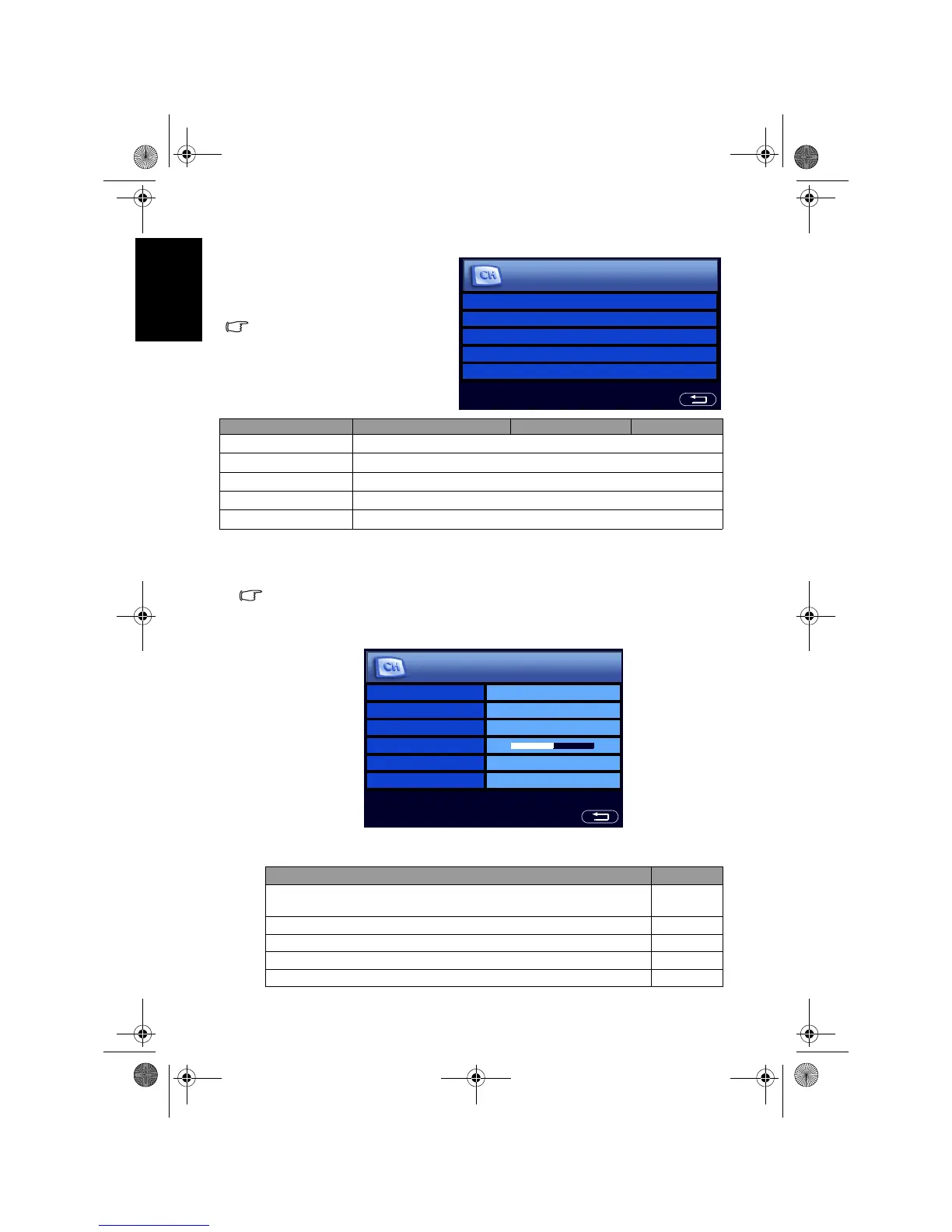
Performing manual installation
The Manual Installation feature allows you to add programs to the sequential
programs list.
This option is not possible when the Child Lock is activated. See "Child Lock" on
page 42.
1. From the TV menu, press or to select Manual Installation and then
press
OK. The following menu will display:
2. Press to highlight
Standard, and then press + or - to select a TV
standard according to your country or region:
TV menu
The available menu items are
dependent on the input source
being selected.
The illustration is for reference only.
Item Function Operation Range
Auto Installation See "9. Initialize your TV" on page 8.
Manual Installation See "Performing manual installation" below.
Program Edit See "Editing programs" on page 39.
Favorite Channels See "Setting up favorite channels" on page 41.
Child Lock See "Child Lock" on page 42.
Auto Installation >
Manual Installation >
Program Edit >
Favorite Channels >
Child Lock >
TV
Country or region Standard
Bahrain, Kuwait, Oman, Qatar, United Arab Emirates, Yemen,
Indonesia, Malaysia, Singapore, Thailand, India, etc.
BG
China, Vietnam, etc. DK
Hong Kong, etc. I
Islamic Republic of Iran, Lebanon, Saudi Arabia, etc. BG
Philippines, Myanmar, etc. M
Standard BG
Frequency ___.__MHz
PR Name
Fine Tune
Text Code Char.1
Store on PROG. 02
Manual Installation
V32B_V37B_EN.book Page 38 Wednesday, January 23, 2008 10:55 AM



 To Next Page