Connecting audio and video inputs28
English
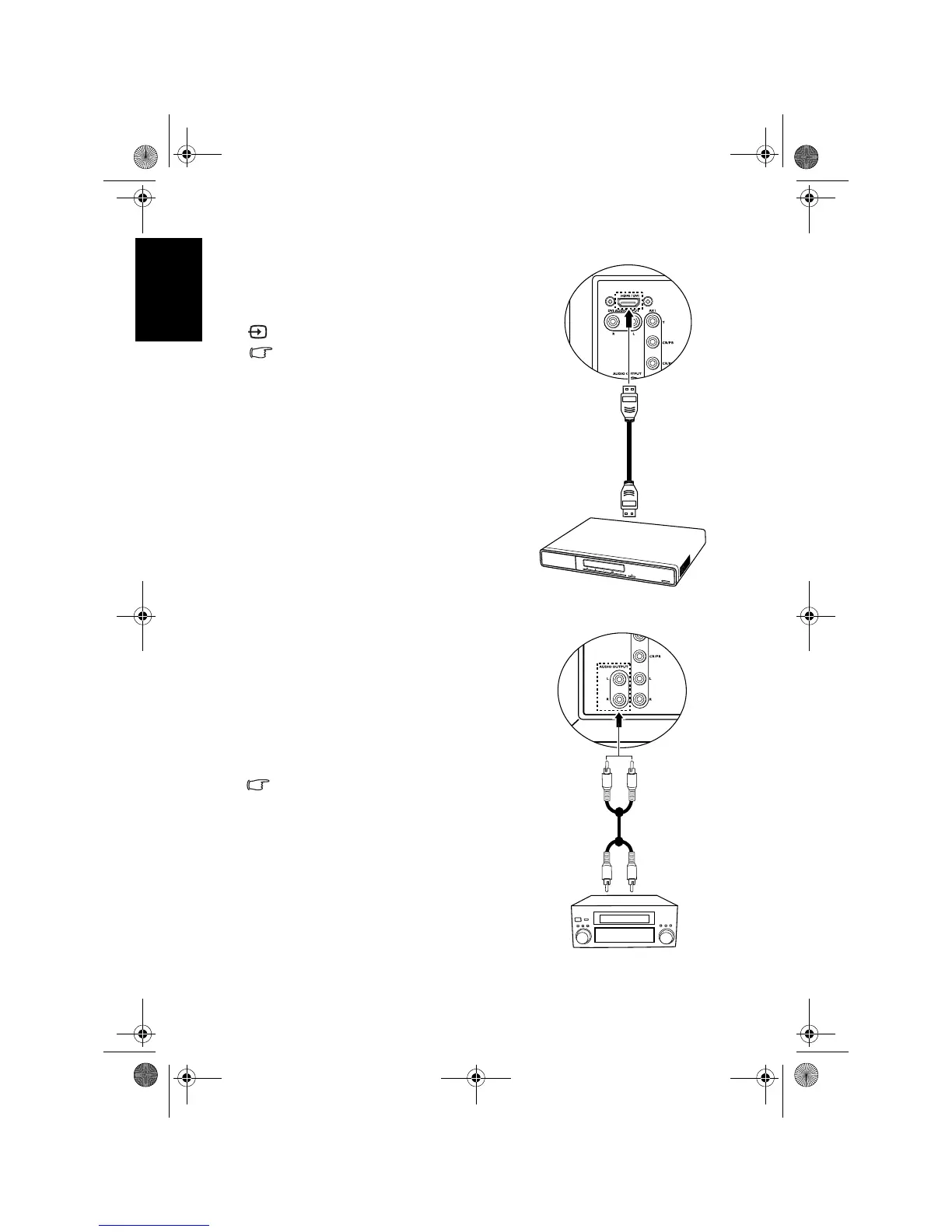
Connecting the HDMI input
Connecting the stereo audio output
Connect the HDMI output of your output
equipment to the
HDMI/DVI terminal on the
TV using an HDMI cable (not provided).
To view video image from this input, press
INPUT and select HDMI.
HDMI (High-Definition Multimedia Interface)
is an uncompressed and all-digital audio/
video interface. HDMI provides an interface
between any audio/video source, such as a
set-top box, DVD player or A/V receiver
over a single cable.
To ensure the performance and stability of
HDMI signal transmission, it is
recommended that you use high-quality
and HDMI certified cable for connection
Be aware that HDMI input must be HDCP-
compliant to be displayed.
The TV’s HDMI input is compliant with the
HDMI 1.2 standard, and supports display
resolution up to 1080i. See "Supported
HDMI input signal resolutions" on page 49
for all supported HDMI resolutions.
This TV provides a set of stereo audio output
terminals (RCA type) for delivering the audio
signal to a sound system or other audio devices.
1. Connect the audio input terminals of an
amplifier or other audio device to the
AUDIO OUTPUT L/R terminals on the TV
using a suitable RCA type audio cable.
2. Set the
Speaker Out option in the Audio
menu to
Off.
This output is always available. Its level is
fixed and cannot be adjusted by the Volume
setting of the TV.
HDMI cable
DVD
player
Audio cable
Audio
amplifier
V32B_V37B_EN.book Page 28 Wednesday, January 23, 2008 10:55 AM



 To Next Page