Introduction 15
English
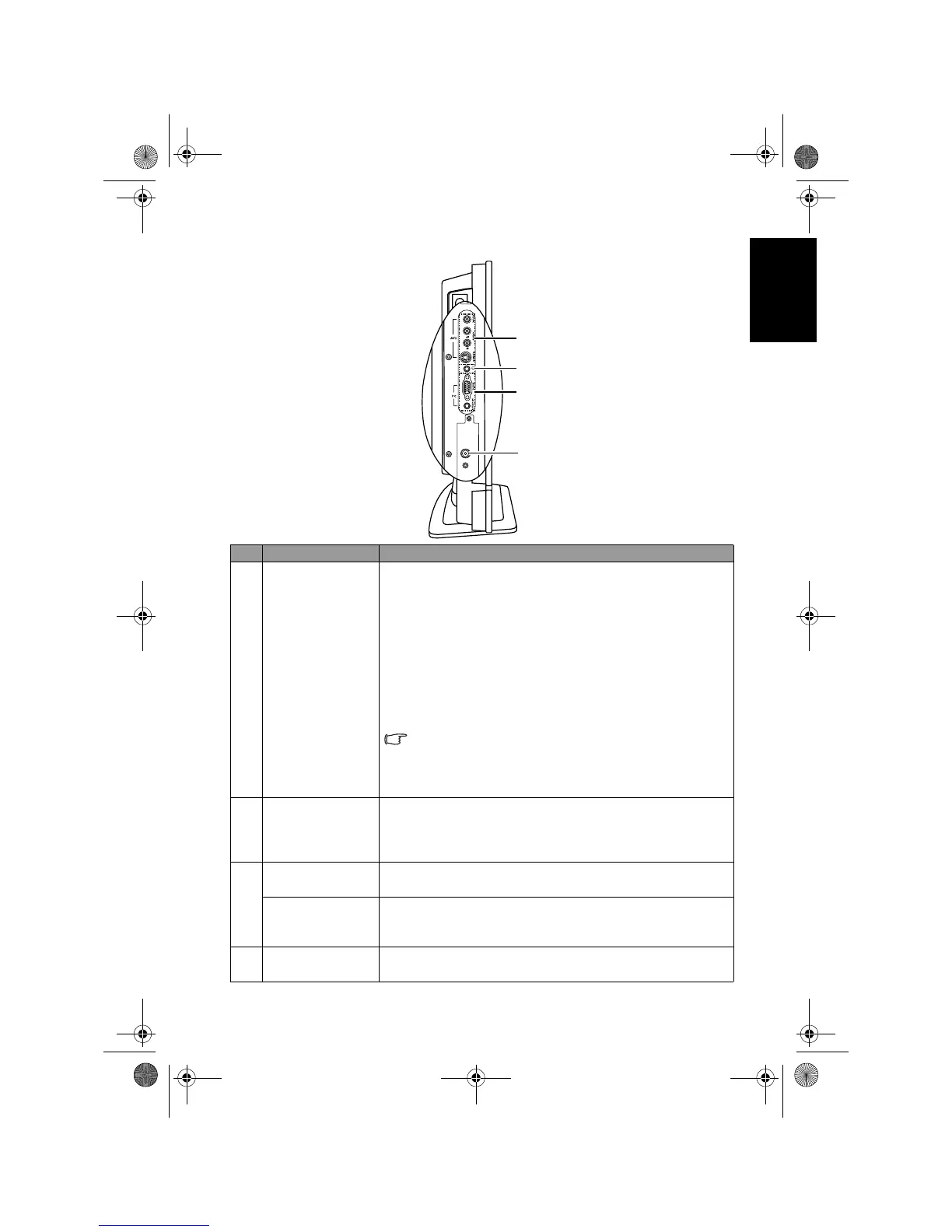
External AV devices terminal panel (left side view)
No. Name Description
1
AV2 (Composite
Video (AV) or S-
Video)
•
VIDEO: Connect to the Composite Video (AV) output as
appropriate for your AV source device. See "Connecting
the Composite Video input" on page 25.
•
S-VIDEO: Connect to the S-Video output as appropriate
for your AV source device. See "Connecting the S-Video
input" on page 26.
•
AUDIO L/R: Connect to the audio output of either the
Composite Video or S-Video output as appropriate for
your AV source device. See "Connecting the Composite
Video input" on page 25 and "Connecting the S-Video
input" on page 26.
Connect your external AV device using either the
Composite Video or S-Video inputs. If both are connected
to an AV source at the same time, S-Video input takes
preference over Composite Video input. S-Video will
provide a better quality image.
2 Headset socket
An audio output for connecting an external headset. The
TV’s speakers will be muted whenever the headset socket is
being used. See "Connecting the headset audio output" on
page 29.
3
PC D-SUB
Connect to the video (D-Sub) output of a PC. See
"Connecting the PC D-Sub input" on page 27.
PC AUDIO IN
Connect to the audio output to match that of the video
output on a PC. See "Connecting the PC D-Sub input" on
page 27.
4TV RF
Connect to your antenna TV/CATV cable system. See "5.
Connect the antenna cable" on page 5.
1
2
3
4
V32B_V37B_EN.book Page 15 Wednesday, January 23, 2008 10:55 AM



 To Next Page