13
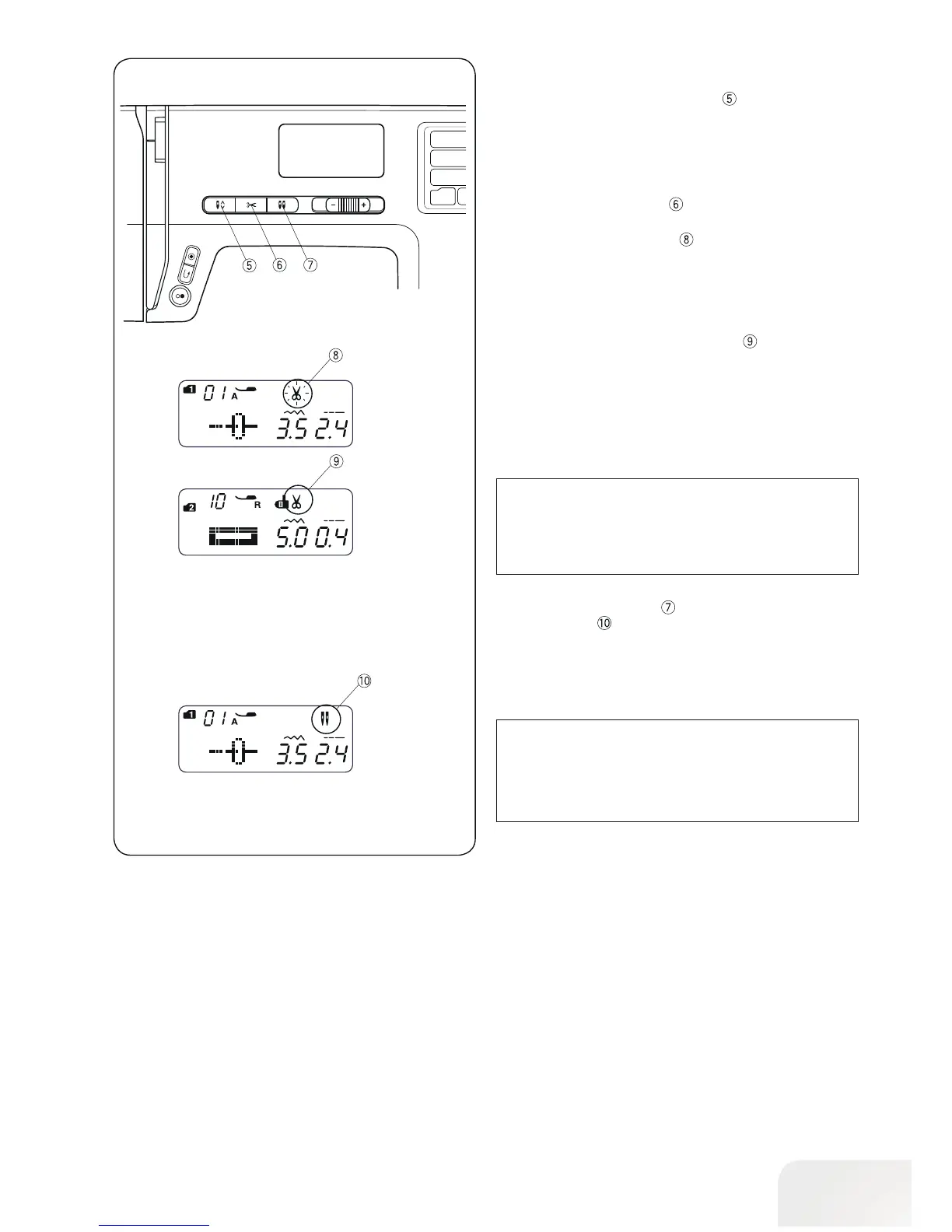
• Needle stop up/down button
Press the needle stop up/down Button
to bring the needle
up or down.
• Thread cutter button
Press the thread cutter button to trim the threads after sew-
ing.
The thread cutter mark will blink
, while the machine cuts the
threads.
You can continue sewing without pulling the bobbin thread up
after trimming the threads.
To trim the threads automatically after sewing, select the
desired stitch pattern, then press and hold the thread cutter
button until the thread cutter mark appears
.
The machine will trim the threads automatically after the lock-
ing stitch then stop when the Reverse sewing stitch or autolock
button is pressed, or a pattern has the auto-lock stitch pro-
grammed.
•Twin Needle button
Press the twin needle button when using a twin needle. The
twin needle mark
will appear when it is activated.
To cancel or finish the twin needle sewing, press the twin nee-
dle button twice.
PLEASE NOTE:
When the twin needle mark is blinking, all the other keys
and buttons will not be responding. Press the twin needle
button again.
For twin needle sewing, please refer to page
54.
PLEASE NOTE:
Use the thread cutter on the head cover if the thread is
#30 or thicker.



 To Next Page