58
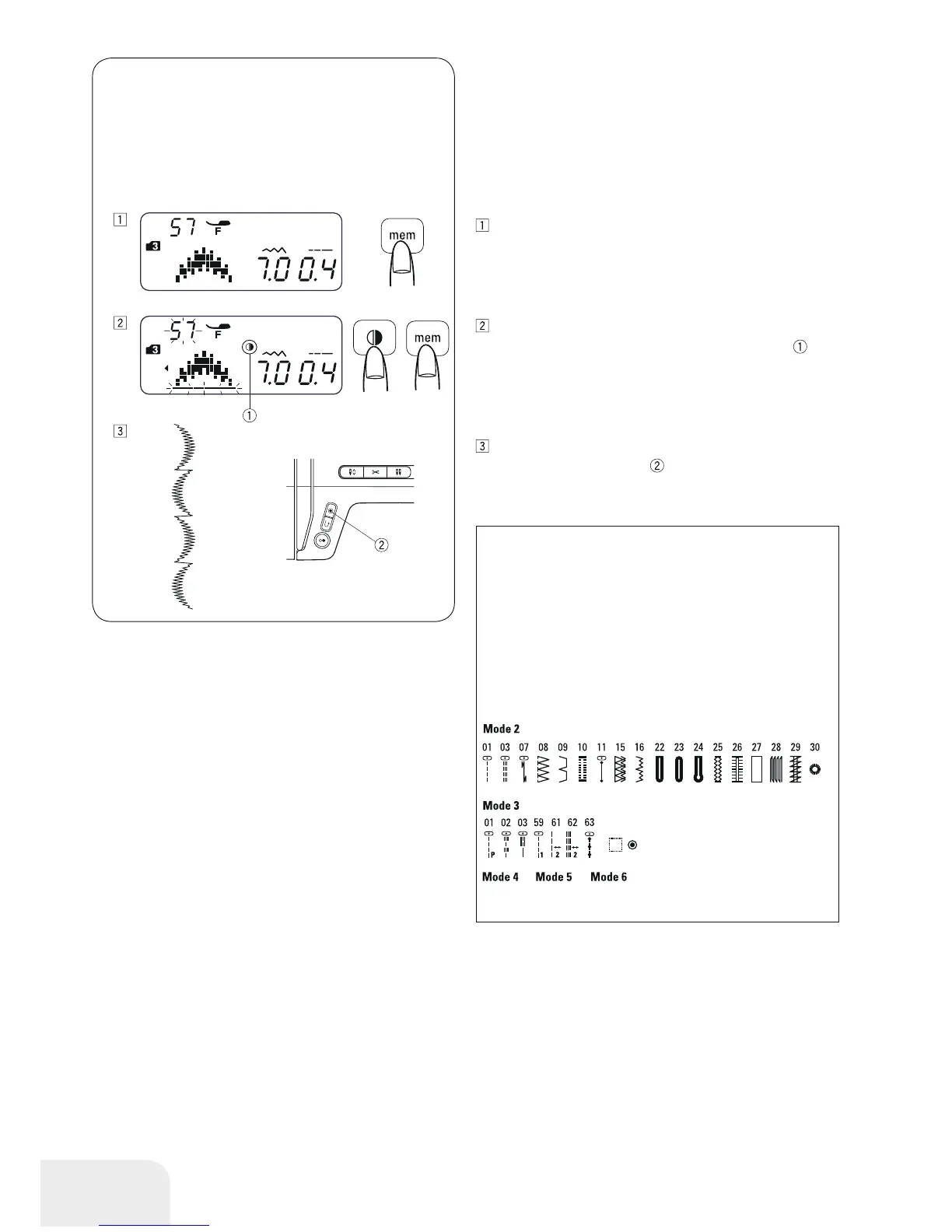
Programming a Mirror Image
Example: Stitch patterns 57 (Mode 3) and its mirror image
Select pattern 57 (mode 3). Press the memory button.
Select pattern 57 (mode 3).
Press the mirror image button. The mirror image
will
appear on the LCD display. Press the memory button.
Start to sew. A pattern combination series will be sewn.
Press the Auto-lock button
.
The machine will sew the current pattern and stop sewing
with a locking stitch.
PLEASE NOTE:
Mirror image cannot be applied to stitch patterns below:
Mode 1: Stitch patterns 1, 3, 7, 8, 9 and 0.
Mode 2: Stitch patterns 01, 03, 07 - 11, 15 - 16
and 22 - 30.
Mode 3: Stitch patterns 01 - 03, 59, 61 - 63,
91 and 92.
Mode 4, 5 and 6: All stitch patterns.
All stitch patterns.
91 92



 To Next Page