46
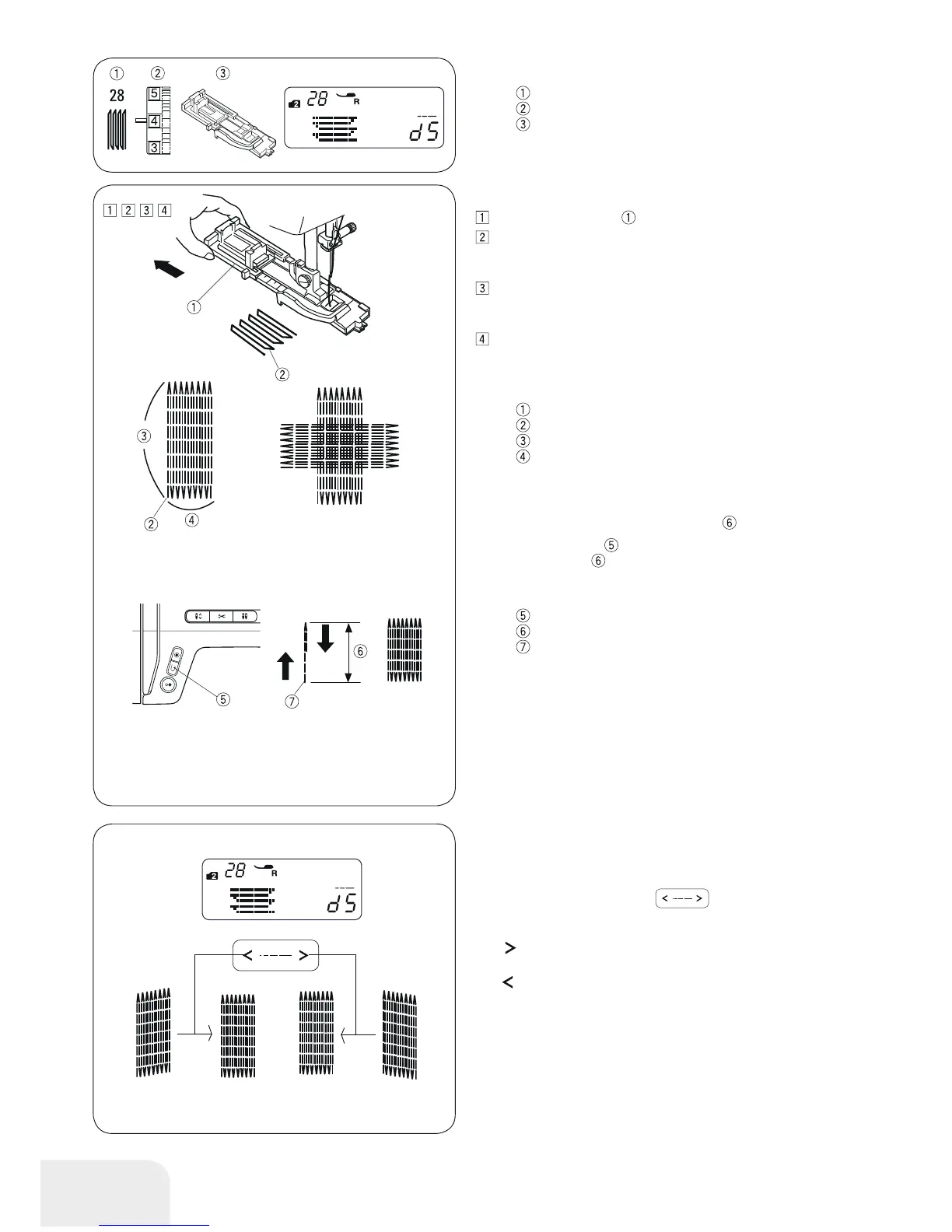
• Adjusting the evenness of the darning
Correct the evenness of the darning as follows:
Press the stitch length button
, to change the eve-
ness.
If the right side of the stapler is lower than the left side, press
the “
“ button to even the darning.
If the left side of the stapler is lower than the right side, press
the “
“ button to even the darning.
Darning Stitch
Stitch pattern: Mode 2 : 28
Thread tension: 3 - 6
Presser foot: Buttonhole foot with slide
•Starting to sew
Pull the button holder to the back.
Place the garment under the foot. Press the needle stop
up/down button twice. Move the fabric to the left to draw
both threads under the foot.
Lower the presser foot. Start the machine. The machine will
lock stitch, sew 16 rows of darning, lock stitch again and
stop automatically.
Turn the fabric and repeat sewing in different direction.
The machine will trim the threads at the end of sewing
automatically if the thread cutter sign is indicated on the
LCD display (
Refer to page 13).
Button holder
Starting point
3/4˝ (2 cm)
9/32˝ (0,7 cm)
• Sewing a shorter darning
To sew a darning shorter than 3/4˝ (2 cm), first stop the
machine after sewing the required length
, then press the
reverse sewing button .
The required length
has been determined.
Start the machine again and continue sewing until the machine
stops automatically.
Reverse sewing button
Required length
Starting point
• Sewing a same-sized darning
Simply start the machine to sew another darning at the same
size.



 To Next Page