60
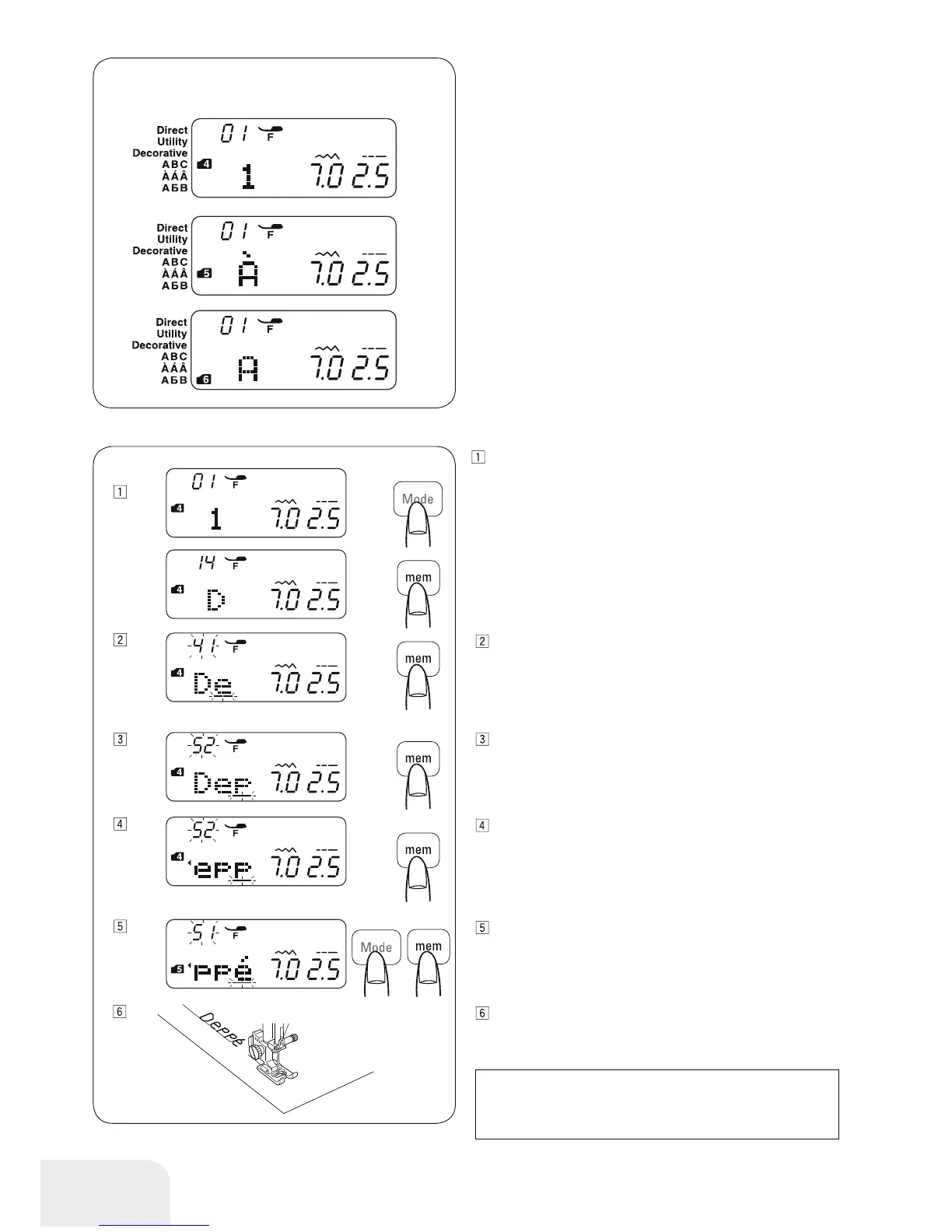
Example: To program “Deppé”
Press the mode button to enter mode 4.
Enter 14 to select upper case letter “D”.
Press the memory button.
Enter 41 to select lower case letter “e”.
Press the memory button.
Enter 52 to select lower case letter “p”.
Press the memory button.
Enter 52 to select lower case letter “p”.
Press the memory button.
Press the mode button to enter mode 5.
Enter 51 to select lower case letter “é”.
Press the memory button.
Start to sew.
A pattern series will be sewn.
Programming Letters
In mode 4, 5 or 6, you can program text by entering the number
of alphabets.
Mode 4 : Alphabets/number/symbol
Mode 5 : European accented letters
Mode 6 : Russian (Cyrillic) letters
PLEASE NOTE:
The needle stop position will be at up position when a
pattern series is sewn.



 To Next Page