57
Bridge Stitches
Patterns 59 to 62 (
59 60 61 62
) in mode 3 are bridge stitches
which are used to insert straight stitches between stitch pat-
terns.
The bridge stitches 61 and 62 inherit the stitch length and
needle position of a previous pattern in programmed pattern
combination.
The needle position and stitch length of patterns 59 (mode 3)
and 60 (mode 3) can be adjusted.
However, the needle position and stitch length of patterns #61
(mode 3) and #62 (mode 3) cannot be adjusted. The needle
position and stitch length remain same as the previous pattern.
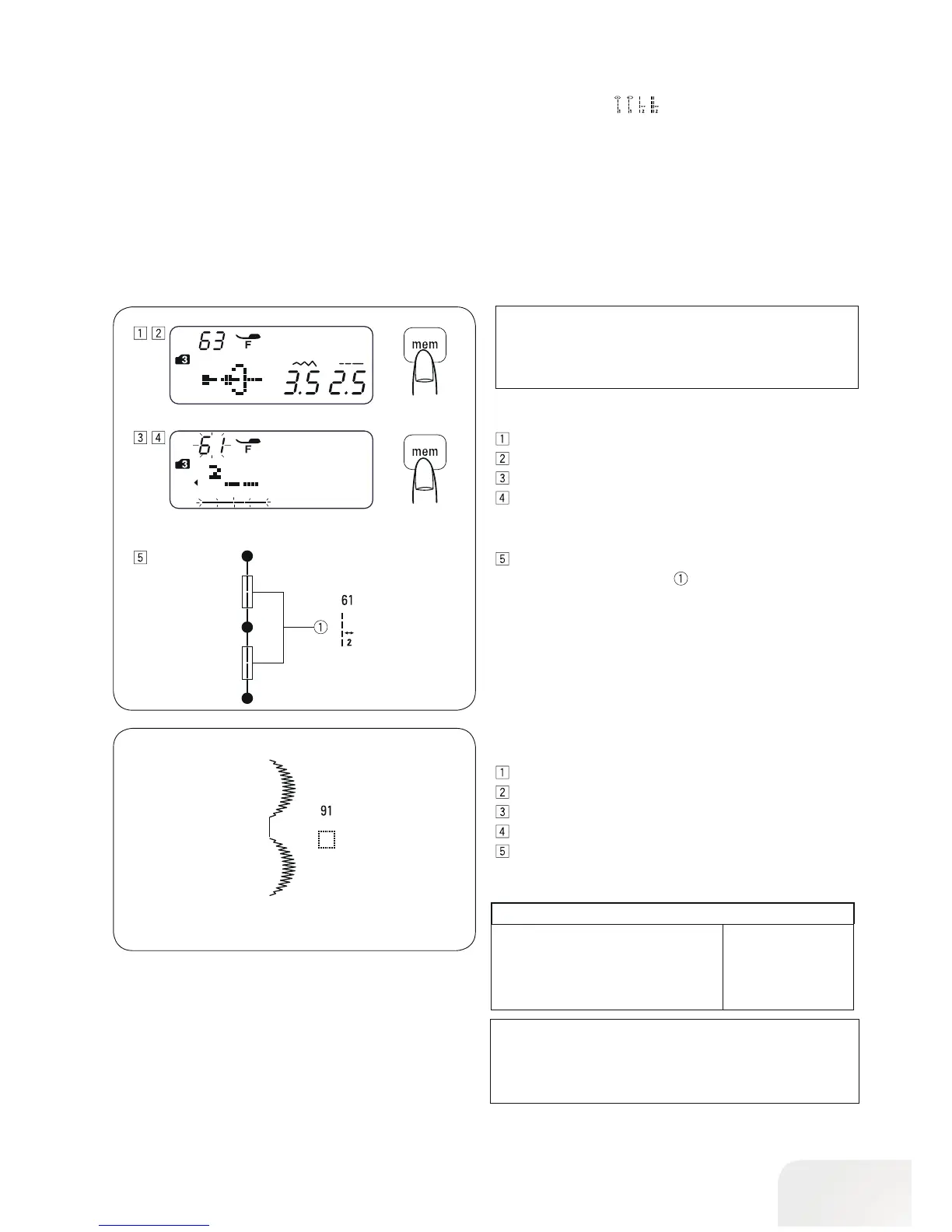
Example: Stitch pattern 61and 63 (mode 3)
Select pattern 63 (mode 3).
Press the memory button.
Select pattern 61 (mode 3).
Press the memory button.
Start to sew.
Two counts of straight stitch are inserted between stitch
patterns.
PLEASE NOTE:
Use bridge stitch patterns 59 or 60 when the stitch length
of the previous stitch pattern is too fine (such as satin
stitches).
• To insert a space between patterns
Example: Stitch pattern 57 (mode 91)
Select pattern 57 (mode 3).
Press the memory button.
Select pattern 91 (mode 3).
Press the memory button.
Start to sew.
An approximately 5 mm space will be inserted between the
patterns.
Spaces (Default stitch length)
Stitch pattern 91 (mode 3) 5 mm
Stitch pattern 97, and 4, 5 (mode 6) 2,5 mm
Stitch pattern 98, and 4, 5 (mode 6) 3,5 mm
Stitch pattern 99, and 4, 5 (mode 6) 5 mm
PLEASE NOTE:
Spaces can be varied from 0.5 to 5.0 by adjusting its stitch
length.



 To Next Page