61
Reducing the Size of Letters
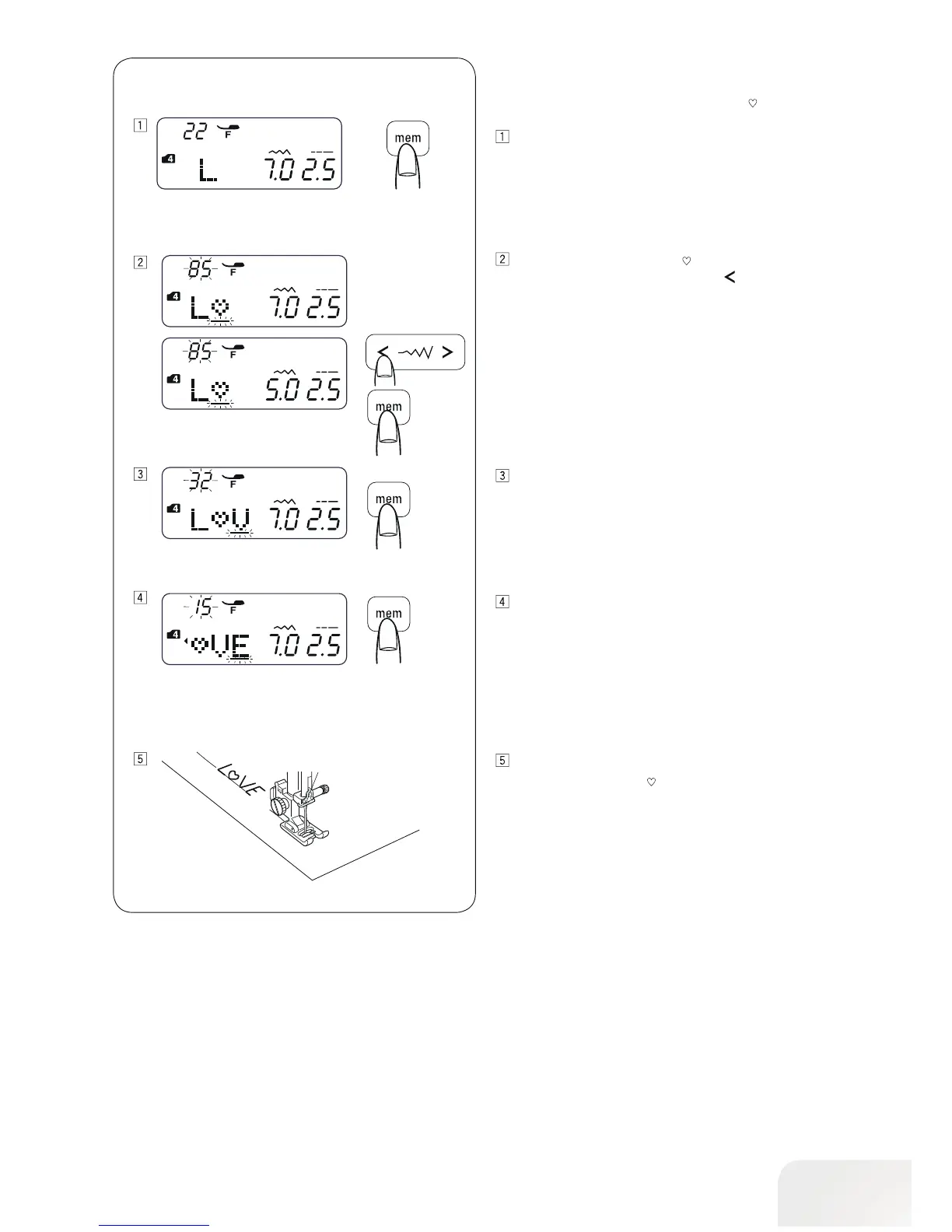
Example: To reduce the height of character “ “ to approximately
2/3 of its original size.
Press the mode button to enter mode 4.
Enter 22 to select upper case letter “L”.
Press the memory button.
Enter 85 to select character “ “.
Press the stitch width adjusting key “
“.
The stitch width will be changed to 5.0.
Press the memory button.
Enter 32 to select upper case “V“.
Press the memory button.
Enter 15 to select upper case “E“.
Press the memory button.
A pattern series will be sewn.
The size of character “
“ will be reduced to approximately
2/3 of its original size.



 To Next Page