43
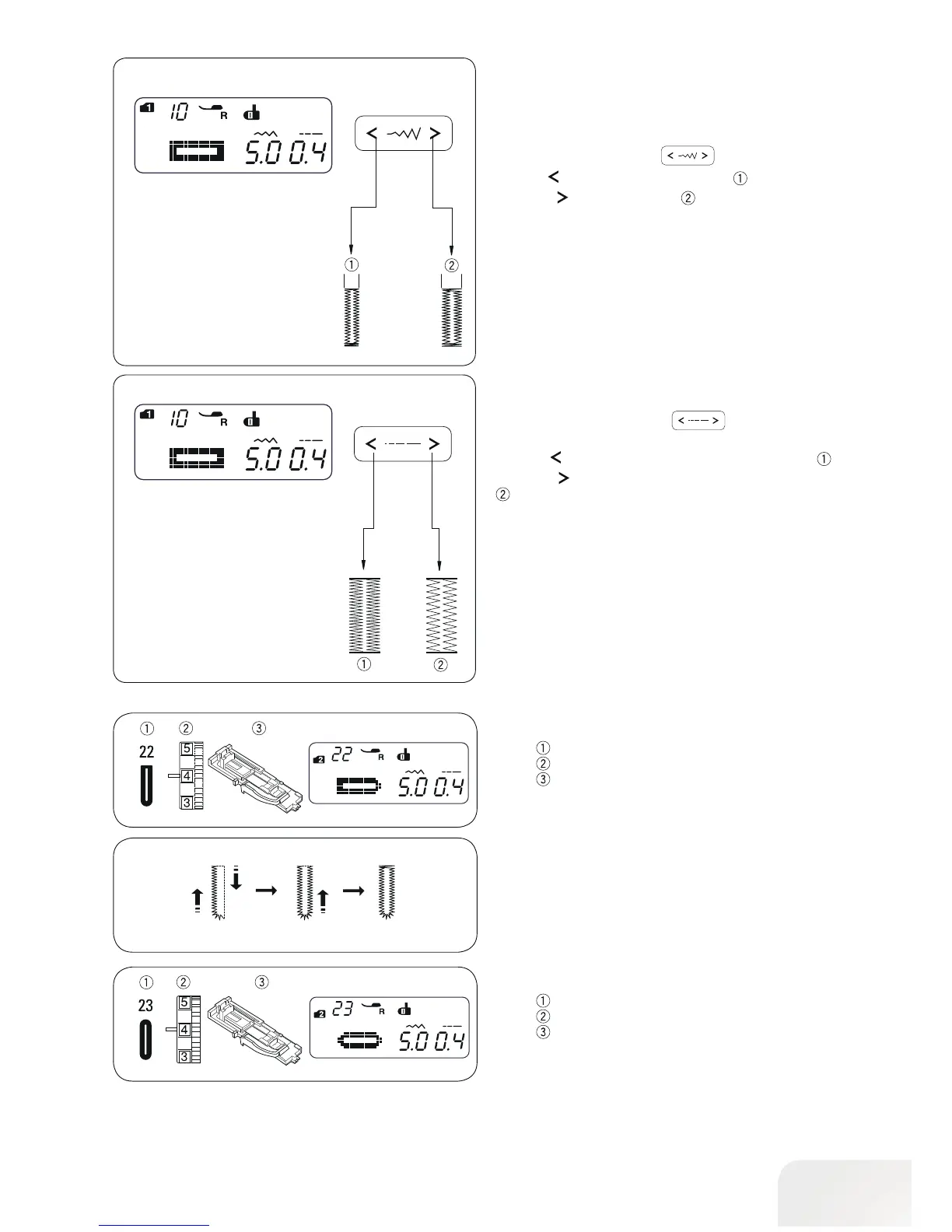
• Adjusting the stitch density
Press the stitch length button , to change the stitch
density.
Press the
button to make the buttonhole stitch denser .
Press the
button to make the buttonhole stitch less dense
.
The stitch density can be varied from 0.2 to 0.8 depending on
the selected buttonhole.
The default setting is “0.4“.
• To adjust the stitch width
Press the stitch width button to change the stitch.
Press the
button to decrease stitch width .
Press the
button to increase stitch width.
The stitch width can be varied from 2.5 to 7.0 depending on the
selected buttonhole.
The default setting is “5.0“.
Adjusting the Stitch Width and Density for
Buttonholes
Round-End Buttonhole
Stitch pattern: Mode 2 : 22
Thread tension: 1 - 5
Presser foot: Buttonhole foot with slide
Fine Fabric Buttonhole
Stitch pattern: Mode 2 : 23
Thread tension: 1 - 5
Presser foot: Buttonhole foot with slide
Sewing procedure is the same as standard buttonhole. The
stitch width can be varied from 2.5 to 5.5.
To change the stitch width or stitch density, refer to the section
above.
Sewing procedure is the same as standard buttonhole. The
stitch width can be varied from 2.5 to 5.5.
To change the stitch width or stitch density, refer to the section
above.



 To Next Page