62
Viewing a Long Text
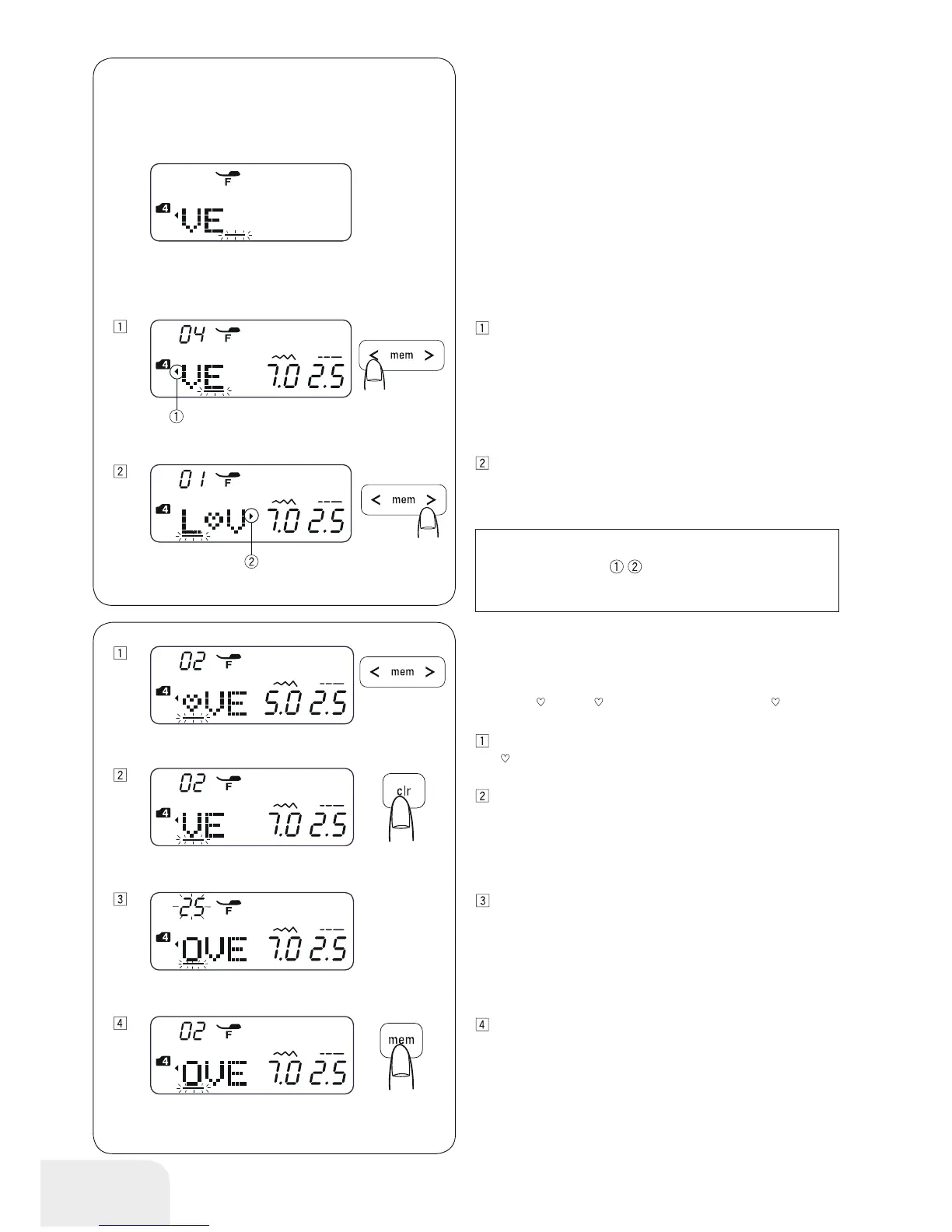
The LCD display shows up to 3 characters at a time.
If the entire text is not displayed, press the cursors to scroll the
text.
Pressing the cursor shifts the cursor and scrolls the text to
the left.
Pressing the cursor shifts the cursor and scrolls the text to
the right.
Deleting and Inserting a Letter (pattern)
Example:
To delete “
“ from “L VE“ and insert “O” instead of“ “
Press the cursor to move the cursor under the letter
“
“.
Press the clear button.
Select pattern 25 “O“.
Press the memory button. “O“ is inserted between “L” and
“V”.
PLEASE NOTE:
The triangle marks indicate that there are remain-
ing characters in that direction.



 To Next Page