26
Adjusting the Thread Tension for a Straight
Stitch
•Correct tension
Needle thread (top thread)
Bobbin thread (bottom thread)
To loosen tension
To tighten tension
The ideal straight stitch has threads locked between two layers
of fabric, as illustrated (magnified to show detail).
If you look at the top and bottom of the seam, notice that the
stitches are evenly balanced.
When adjusting the thread tension, the higher the number, the
tighter the needle thread tension.
Results depend on:
- stiffness and thickness of the fabric
- number of fabric layers
- Stichtyp
•Tension is too tight
Needle thread (top thread)
Bobbin thread (bottom thread)
To loosen tension
Right side (top side) of fabric
Wrong side (bottom side) of fabric
The bobbin thread shows through on the right side of the fabric,
and the stitch feels bumpy. Turn the dial to a lower tension setting
number to loosen the thread tension.
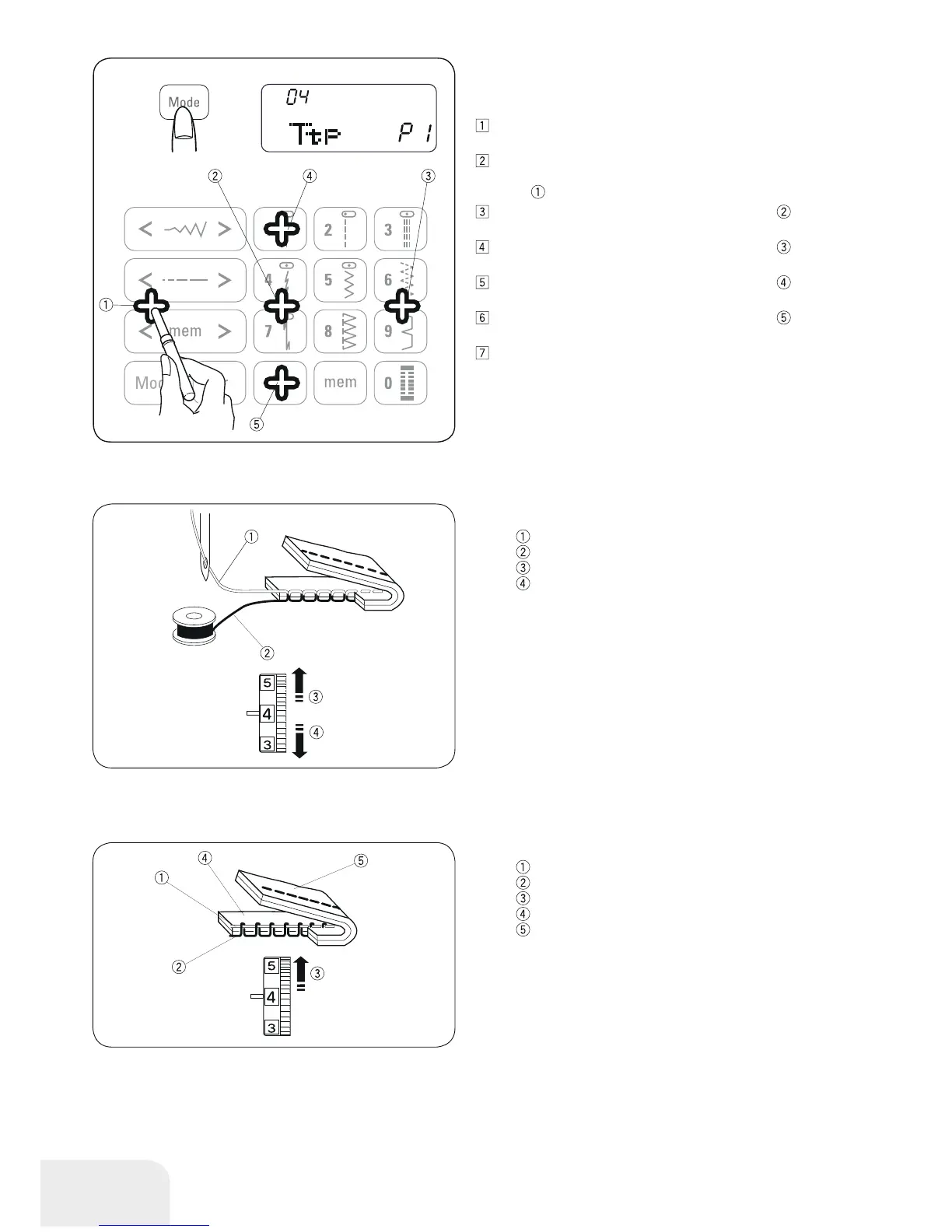
•Key position adjustment
You can adjust the key position when you think the key sensor is
off from the actual key position.
Enter the setting mode. Press the mode button 2 or 3 times
to enter the key position adjustment.
The key position adjustment screen appears.“P1” is shown
on the right side of the screen. With a buttonhole opener,
press
on the touch panel of your machine.
“P2” will be shown on the LCD display. Press the on the
touch panel.
“P3” will be shown on the LCD display. Press the on the
touch panel.
“P4” will be shown on the LCD display. Press the on the
touch panel.
“P5” will be shown on the LCD display. Press the on the
touch panel.
The screen will back to the Buzzer sound setting screen.
Press the memory button to apply the adjustment.



 To Next Page