134
Troubleshooting
This tool may only be used for the applica-
tion described!
Error Message
Blocked Hook
Repair
► cut the threads close to the stitch plate and remove the
sewing project
► remove presser foot, needle and stitch plate
► open the bobbin door, the hook will swing out.
► switch sewing computer off.
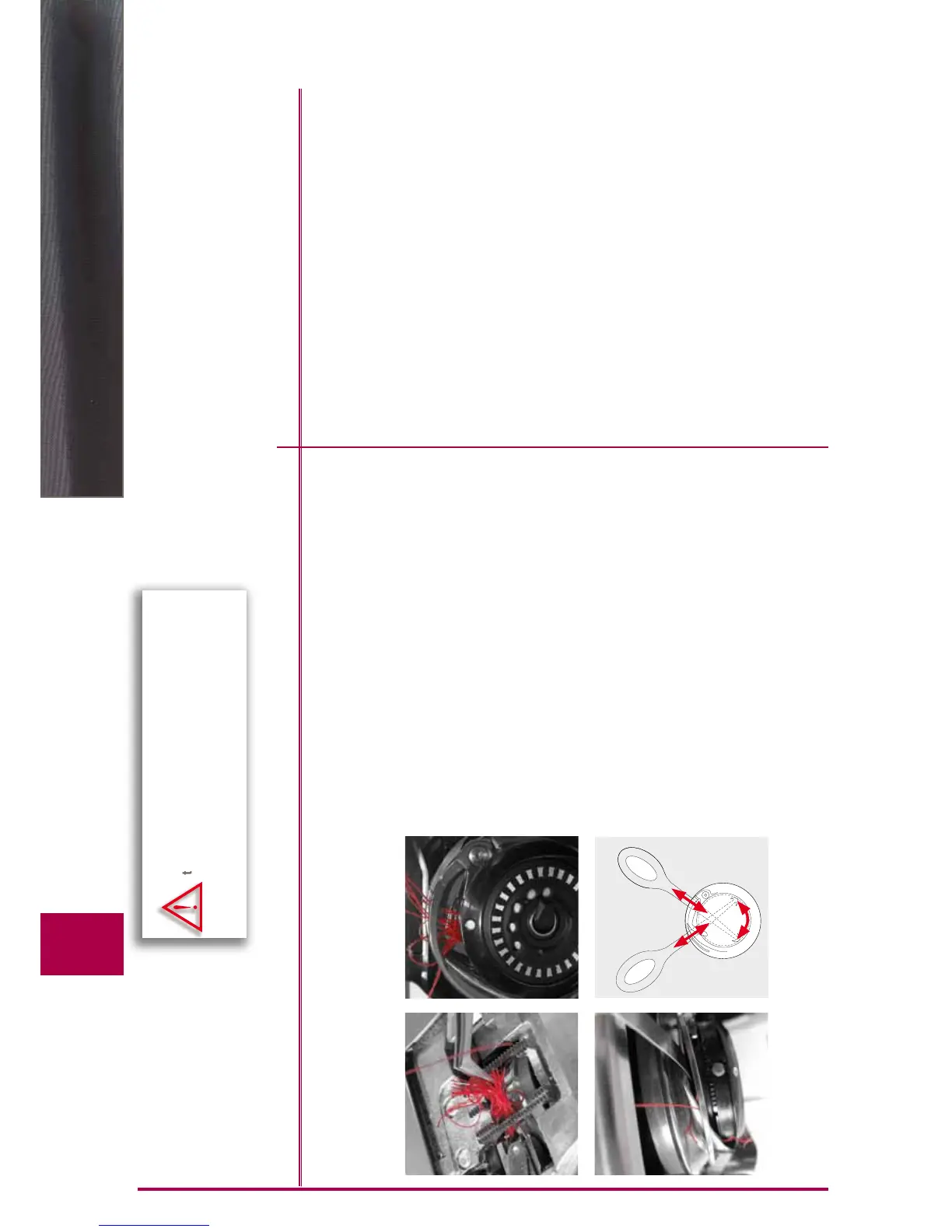
► first use tweezers from the standard accessories and
carefully remove the visible threads from the entire hook
area (Fig. 1)
► hold bobbin case firmly with your left hand (see page 25
in the manual) and with your right hand turn the hand
wheel to bring hook screw to the 2:30 position as shown
Fig. 2
► carefully insert the tool into the opening, then pull the
threads up and out by moving the tool sideways and
upways (Fig. 3-4)
► after removing all thread bits, lubricate the hook, then
switch on the sewing computer and close the bobbin
door. The hook will reposition itself automatically
1
4
2
3



 To Next Page