56
Stitch Patterns
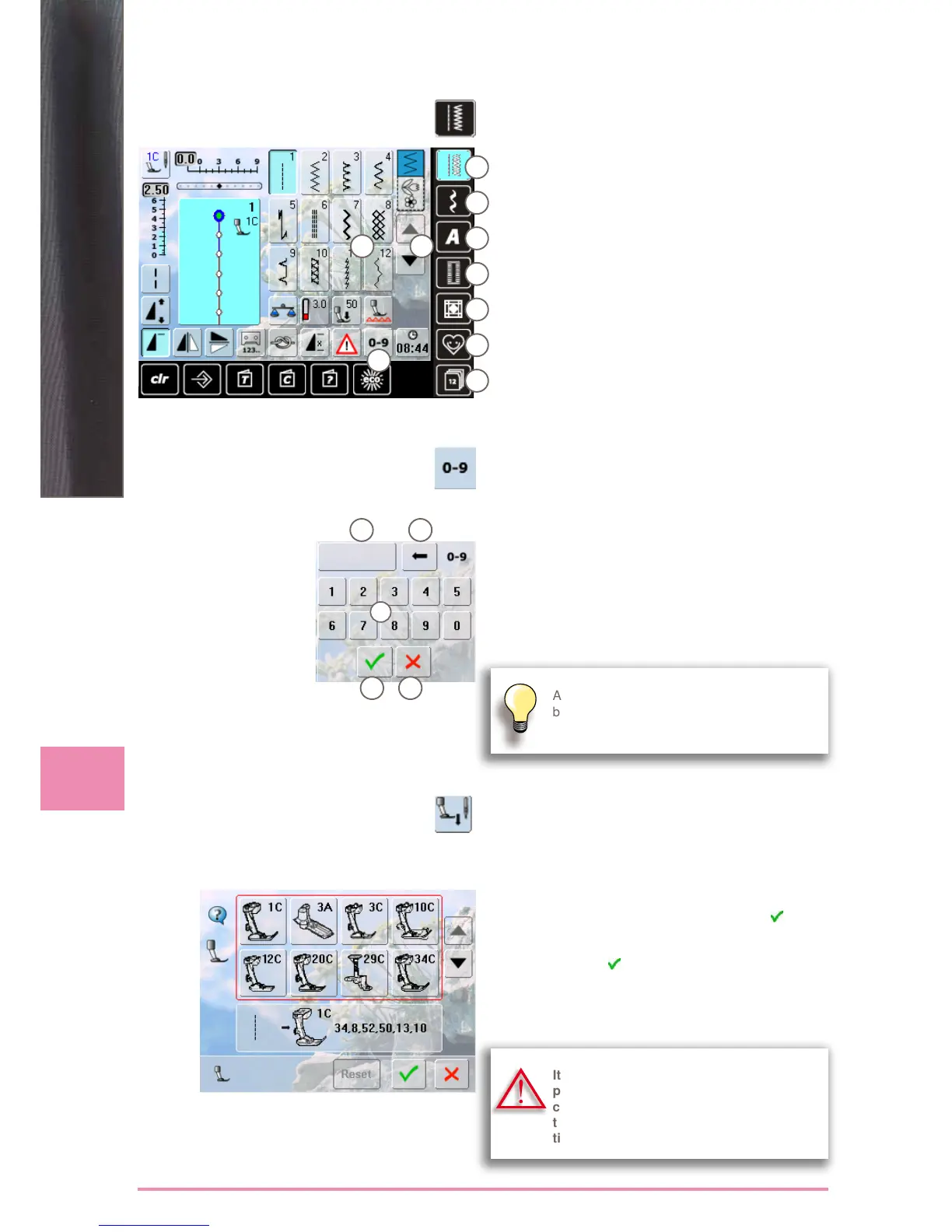
Selection
► select from main categories A - G
A Practical stitches
B Decorative stitches
C Alphabets
D Buttonholes
E Quilt stitches
F Personal Program
G History
► the available stitch patterns appear in display section H
► select desired stitch pattern
► scroll I to view all other stitch patterns of the category
via Screen
Input
► select stitch pattern by entering the number after
touching the icon J
► number keys 1 appear in display section H
► the selected stitch number appears 2
► 3 to delete the previously entered number
► the entire number is deleted if you touch 2
► confirm entry 4
Cancel
► back to the previous screen without selecting stitch
pattern 5
by Stitch Number
An invalid stitch number will be indicated in
bar 2 with 3 question marks.
1
2 3
4 5
A
B
C
H
I
D
E
F
G
J
Selecting a Presser Foot
► any selected stitch pattern appears together with the
optimum presser foot in the stitch altering area
► attach the recommended presser foot
► touch the «Presser Foot Selection» icon top left in the
screen
► in the opened presser foot category, select the icon that
shows the attached presser foot, and confirm
. As an
alternative, attach one of the options shown in the lower
portion of the screen, select the respective presser foot
icon and confirm
► the attached presser foot appears in the «Presser Foot
Selection» icon
► depending on the presser foot attached, the presser
foot category may change
It is IMPORTANT to select the attached
presser foot in the respective presser foot
category to enable the sewing computer
to recognize it and to activate the respec-
tive safety settings.



 To Next Page