61
Decorative Stitches
Tapering
► tapering is a technique in which the stitch patterns come
to a point at the beginning and end
► four different angles are pre-programmed; you can set
the angle yourself on the fifth page
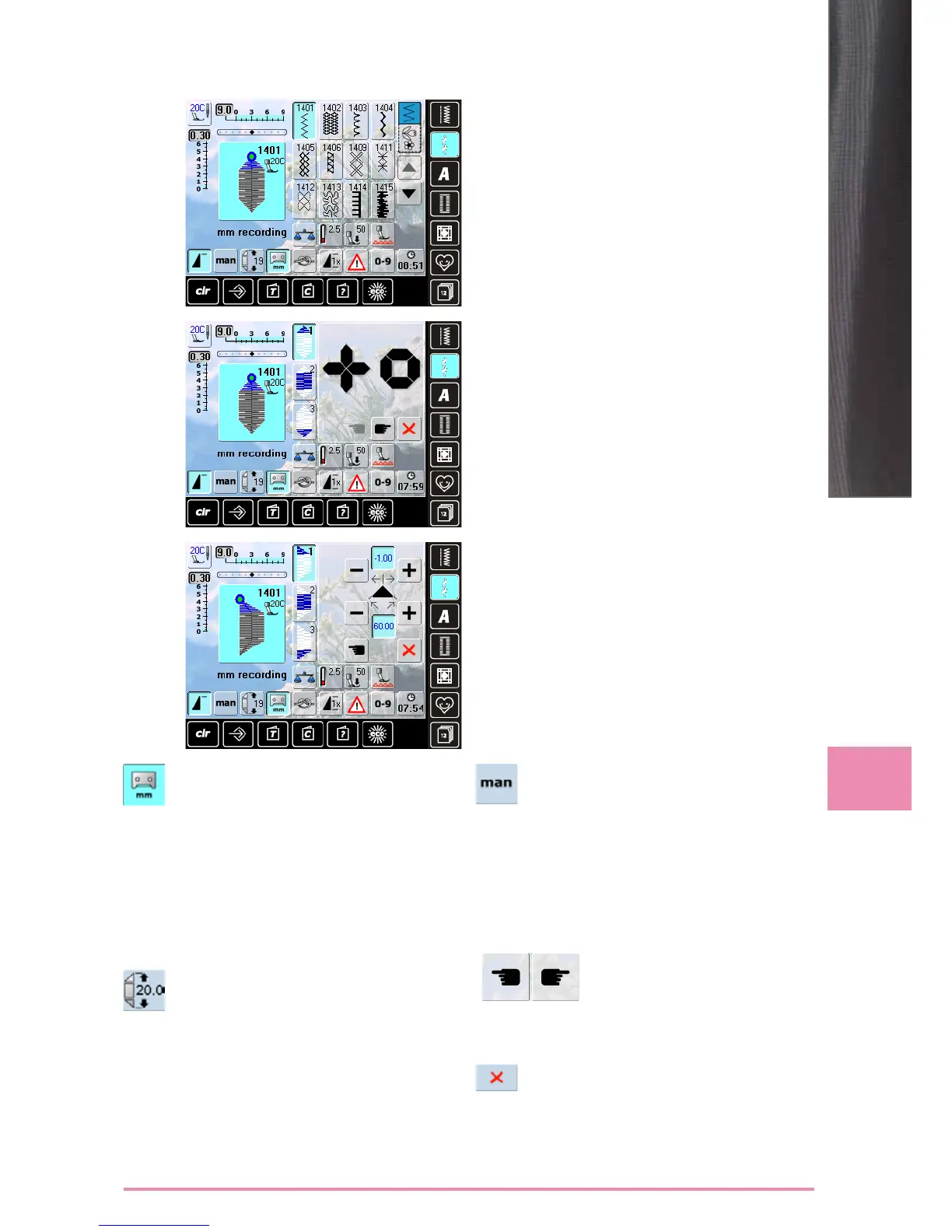
► select stitch no. 1401
► the tapering screen appears
► the first segment (1) is active
► segment (1) and (3) have a programmed length; you
can set the length of section (2) yourself
► use the top «+» and «-» buttons to move the tips of the
pattern from -1.00 (far left) to 1.00 (far right)
► standard setting = -1.00
► touch the active field in the center to place the tips in the
center of the pattern (0.00)
► use the bottom «+» and «-» buttons to set the angle of
the tips between 0.00° and 90.00°
► standard setting = 60.00°
► touch the active field in the center to set the angle to
45.00°
Setting
Programming the Length of Section 2
► field is blue (active) when a tapering pattern is
selected
► sew the first section
► use the Quick Reverse button on the head
frame to set the length of section 2
► once the length is programmed, the field is
turned off (inactive, gray)
► after the second section is programmed, the
third section is automatically sewn and the
sewing computer stops
► to program a new length, reselect the field
Programming the Length of Section 2
by Entering mm
► touch the icon
► program the length with the stitch width or
stitch length knob
► sew the stitch pattern
► all three sections are automatically sewn and
the sewing computer stops
► to program a new length, reselect the field
Manually Setting the Length of
Section 2
► touch the icon
► sew first section
► use the Quick Reverse button on the head
frame to set the length of section 2
► the third section is automatically sewn and the
sewing computer stops
► the length is not programmed, and must be
reset each time a new tapered pattern is
started
Selecting the Tapering Angle
► touch the symbols to select another angle
Closing the Tapering Screen
► touch the icon
► the tapering screen is closed and the tapering
patterns appear


 To Next Page