36
Setup Program
Entry Screen
The Setup Program enables you to personalize the touch screen according to your own
requirements and preferences.
After setting the sewing computer to your personal requirements, all changes made in the
Setup Program are saved, even when the sewing computer is switched off. Exceptions
from this rule are outlined within the description of the function concerned in each case.
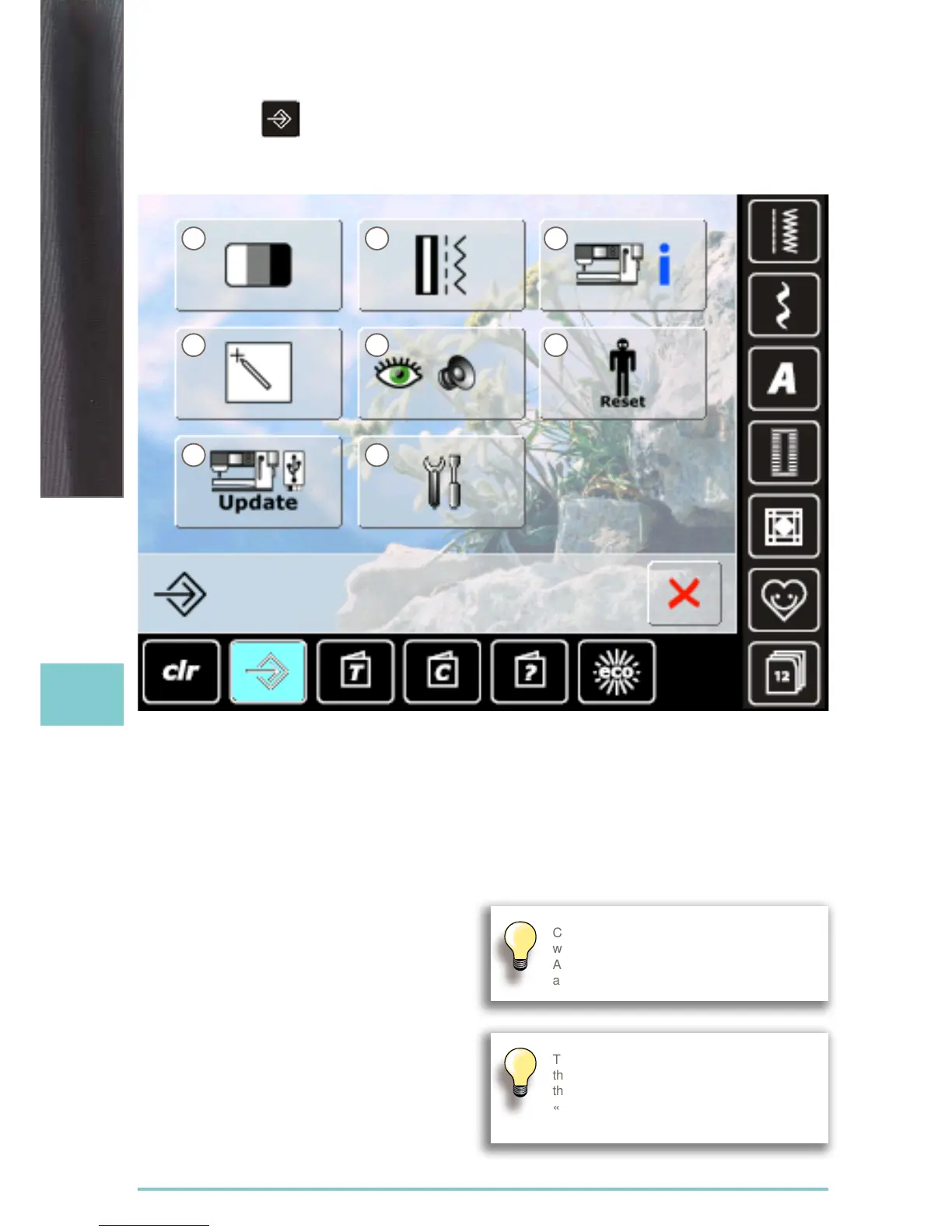
Selection Menu
1 Display (screen) settings
2 Sewing settings
3 Information
4 Display (screen) calibration
5 Monitoring settings
6 Reset basic settings
7 Update sewing computer
8 Cleaning the sewing computer
Customized alterations are saved even
when the sewing computer is switched off.
Alterations can be re-programmed at
any time.
The System Settings can be changed using
the stitch width and stitch length knobs and
the «+/-» icons.
«Reset» button resets to the basic System
Settings.
1
6
2
7
3
4 5
8



 To Next Page