2
OPERATION
24
EN
ADJUST BUTTON FUNCTION INSTRUCTION
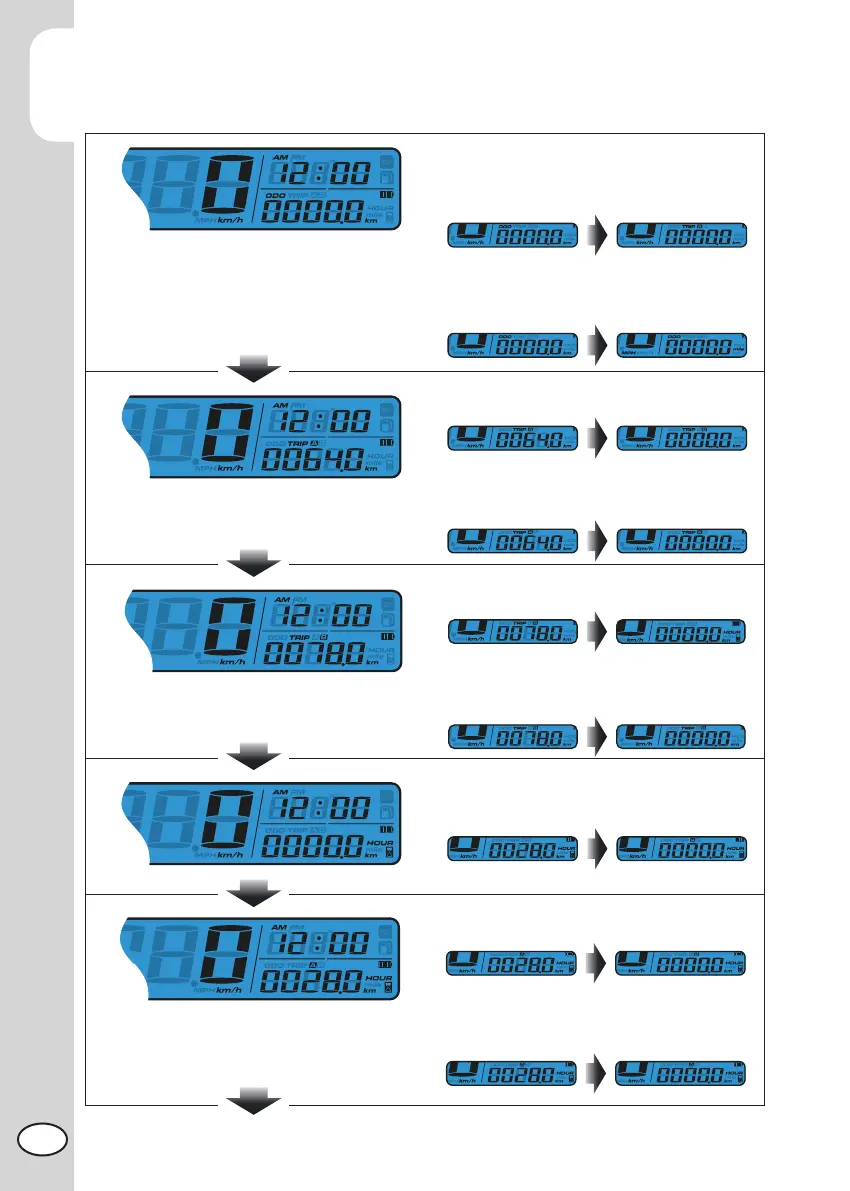
In main screen, press the Adjust button once
to switch the function from odometer to trip.
In main screen, you could hold pressing
the Adjust button for 3 seconds to change
the speed unit.
Press the Adjust button to switch from trip
A to trip B.
Hold pressing the Adjust button for 3
seconds to reset the trip A.
Press the Adjust button to switch from trip B
to total hour meter.
Hold pressing the Adjust button for 3
seconds to reset the trip B.
Press the Adjust button to switch from
total hour meter to hour meter A.
Press the Adjust button to switch from
hour meter A to hour meter B.
Press and hold the Adjust button for 3
seconds to reset the hour meter A.



 To Next Page