C (E3) 08/2015 page 45/93
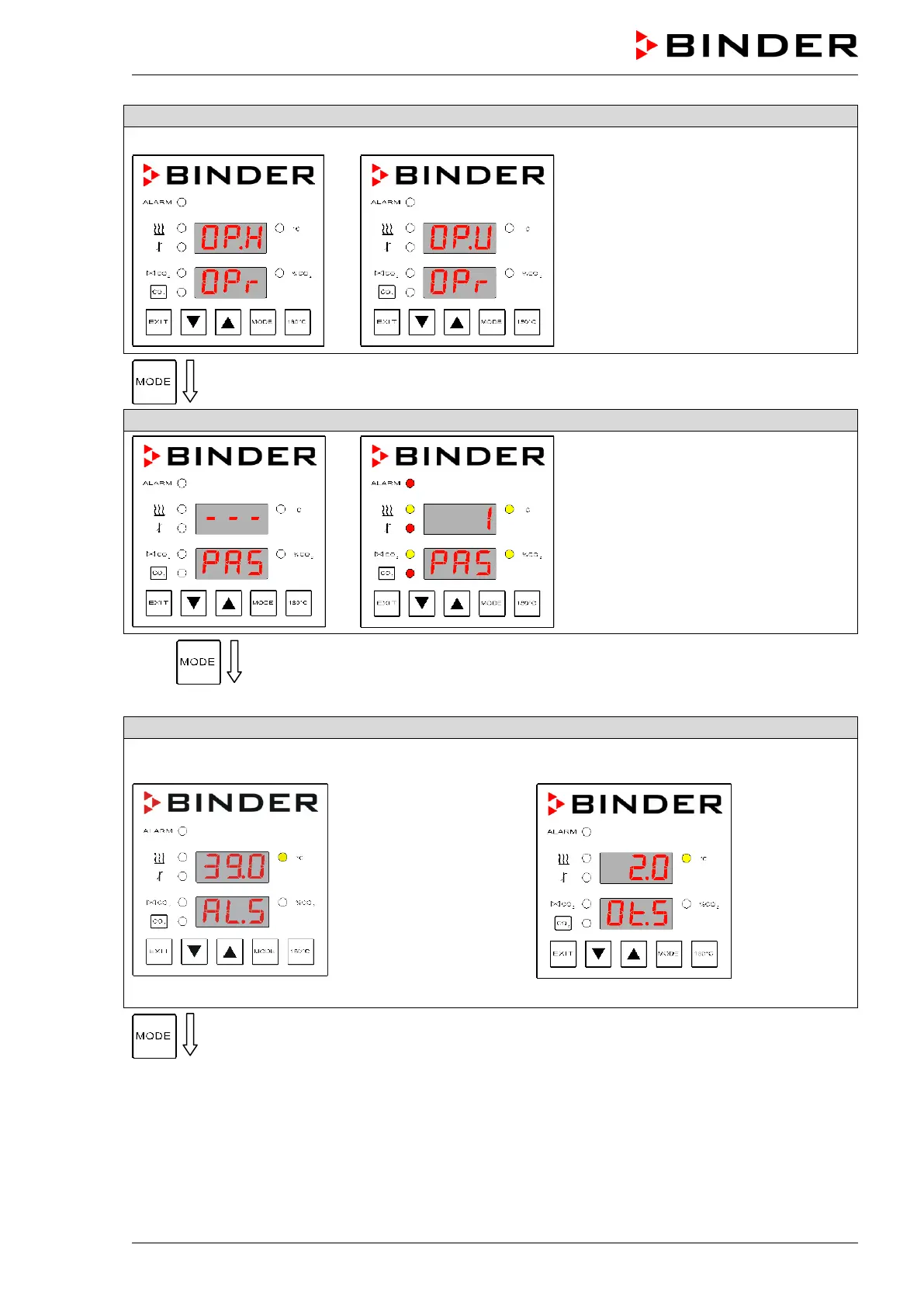
Toggle to operating mode USER
Operating mode HAND
Operating mode USER
If operating mode HAND appears,
toggle to operating mode USER with
the arrow keys.
Password entry
(factory setting: “1”).
10 x
Depending on the selected set point type (chap. 9.2.1) a different display appears:
Entry of limit value or offset value
With set point type Limit:
Enter a limit value
Entry of limit value using the arrow keys.
or
With set point type Offset:
Enter an offset value
Entry of offset value using the arrow keys.
After 30 seconds the controller reverts to Normal Display automatically.



 To Next Page