C (E3) 08/2015 page 44/93
12 x
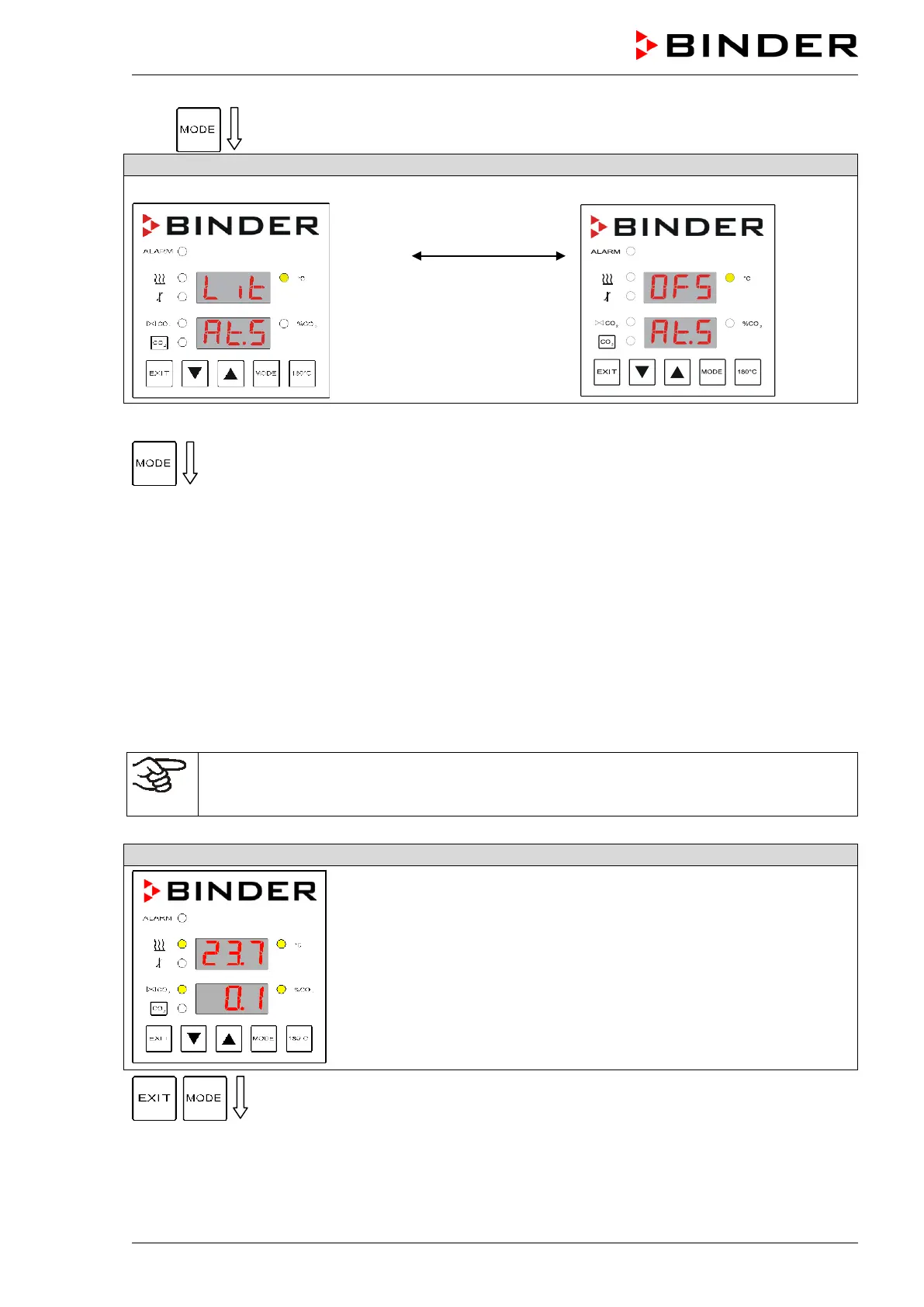
Selecting the set point type
Selecting set point type “Limit”
Change using the
arrow keys
Selecting set point type “Offset”
Select the desired set point type.
After 30 seconds the controller reverts to Normal Display automatically.
9.2.2 Setting the safety controller set point
You can check and set the safety controller set point in operating modes HAND (chap. 7.2) or USER
(chap. 7.3).
• With set point type “Limit” (Lit), operating function “AL.S” (safety controller set point as limit value) is
displayed in operating modes HAND and USER. You can set a limit value.
• With set point type “Offset” (OFS), operating function “Ot.S” (safety controller set point as offset value)
is displayed in operating modes HAND and USER. You can set an offset value.
The settings of the safety controller are inactive during sterilization (chap. 15.4). They become
functional again following abortion of the sterilization and/or the restart of the unit at the main
power switch.
simultaneously for 3 seconds



 To Next Page