FlightHawk RF Test Set
22
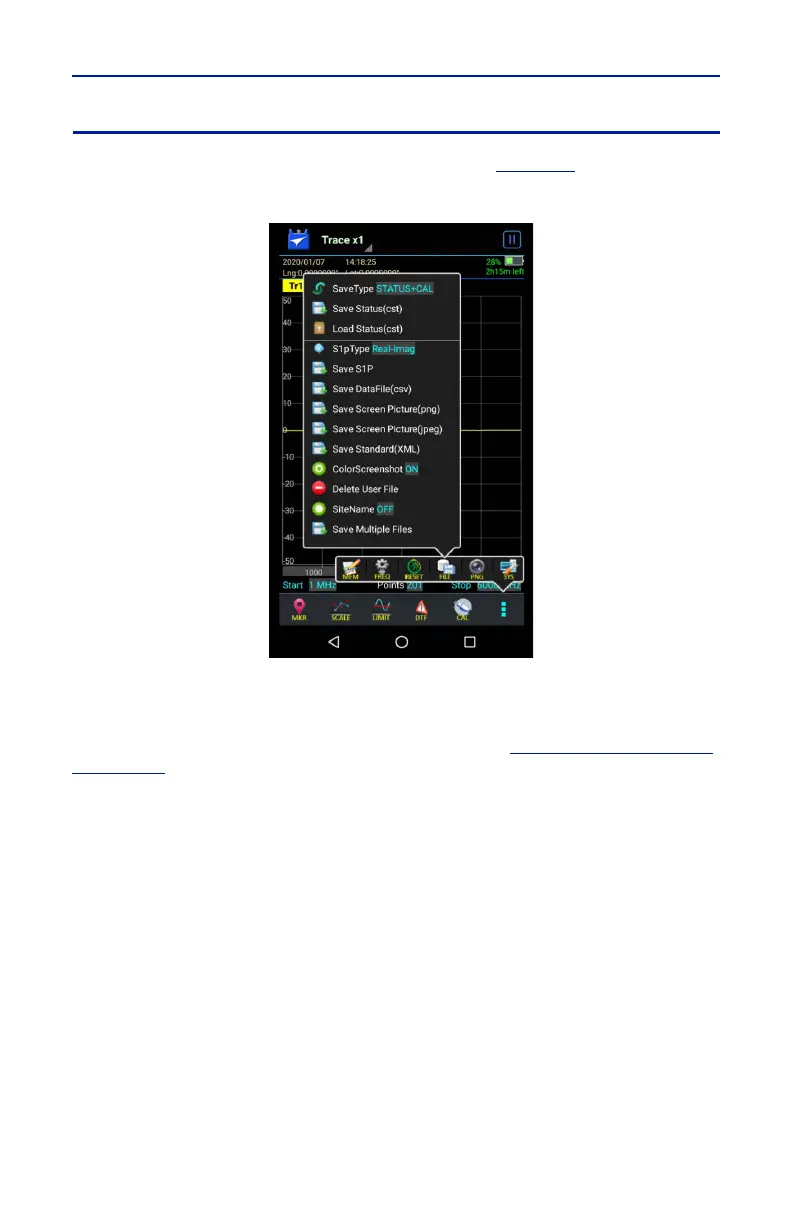
FILE Menu
Pressing the FILE icon will display the file menu. See
Figure 17
.
Figure 17 File Menu
Saving and Recalling Traces
Traces and measurement data can be saved and recalled from either the unit’s
internal memory or an external USB thumb drive. See
"Data Save and Export"
on page 38
.
Screenshots
Screenshots can be saved by using the Save Screen Picture options on the File
menu, or by pressing the PNG Icon. The current time is added to all screen shots.
The site name may be added as an option.
Save Screen Picture (png)
Saves a PNG file of the current Sweep Display Area, press the menu option and a
save dialog is displayed allowing the user to enter a file name or use the default
file name.
Note: If the Site Name option is set to ON an Edit SiteName dialog box
will be displayed each time screen shot is taken.



 To Next Page