FlightHawk RF Test Set
80
Firmware Update
1. Go to https://birdrf.com/Products/Test%20and%20Measurement/
Analyzers/RF-Cable-Antenna-Testers/SK-6000-TC-SiteHawk-Analyzer.aspx
2. Scroll down to Downloads.
3. Click on SiteHawk App VX.XX to download.
4. Connect the USB drive to the PC.
5. Transfer the SiteHawk_XXX.apk update file to the USB drive.
6. Remove the USB drive.
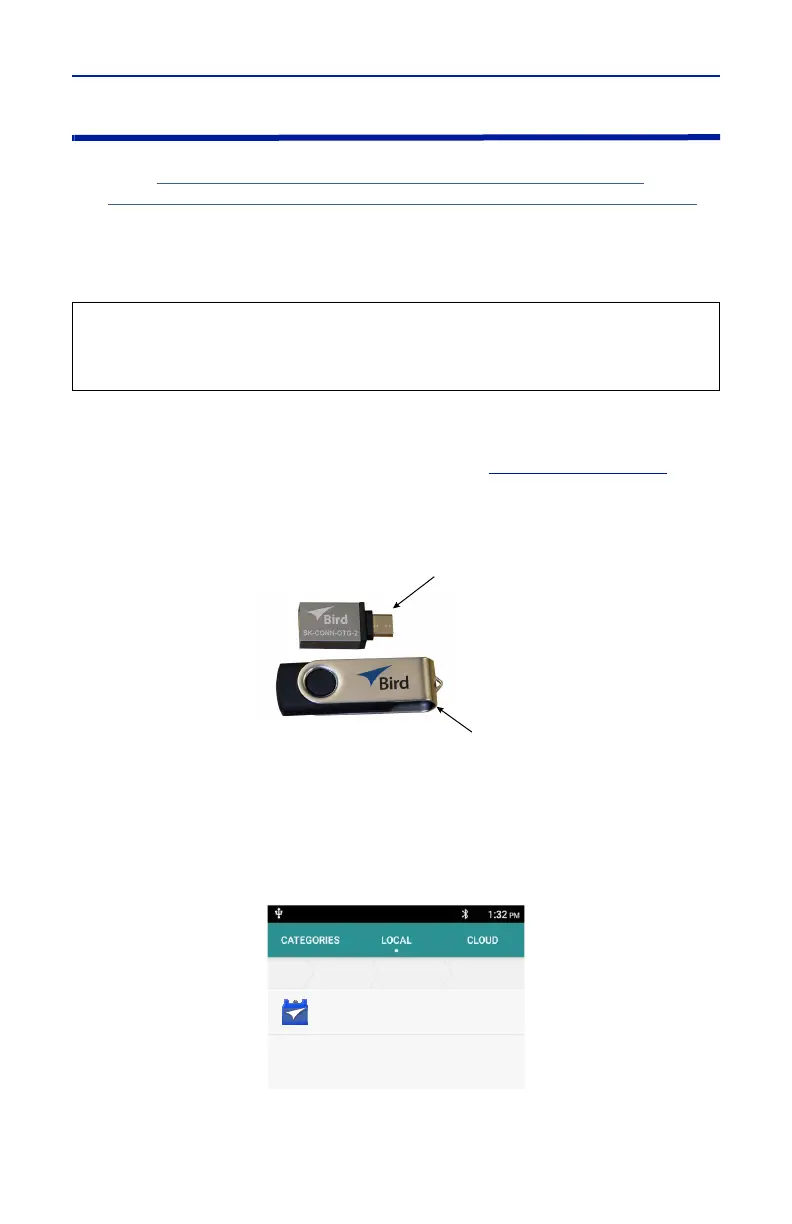
7. Connect the USB drive to the USB adapter. See
Figure 72 on page 80
.
8. Connect the USB adapter to the FlightHawk-AV Analyzer.
Figure 72 USB Drive connections
9. Turn on the FlightHawk-AV Analyzer.
10. Select “File Manager”.
11. Select “External USB storage”.
Figure 73 APK file selection
12. Select SiteHawk-Firmware-XXX.apk.
13. Follow the Installation instructions on the unit.
CAUTION
Do not connect the FlightHawk-AV to a PC USB port.
File transfer must be done using a USB Drive.
;;;;;
!"#"$%$#&'((#$



 To Next Page