5
Chapter 2 FlightHawk-AV Basic Operation
Aviation Testing Software
If you purchased the Aviation Testing Software (such as part number 7003A001-
SW-BOE), please refer to
Appendix B
for a detailed description.
Measurement Interface
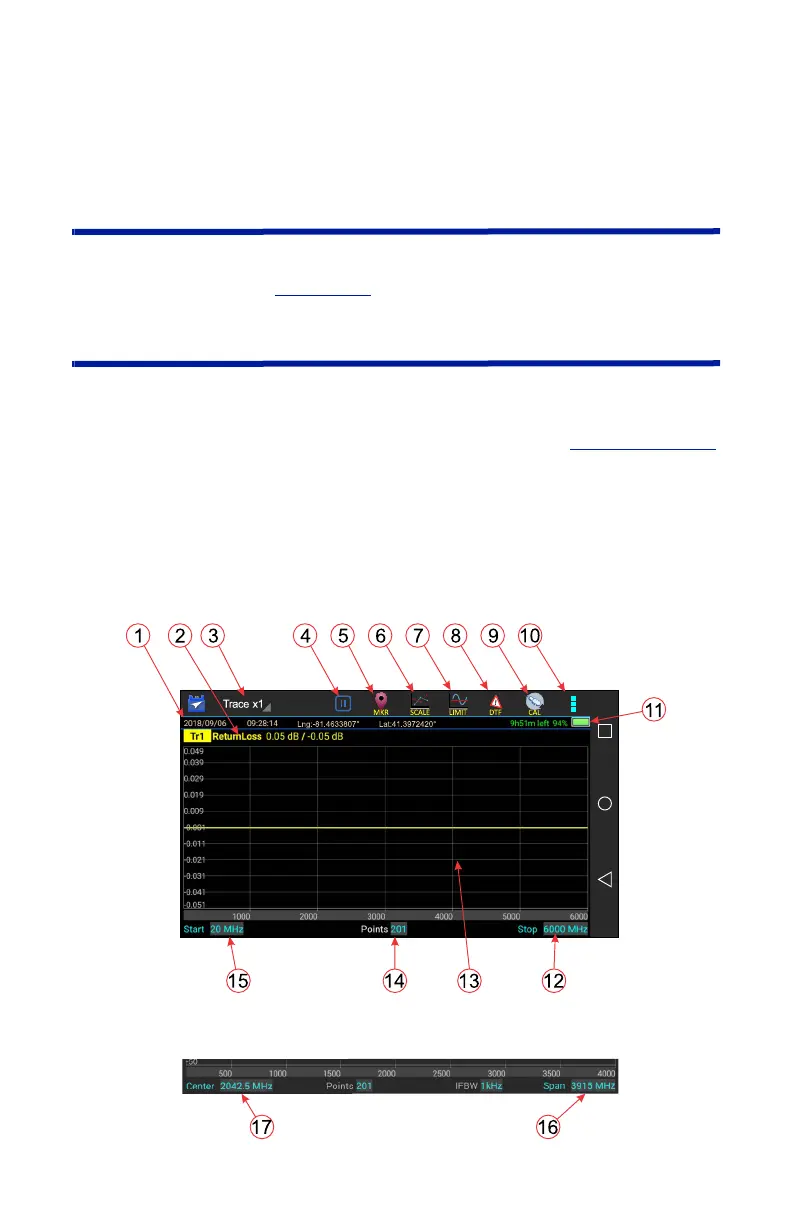
The FlightHawk-AV measurement interface consists of a measurement display
area, menus and control options. The user taps the screen to access menus,
change settings, perform measurements and save results. See
Table 1 on page 6
for explanations.
Note: The displays used in this manual are shown with the
FlightHawk-AV in the horizontal position, some menus may display
differently if accessed with the unit in a vertical position. Display
options can be controlled via the settings menu on the home screen.
Figure 3 User Interface Description (Match Measurement Mode)



 To Next Page