FlightHawk RF Test Set
40
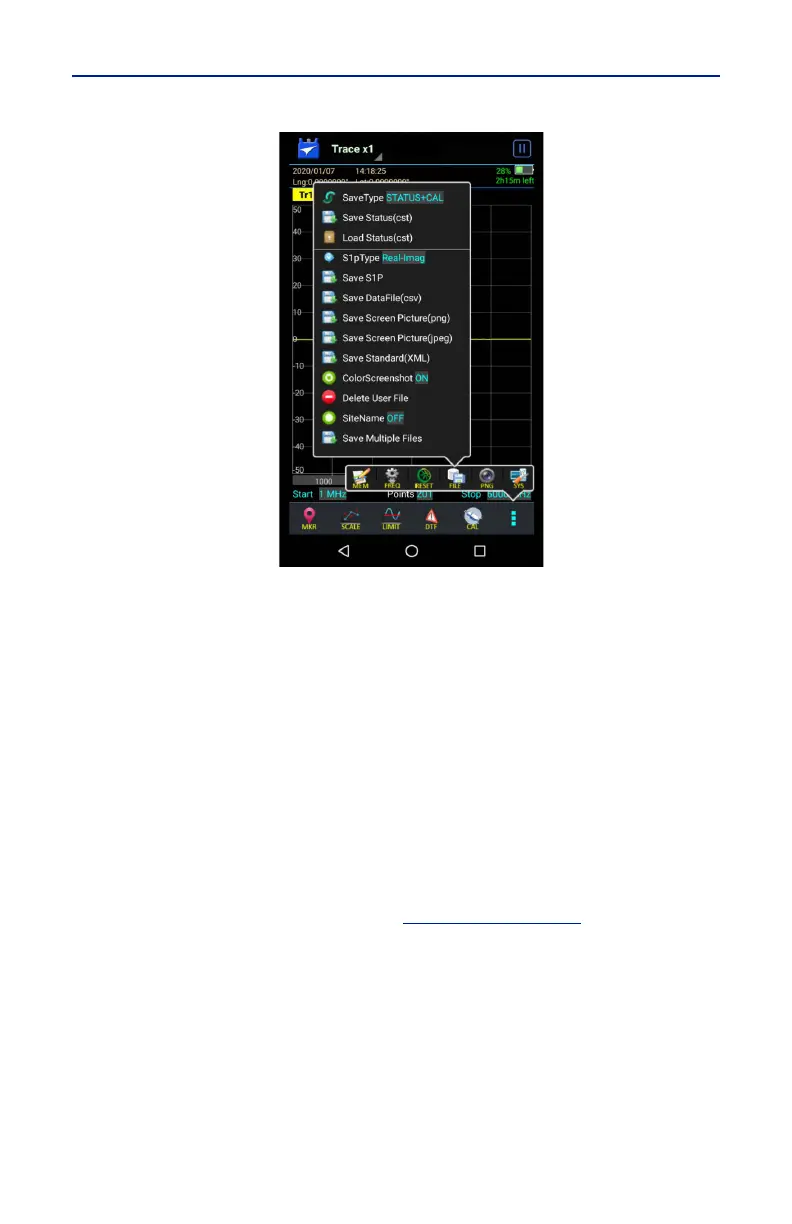
Figure 35 File Menu
3. Select the format of the saved file:
Data can be saved as cst or sta trace data.
Data can be saved as a S1p file.
Data can be saved as a datafile (.csv).
Screenshots can be saved as .png or .jpeg.
4. Press appropriate Save icon (each save type has its own save button).
Note: Unless a custom name is entered, a default filename will be
automatically generated. This file will be saved to the internal memory
of the unit.
5. Change the file name if desired. See
Figure 36 on page 41
.
6. If Save Multiple Files was selected, select checkboxes for all file types to
save as a group.
7. Press Save.



 To Next Page