FlightHawk RF Test Set
44
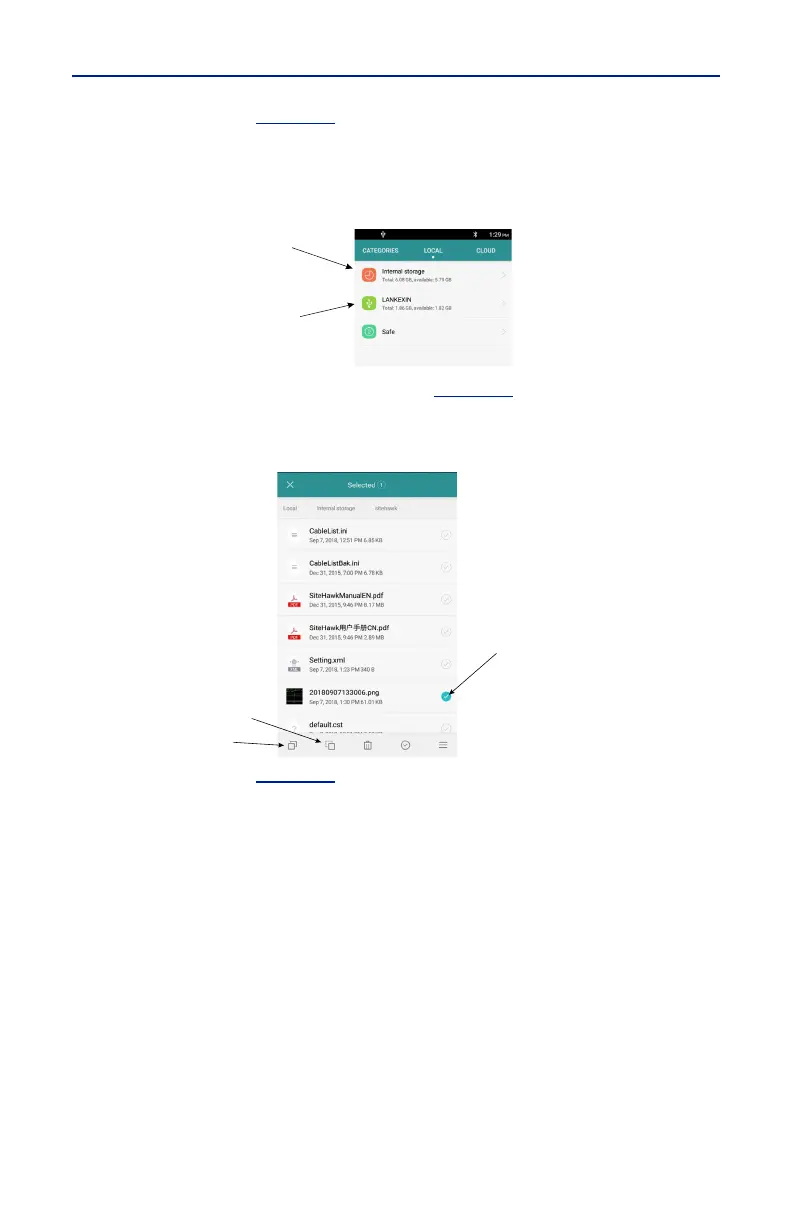
4. Select LOCAL. See
Figure 40
.
5. Select Internal Storage.
6. Navigate to the location of the file.
Figure 40 File Selection
7. Press to select the file to be copied. See
Figure 41
.
8. Press the Copy icon.
Figure 41 Select and Copy Files
9. Select LOCAL. See
Figure 42
.
10. Select USB Storage.
11. Navigate to the directory where the file will be saved.
12. Tap the Paste icon to save the file onto the USB drive.



 To Next Page