34
1.8 7 7. 87 7. 2 2 6 9 BLACKBOX.COM
NEED HELP?
LEAVE THE TECH TO US
LIVE 24/7
TECHNICAL
SUPPORT
1.8 77.87 7.2269
CHAPTER 3: INSTALLATION
3.14 LED STATUS INDICATORS
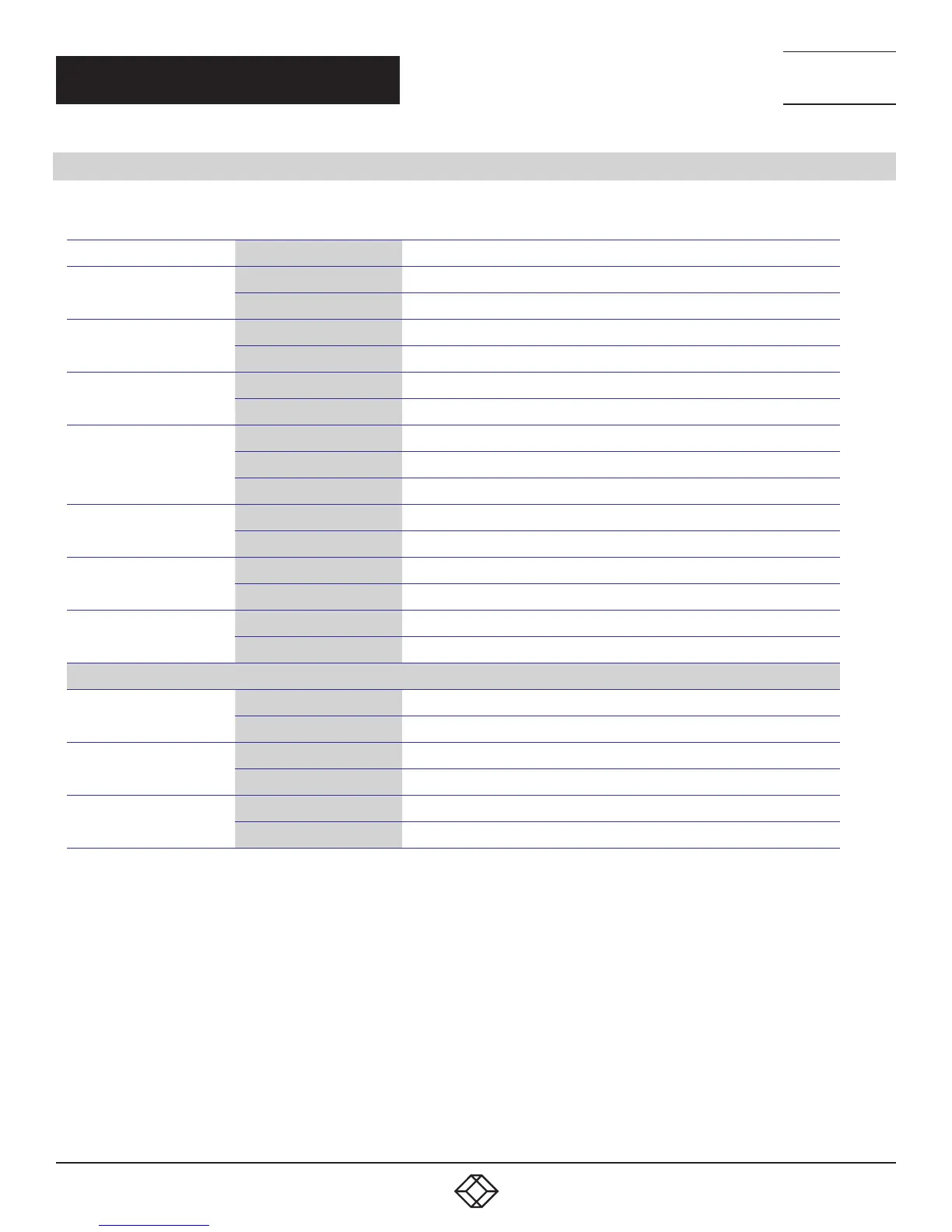
TABLE 3-2. LED STATUS INDICATORS
LED NAME INDICATOR /COLOR CONDITION
P1
On Green P1 power line has power
Off P1 power line is disconnected or does not have supply power
P2
On Green P2 power line has power
Off P2 power line is disconnected or does not have supply power
Alarm
On Red Alarm event occurs
Off No alarm
Copper port Link/Act
On Green Ethernet link up but no traffic is detected
Flashing Green Ethernet link up and there is traffic detected
Off Ethernet link down
Copper port Speed
On Yellow A 100 Mbps or a 1000 Mbps connection is detected
Off No link or a 10 Mbps connection is detected
SFP port Link/Act
On Green Ethernet link up
Off Ethernet link down
SFP port Speed
On Yellow SFP port speed 1000 Mbps connection is detected.
Off No link or a SFP port speed 100 Mbps connection is detected
POE MANAGED SERIES ONLY
RR (Ring Role)
On Green One of 3 Ring group is enabled and is Master role.
Off Ring is slave role
RS (Ring Status)
On Green Ring fail is detected
Off No ring fail detected
PoE
On Yellow PoE is detected
Off No link













 To Next Page