87
1.8 7 7. 87 7. 2 2 6 9 BLACKBOX.COM
NEED HELP?
LEAVE THE TECH TO US
LIVE 24/7
TECHNICAL
SUPPORT
1.8 77.87 7.2269
CHAPTER 10: POWER OVER ETHERNET APPLICATION
1. Day: Checkmarks indicate which day are members of the set. From Sunday to Saturday.
2. Interval: Start - Select the start hour and minute. End - Select the end hour and minute. There are 48 time intervals in one day.
Each interval has 30 minutes.
3. Action:
Power On - Select the radio button to apply power on during the interval.
Power Off - Select the radio button to apply power off during the interval.
4. PoE Power Reset: The entry is used to control the power reset time on PoE port. You can create at maximum 5 entries for each
PoE port.
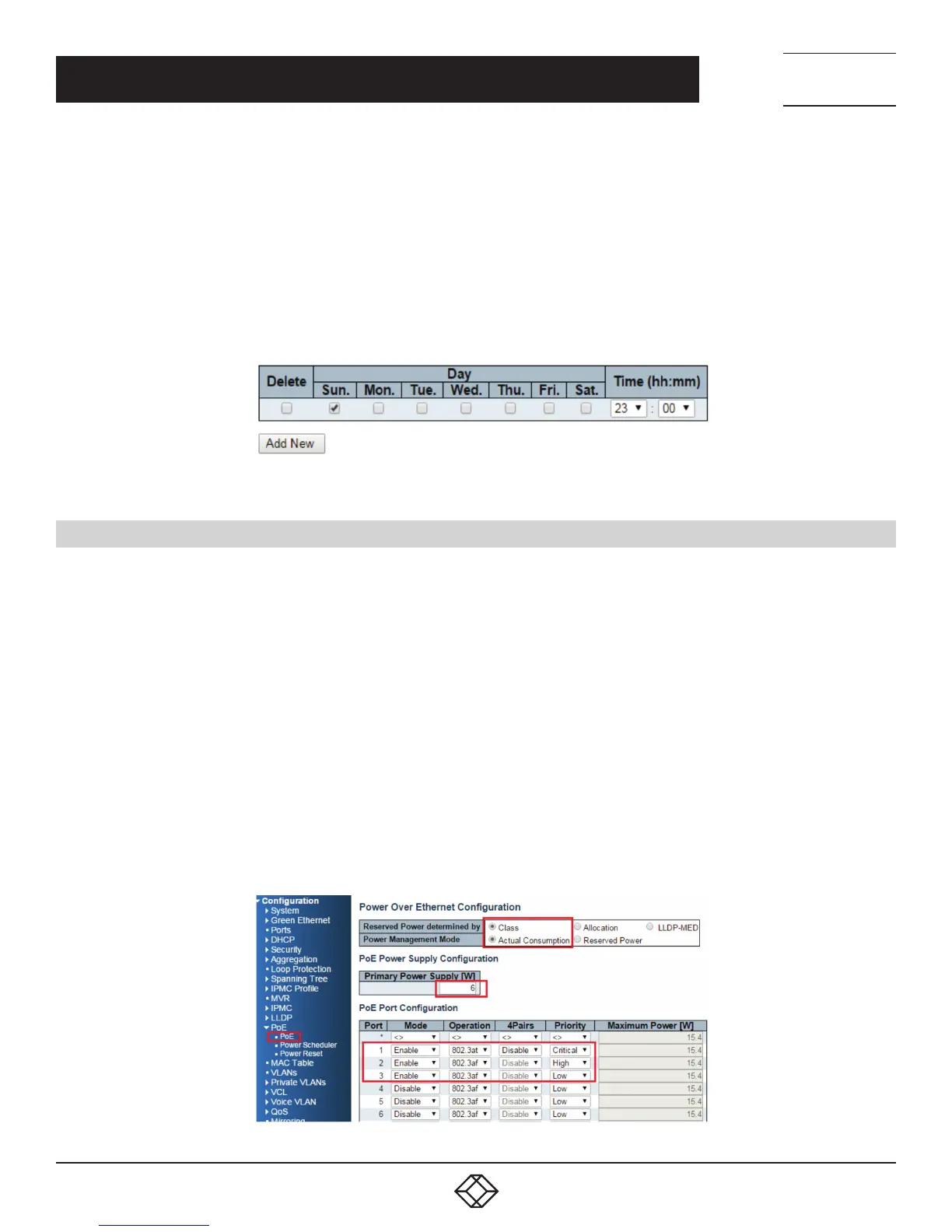
FIGURE 10-2. POE POWER RESET CONTROL ON PORT 1
10.5 EXAMPLE 1
1. Parameter Setting:
Reserved Power determined: Class
Power Management Mode: Actual Consumption
Primary Power Supply: 6W
2. Test Port
Port 1: 802.3at with critical priority
Port 2: 802.3af with high priority
Port 3: 802.3af with low priority
3. PD Power Consumption
Port 1: 1.3 watt (PoE Splitter)
Port 2: 1.3 watt (PoE VoIP Phone)
Port 3: 3.8 watt (PoE WiFi AP)
4. Web Configuration
FIGURE 10-3. WEB CONFIGURATION













 To Next Page