35
1.8 7 7. 87 7. 2 2 6 9 BLACKBOX.COM
NEED HELP?
LEAVE THE TECH TO US
LIVE 24/7
TECHNICAL
SUPPORT
1.8 77.87 7.2269
CHAPTER 4: VLAN APPLICATION
This chapter describes how to configure Virtual LANs (VLANs) in the switch. The switch supports up to 2048 VLANs. Ports are
grouped into broadcast domains by assigning them to the same VLAN. Frames received in on VLAN can only be forwarded within
that VLAN, and multicast frames and unknown unicast frames are flooded only to ports in the same VLAN.
4.1 EXAMPLE 1: DEFAULT VLAN SETTINGS
Each port in the switch has a configurable default VLAN number, known as its PVID. This places all ports on the same VLAN
initially, although each port PVID is configurable to any VLAN number between 1 and 4094.
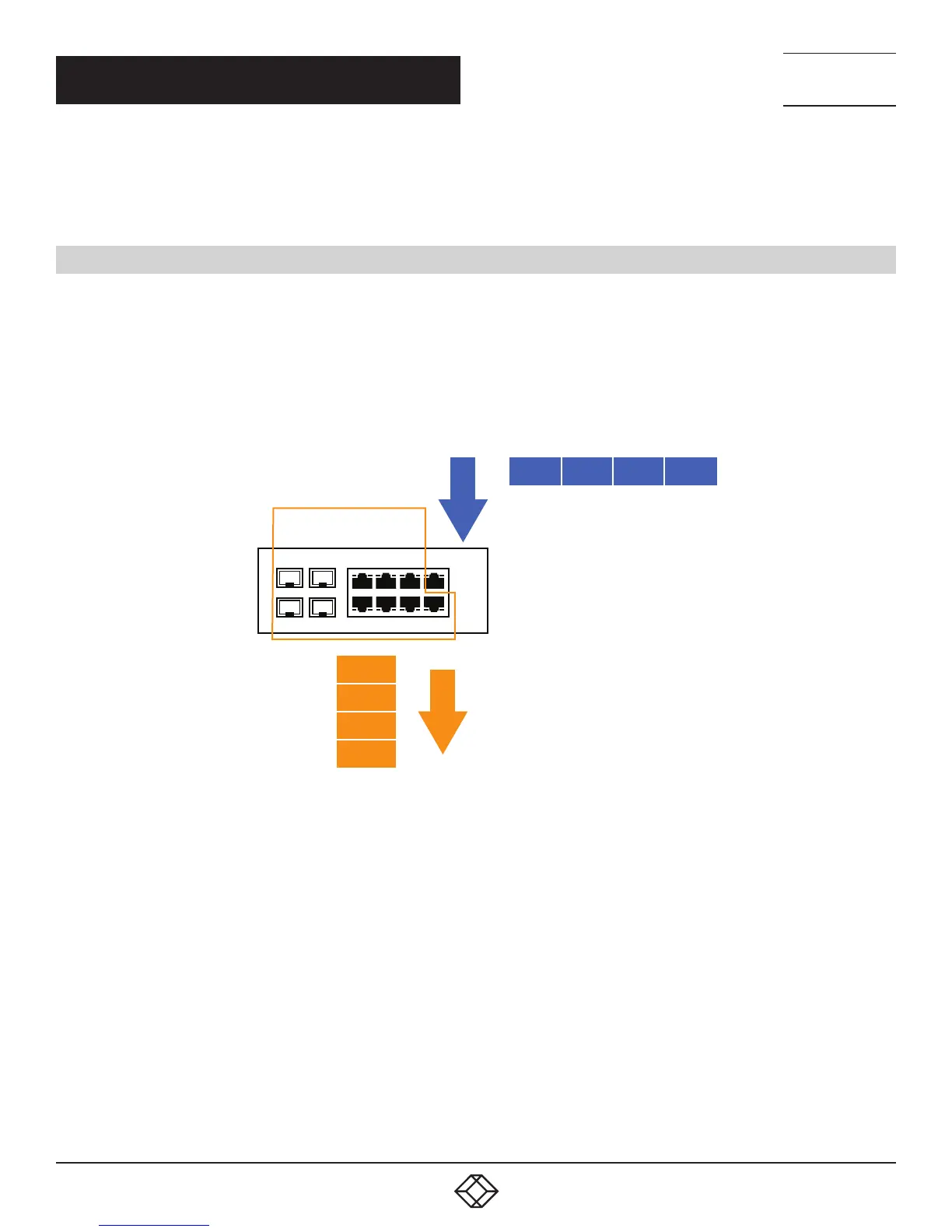
The default configuration settings for switch have all ports set as untagged members of VLAN 1 with all ports configured as
PVID=1. In the default configuration example shown in the following figure, all incoming packets are assigned to VLAN 1 by the
default port VLAN identifier (PVID=1).
9
10
8
7
5 3
1
6
4 2
VLAN 1
INCOMING UNTAGGED PACKETS
OUTGOING UNTAGGED PACKETS
(UNCHANGED)
CRC
DA
SA
DATA
CRC
DA
SA
DATA
PVID=1
BY DEFAULT:
ALL PORTS ARE ASSIGNED PVID = 1
ALL PORTS ARE UNTAGGED MEMBERS OF VLAN 1
PORT 1
PORTS 2–10
FIGURE 4-1. VLAN EXAMPLE 1













 To Next Page