81
1.8 7 7. 87 7. 2 2 6 9 BLACKBOX.COM
NEED HELP?
LEAVE THE TECH TO US
LIVE 24/7
TECHNICAL
SUPPORT
1.8 77.87 7.2269
CHAPTER 9: 802.1X AUTHENTICATION APPLICATION
IEEE 802.1x derives keys that can be used to provide per-packet authentication, integrity and confidentially. It is typically used along
with well-known key derivation algorithms (e.g. TLS, SRP, MD5-Challenge, etc.). The Industrial Ethernet Switch supports 802.1x
authentication function per port (port1–port10). Enable the 802.1x function and choose the ports and type you want to apply. If
you enable 802.1x authentication control for certain Ethernet port in the switch, this port should be authenticated before using any
services from the network.
9.1 802.X TIMER IN THE SWITCH
TABLE 9-1. 802.X TIMER FUNCTIONS
PARAMETER DESCRIPTION
ReAuth Period The switch will restart authentication after each Reauth-Period when the ReAuth option is enabled
Quiet Period The switch will wait QuietPeriod to restart the authentication process again when authentication failed.
Tx Period
The switch will send an EAP-request to Supplicant every TxPeriod when authentication is running and
Quiet Period is not running.
Supplicant Timeout The switch will wait the SupplicantTmeout to receive a response from the Supplicant.
Server Timeout The switch will wait the ServerTimeout to receive a response from the RADIUS server.
9.2 RADIUS SERVER CONFIGURATION
STEP 1: Prepare a Linux PC with a RADIUS server installed.
STEP 2: Edit the secret key for the RADIUS server.
Setting:
client 20.20.20.0/24 {
secret = a12b3c4d
}
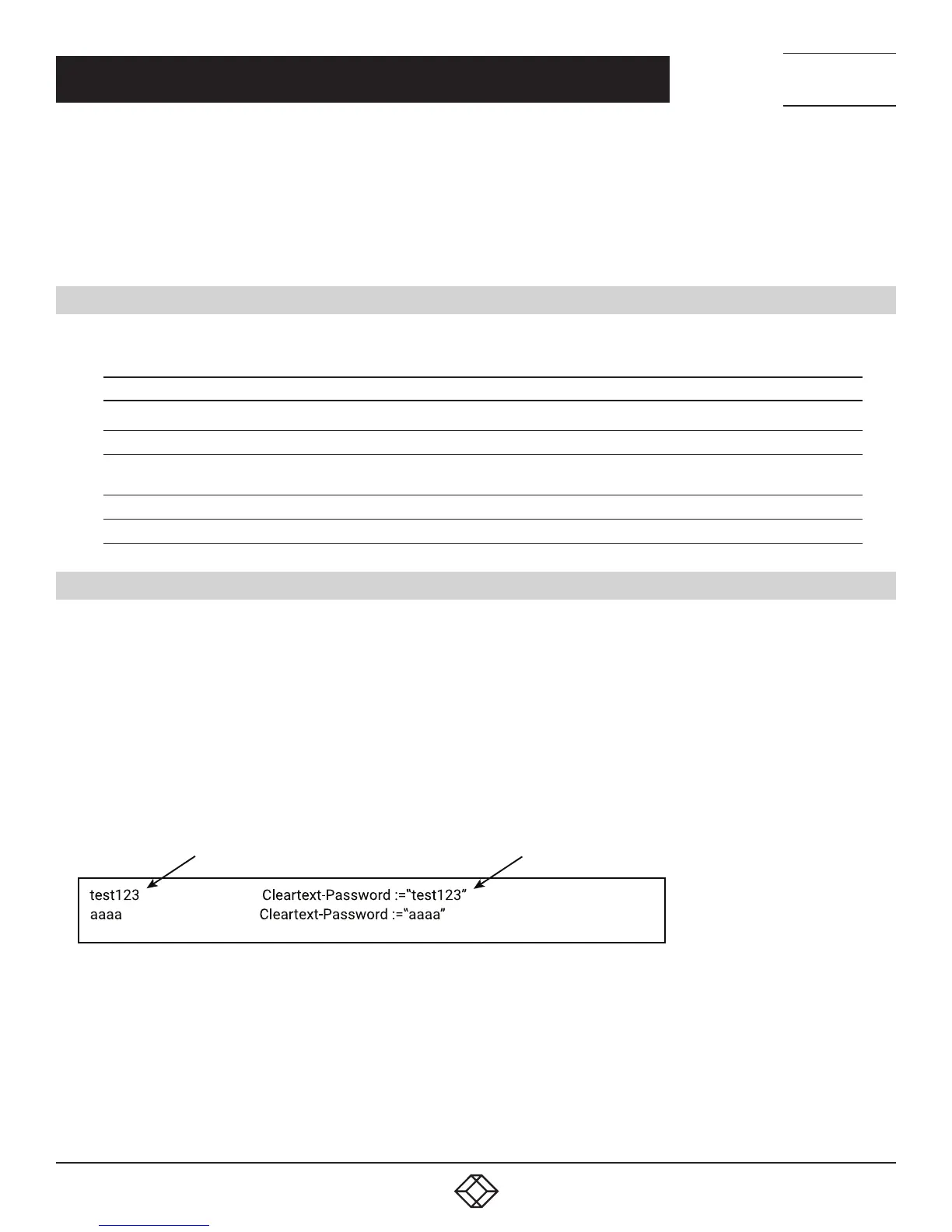
STEP 3: Edit the user name and password for the supplicant to authenticate with the server.
Setting:
User name
User password
STEP 4: Set a static IP address for this Radius Server.
Setting: 20.20.20.20
STEP 5: Start Radius Server













 To Next Page