80
1.8 7 7. 87 7. 2 2 6 9 BLACKBOX.COM
NEED HELP?
LEAVE THE TECH TO US
LIVE 24/7
TECHNICAL
SUPPORT
1.8 77.87 7.2269
CHAPTER 8: IGMP APPLICATION
VLC CONFIGURATION ON AN IGMP CLIENT
1. In the Media area of the top tool bar, select open network stream.
2. Set the stream IP and protocol port to be the same as the previous setting on the server. The protocol type is “UDP.“
Then click the “PLAY” button.
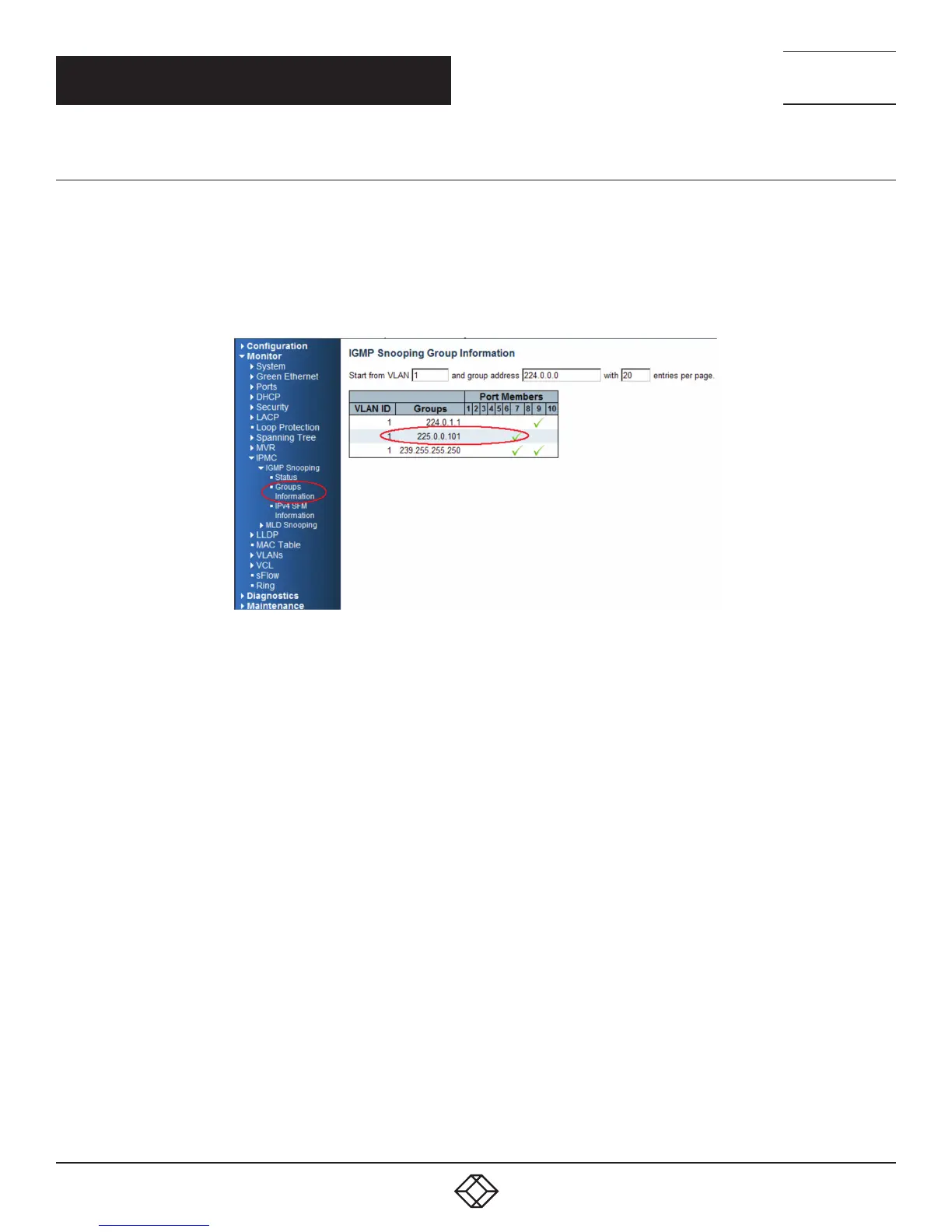
Return to the managed switch. Go to “Monitor —> IPMC —> Groups Information”, and you will see the stream IP in the table.
FIGURE 8-10. VIEW STREAM IP IN TABLE













 To Next Page