43
1.8 7 7. 87 7. 2 2 6 9 BLACKBOX.COM
NEED HELP?
LEAVE THE TECH TO US
LIVE 24/7
TECHNICAL
SUPPORT
1.8 77.87 7.2269
CHAPTER 5: SECURITY APPLICATION
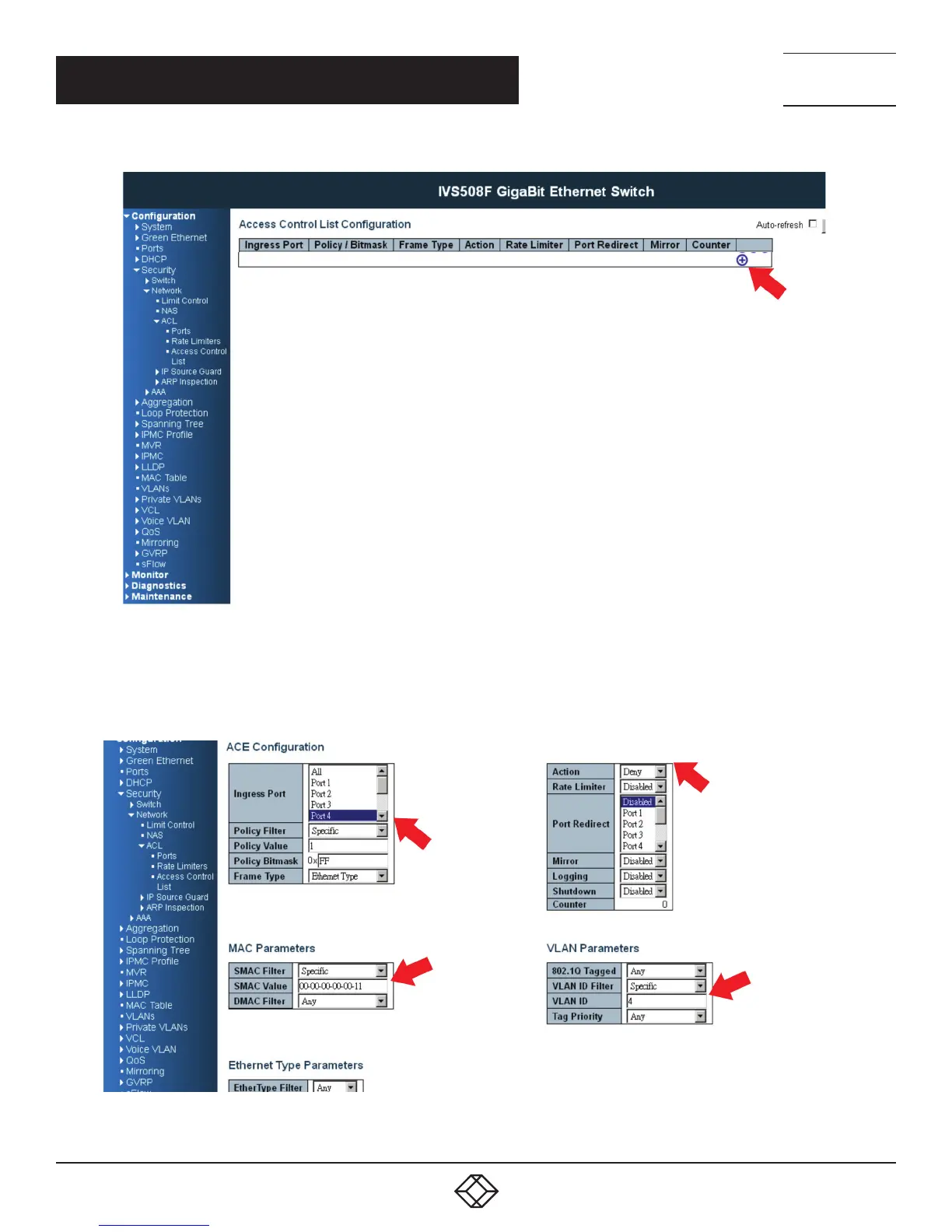
FIGURE 5-1. CREATE A NEW ACL PROFILE SCREEN
STEP 2: Create a new ACL Entry rule under this ACL profile. (Deny MAC: 11 and VLAN: 4)
STEP 3: Bind this ACL profile to a GE port. (PORT-4)
FIGURE 5-2. BIND ACL PROFILE SCREEN













 To Next Page