61
1.8 7 7. 87 7. 2 2 6 9 BLACKBOX.COM
NEED HELP?
LEAVE THE TECH TO US
LIVE 24/7
TECHNICAL
SUPPORT
1.8 77.87 7.2269
CHAPTER 6: RING VERSION2 APPLICATION
To finish the configuration, enable ring protection status using the “mode enable” command.
NOTE: Please pay attention to the status of “Previous Command Result” after every action.
configure terminal
ring protect group1
mode disable
node1 interface GigabitEthernet 1/1
node2 interface GigabitEthernet 1/2
role ring-master
mode enable
exit
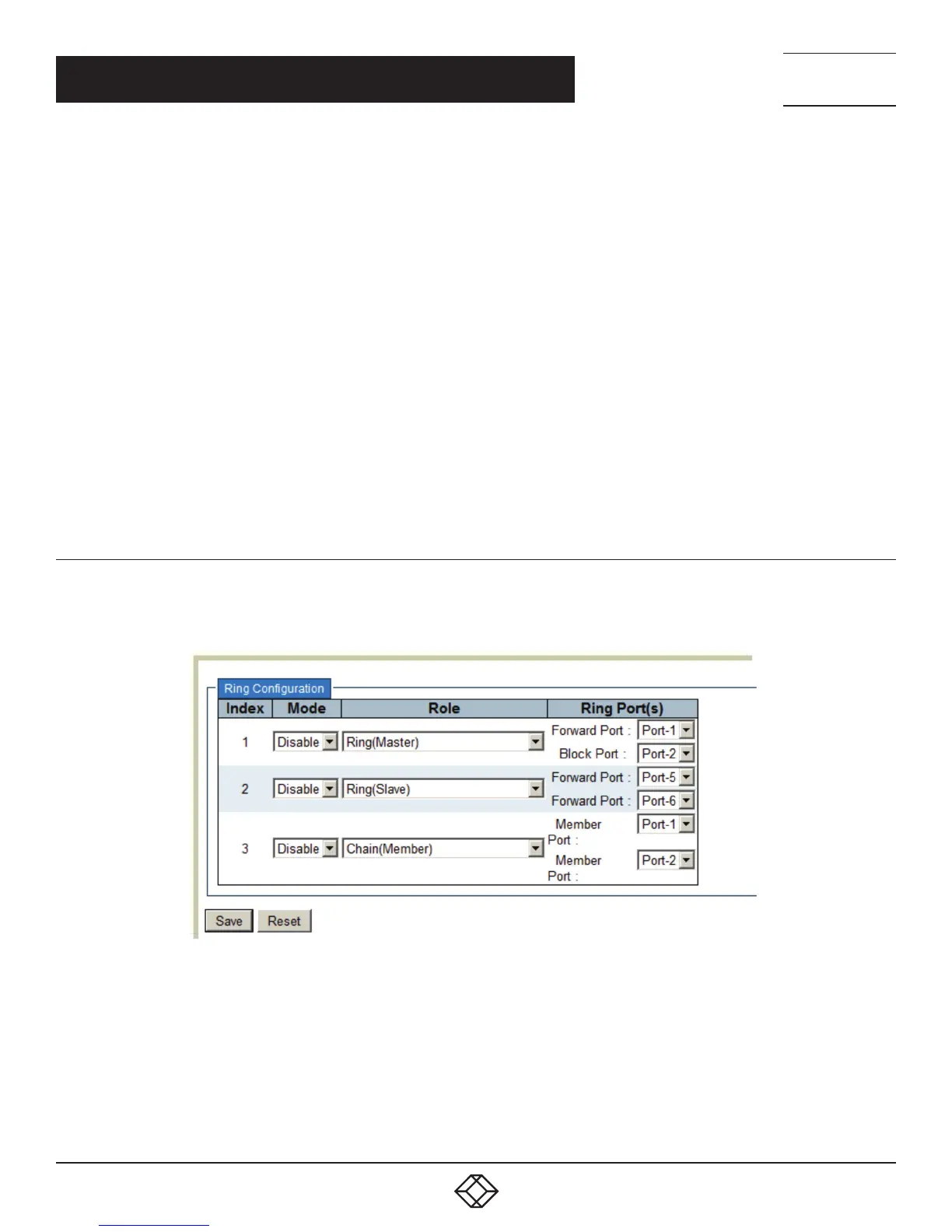
CONFIGURATION (WEB UI)
In the switch’s current Ringv2 design, one device supports 3 ring indexes, including Ring & Chain (single ring, dual ring, coupling, dual-
homing, chain, and balancing-chain.)
FIGURE 6-7. RING CONFIGURATION SCREEN
NOTE 1: You must enable group1 before configuring group2 as coupling.
NOTE 2: When group1 or group2 is enabled, the configuration of group3 is invisible.
NOTE 3: When group3 is enabled, the configuration of group1 and group3 is invisible.













 To Next Page