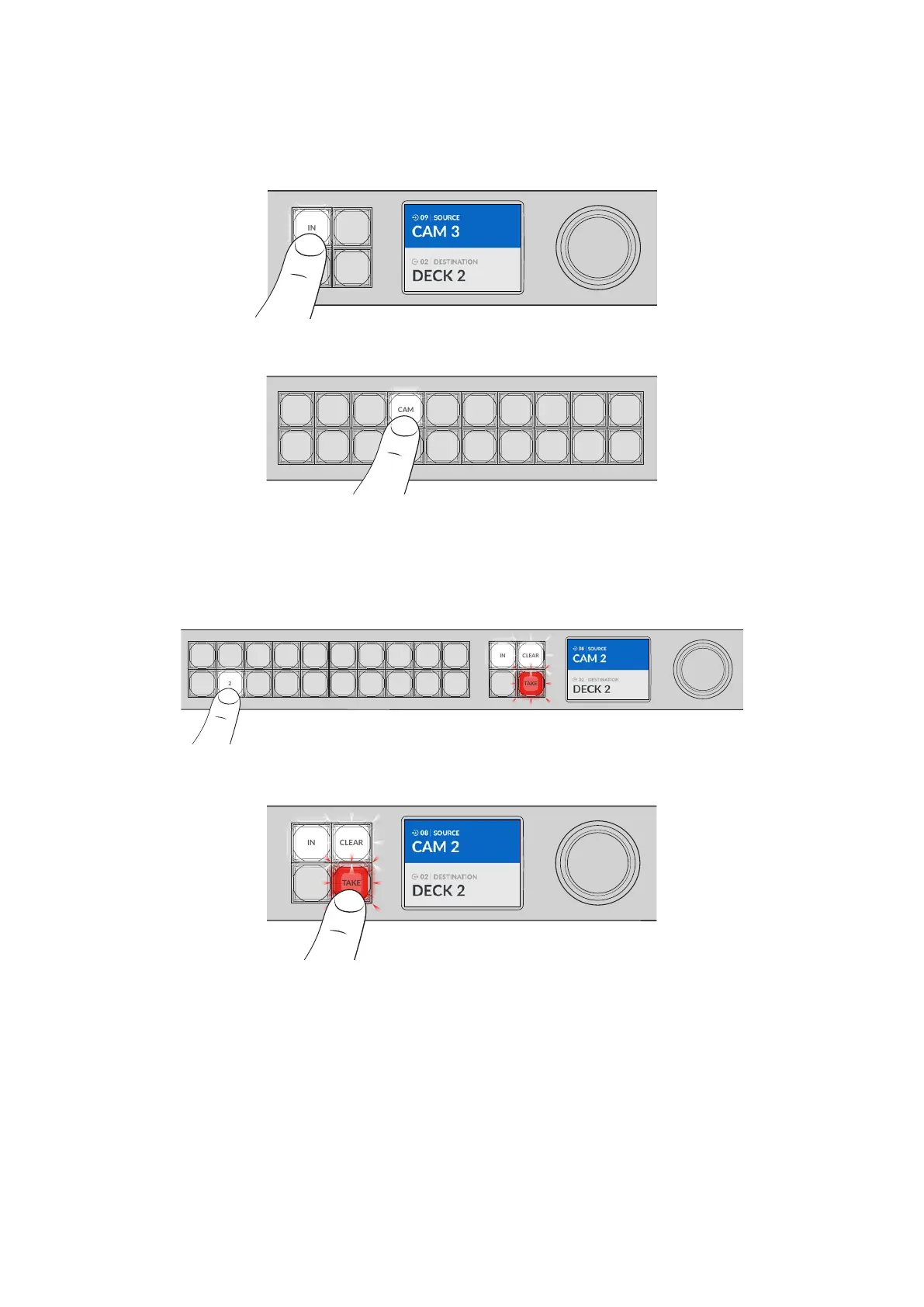
Select the Source
1 Press the ‘in’ button to enable the source selection.
COMP SWITCH KEY ST/C
6 7 8 9
M/VIEW
0
OUT
CLEAR
TAKE
MON
DECK EDIT CAM STREAM
1 2 3 4 5
LOCK
MENU
SET
IN
2 Press the shortcut button labeled ‘CAM’.
COMP SWITCH KEY S T/C
6 7 8 9
M/VIEW
0
MON
DECK EDIT CAM STREAM
1 2 3 4 5
The filter now makes all inputs available that includes CAM in their label, filtering out other
equipment and then arranges them on the numbered pushbuttons in numerical order.
3 Press button ‘2’ to select ‘CAM 2’.
Button ‘2’ will illuminate and you can see the selected source and input on the LCD.
COMP SWITCH KEY ST/C
6 7 8 9
M/VIEW
0 OUT
CLEAR
TAKE
MON
DECK EDIT CAM STREAM
1 2 3 4 5
IN
4 Press the ‘take’ button to confirm and complete the routing change.
COMP SWITCH KEY ST/C
6 7 8 9
M/VIEW
0
OUT
CLEAR
TAKE
MON
DECK EDIT CAM STREAM
1 2 3 4 5
LOCK
MENU
SET
IN
11Shortcut Buttons



 To Next Page