NOTE Port labels on an IP Videohub cannot be edited as these labels derive from the
connected IP Video devices. The labels are stored on the connected Videohub and
are also visible on the other control panels connected to your network.
Setting Outputs to Cut Bus Mode
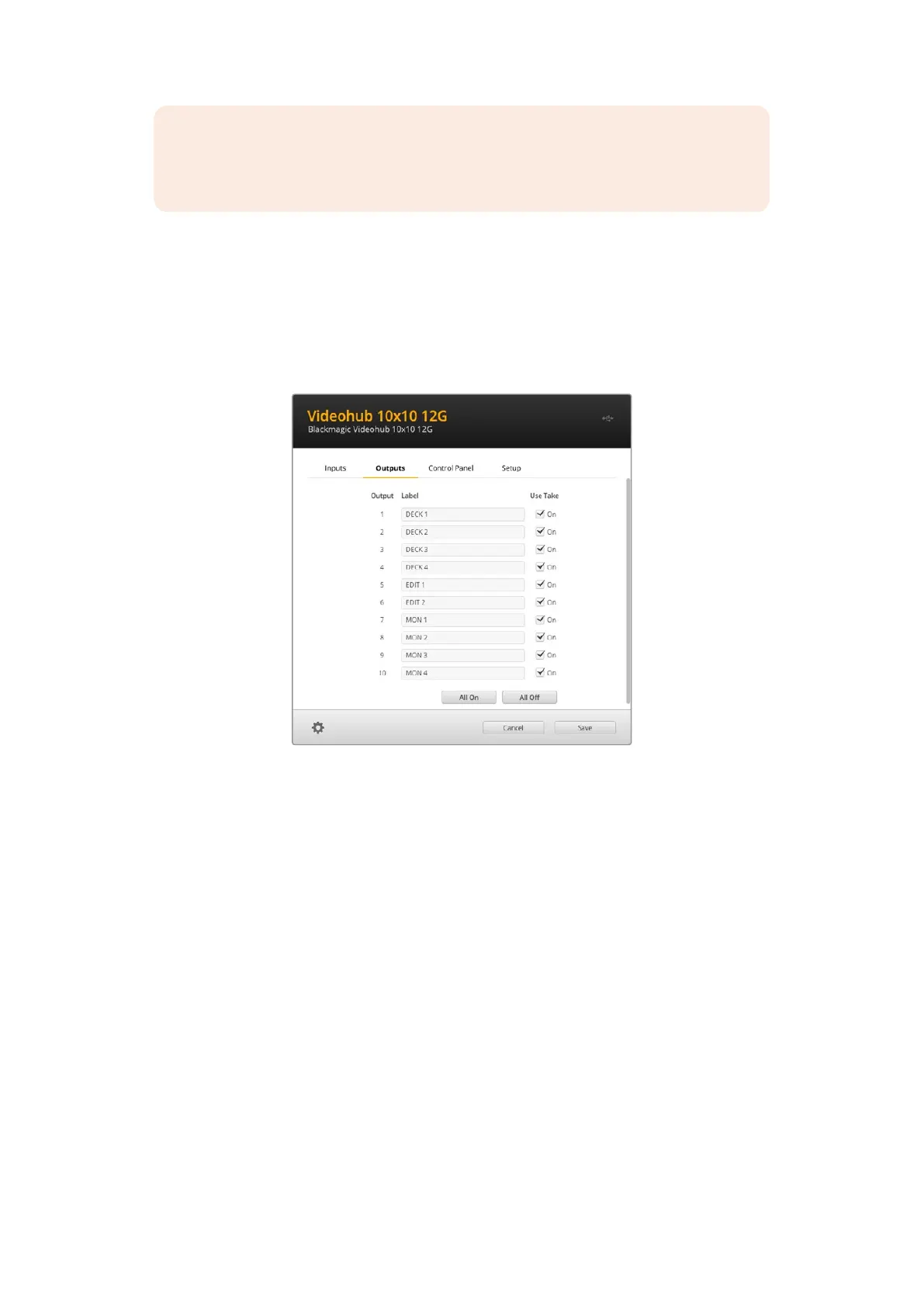
In the output settings you will notice checkboxes next to each output. These let you set them to
cut bus mode. When an output is set to use cut bus mode, it will change the route the moment a
source is selected without using the take button to confirm it.
You can select which destinations use cut bus mode individually, or enable and disable cut bus
mode on all outputs by clicking ‘all on’ or ‘all off’ buttons.
Cut bus mode will switch a route without using the take button
Creating Macros
The control panel tab also lets you create macro buttons and assign their functions.
Click and drag the ‘number of macros’ slider to the right to add macro buttons and drag left to
remove them. As you add macro buttons you will see the buttons in the utility illuminate white.
To assign a macro to a macro button:
1 Click on a white macro button in the ‘button mapping’ section. You will see a menu appear
underneath with rows from A to P. Each row represents a routing action.
2 In the ‘A’ row’s ‘source’ menu, select the input source and then select the
destination output.
3 Click ‘save’.
The macro is now assigned to a macro button.
The macro assigned in steps 1 to 3 assigns a single routing action to the macro button, but you
can also add a range of other actions to happen simultaneously when that macro is performed.
For example, you may have a project setup that contains a complex sequence of routing
changes. In this case, the entire sequence can be assigned to a single macro button.
It’s very powerful!
48Blackmagic Videohub Setup



 To Next Page