Labeling Pushbuttons
Videohub Master Control Pro, Videohub Smart Control Pro and Videohub 12G models have
removable pushbuttons that provide access for labeling.
Included with the software installer is a ‘Videohub control labels’ folder containing a PDF template
file. Fill out and print the PDF file labels, then cut out the squares to be inserted into the buttons.
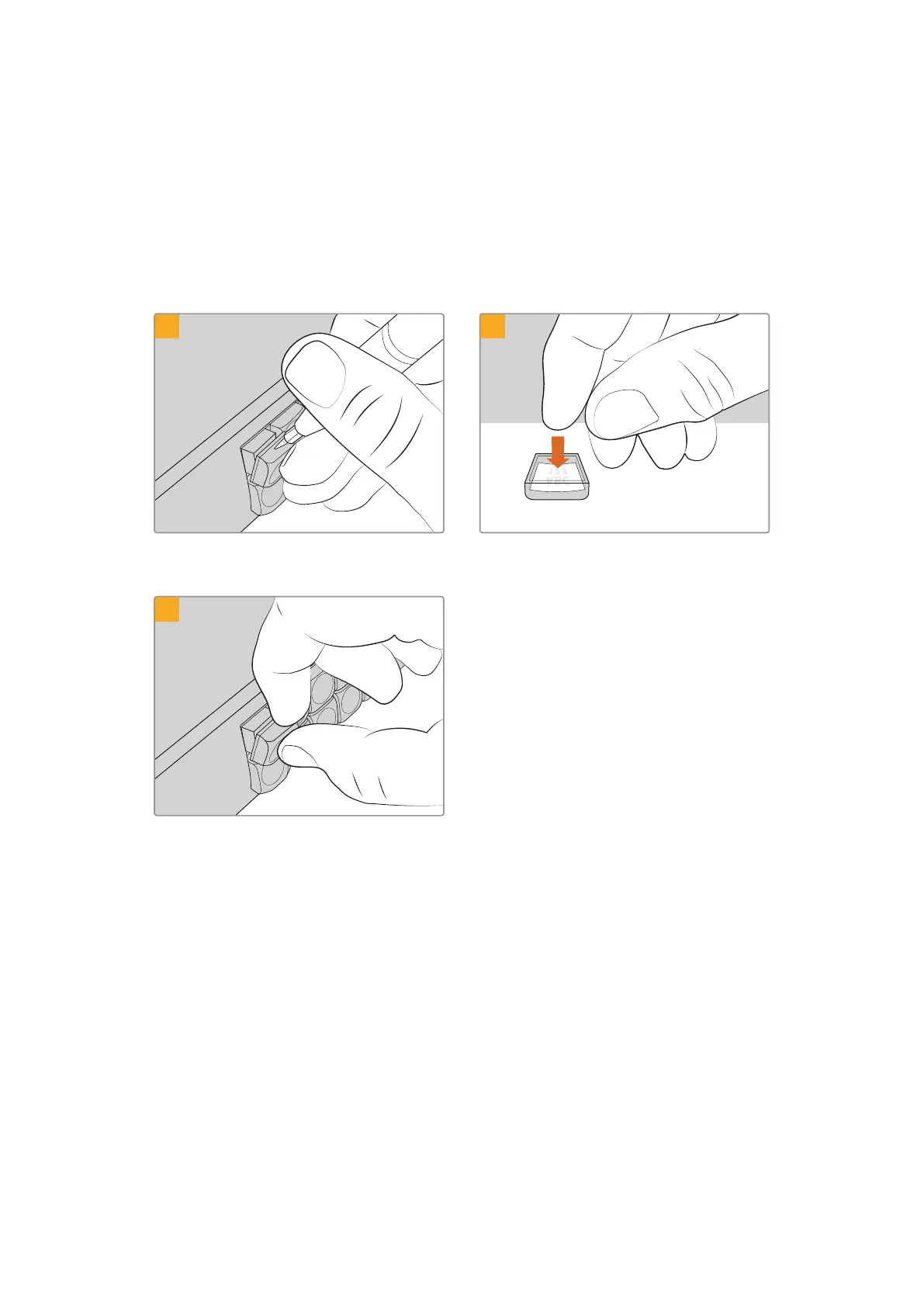
To remove the buttons:
1 2
The button keycaps can be easily removed using
a small flathead screwdriver.
Loosely place your new printed label into the
upturned clear keycap.
3
Replace the keycap by aligning it onto the button
and gently pushing until you feel it click into place.
Blackmagic MultiView 16
MultiView 16 is a single rack SDI multi viewer for simultaneously displaying up to 16 different
SDI signals in a variety of formats on a single monitor. With Ultra HD support and remote
control using the intuitive Videohub software, you get the ultimate monitoring solution for your
Blackmagic Videohub routers!
Each of the Blackmagic MultiView 16’s SDI inputs has its own loop output so you can feed each
signal to other SDI equipment. Two 6G-SDI outputs and two down converted HD-SDI outputs
let you connect HD or Ultra HD monitors. The HDMI output switches between HD and Ultra HD
based on the format that your connected monitor supports. All SDI connections support auto
detection of SD, HD, 3G-SDI and 6G-SDI, reclocking on all SDI outputs, and a reference input
for connecting to switchers and other broadcast video equipment.
42Blackmagic MultiView 16



 To Next Page