Adding Pushbuttons
Click on the settings gear icon and then select ‘edit buttons’. Click on the ‘add’ button and
choose whether to add a source or destination pushbutton. The ‘set button’ window appears
and allows you to set the SDI source or destination, RS-422 deck control and icon for the
pushbutton. In most cases, deck control is grouped with the associated SDI connections.
Viewing Routes
In order to see which video source has been routed to a video destination, such as a monitor,
press the button in the destinations panel to make the button illuminate. The associated video
source button will illuminate in the sources panel, making it immediately obvious which source
is connected to the monitor.
Switching Routes
In order to change the video source from a tape deck to a video camera, press a camera
pushbutton in the sources panel to immediately illuminate the camera pushbutton and route
video to the video monitor. The tape deck button is no longer illuminated and is disconnected
from the video monitor.
Refer to the ‘Blackmagic Videohub software’ section for more information on using
Videohub Control.
Resizing the Interface Click and drag the bottom right hand corner to proportionally resize the
interface to best fit your screen size. Alternatively, drag a window edge
toresize either vertically or horizontally.
Resizing the Sources
andDestinations Areas
Drag the divider bar up and down and use the scroll bars to scroll the
respective areas.
Switching Views You can switch between pushbutton view and list view by clicking the
icons in the bottom right corner.
Using the Dynamic
Search
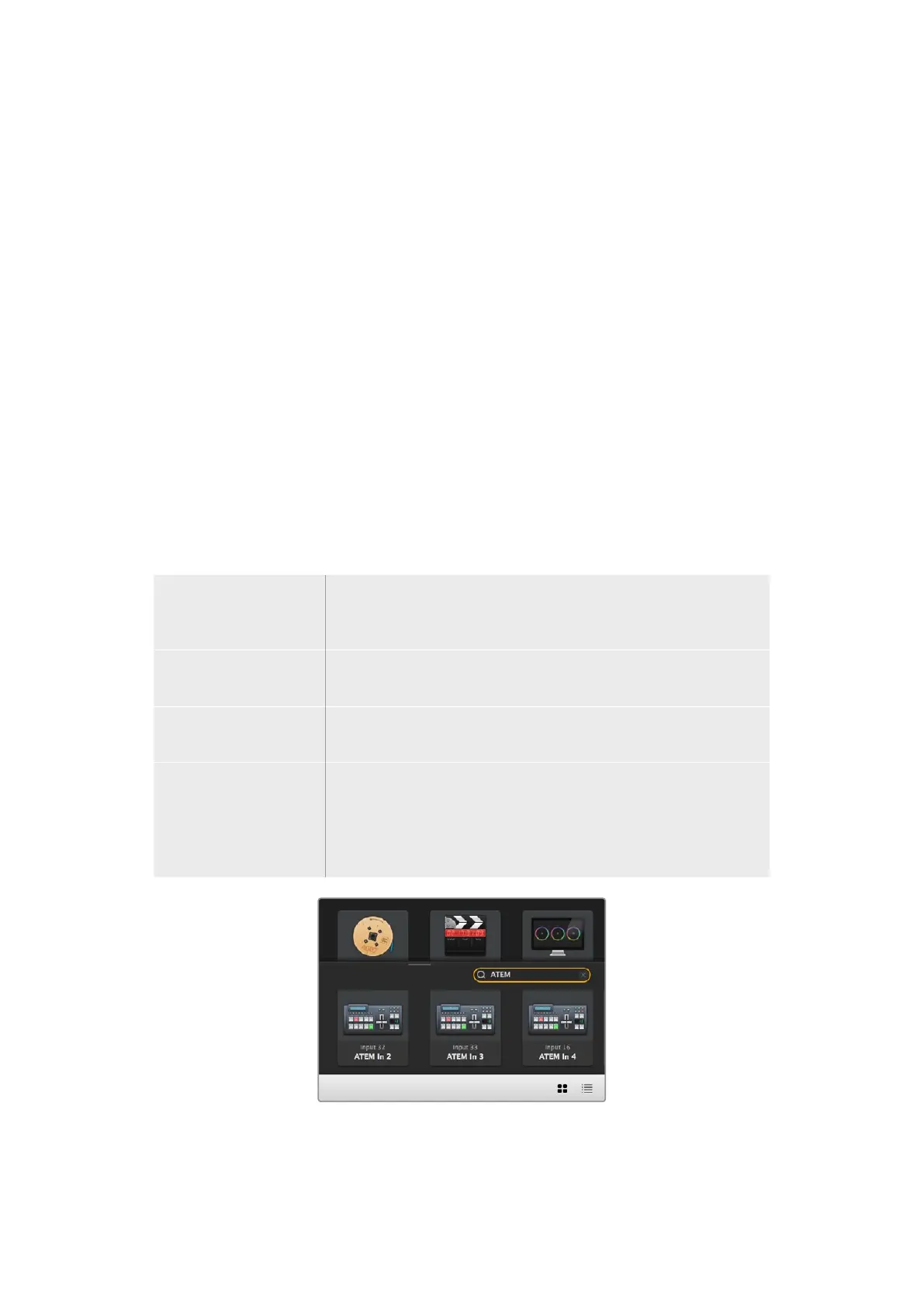
Both the sources and destinations areas contain a search icon, which
allows you to search for text dynamically. This is useful if you have many
pushbuttons and quickly want to locate a pushbutton with a specific
name. Begin by typing the name you wish to search for. As you type each
letter, the pushbuttons that are displayed will be dynamically filtered.
The word ‘ATEM’ is entered into the destinations
search box and the filtered results are displayed
53Blackmagic Videohub Control



 To Next Page