Smart Videohub CleanSwitch 12x12
When you need to cleanly switch between video sources to monitors or directly to air, you
will need timed or genlocked signals. If you cannot guarantee perfectly timed source signals
but you still need to clean switch, then you can use Smart Videohub CleanSwitch 12x12 as this
model features resynchronization on all inputs so you get perfect clean feeds.
1 4 7 10 SRC MENU
2 5 8 11 DEST VIDEO
3 6 9 12 CLEAR TAKE
Smart Videohub CleanSwitch 12 x 12
REF IN
SDI OUT
SDI IN
RS-422
CNTRL
SD/HD/3G/6G-SDI
ETHERNET USB
1 2 3 4 5 6 7 8 9 10 11 12
1 2 3 4 5 6 7 8 9 10 11 12
Smart Videohub CleanSwitch 12x12 includes full resynchronization on every input so the router
automatically re times all inputs to ensure clean, glitch free switching between router cross
points. Sources of the same resolutions and the same frame rate can even be output directly
to air for smooth, cuts only production. The Smart Videohub CleanSwitch 12x12 will lock to
the reference input or to Input 1 if no reference signal is connected. The video format of the
reference signal and all inputs need to be identical for glitch free switching. You can still switch
between mixed video formats, however they will not be synced.
Videohub Hardware Control Panels
Videohub hardware control panels are external panels designed to let you control Universal
Videohub and any Videohub that is connected to the same network. Both panels support
power over Ethernet plus on compatible network switches, which means you can power the
panels using the same connection via Ethernet port 1 and you don’t need to connect a separate
power cable. The second Ethernet port does not support PoE but can be used to loop other
equipment to the network.
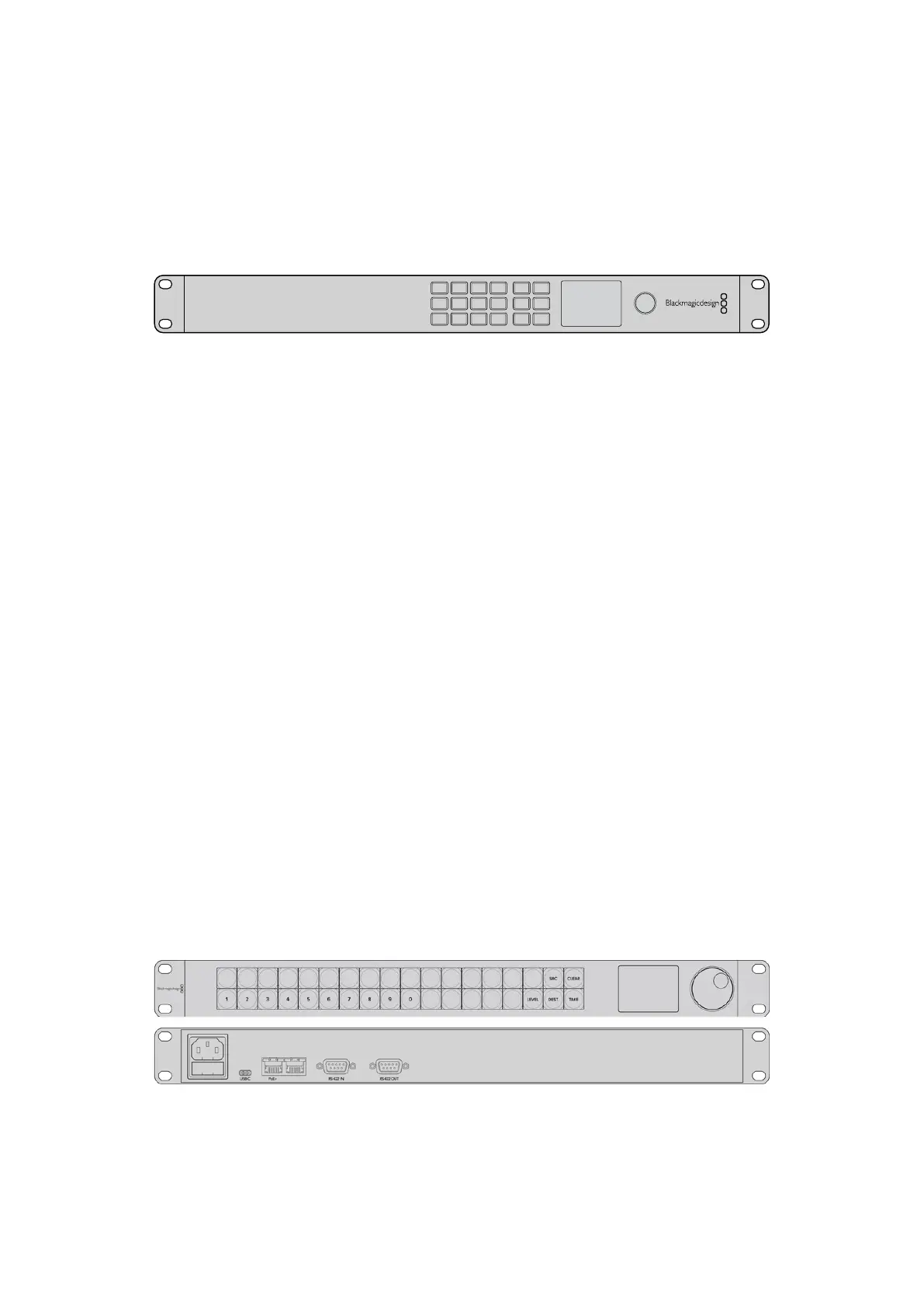
Videohub Master Control Pro
Videohub Master Control Pro is a 1 rack unit mountable control panel with 36 backlit
pushbuttons, LCD, scroll wheel and Ethernet connectivity designed to perform Videohub
crosspoint switching without using a computer. Videohub Master Control Pro can control all
sources and destinations for any size of Videohub router, as well as RS-422 deck control.
Videohub Master Control Pro uses port labels to aid in fast selection of equipment using
software. Pushbuttons can be configured and labeled to provide fast selection of common
equipment types, e.g., cameras, decks and monitors. It also includes a loop through Ethernet
port for connecting to additional control panels, Videohub routers or other network devices.
Macro buttons illuminate green when enabled and each one can be configured to perform up
to 16 simultaneous crosspoint switches.
Videohub Master Control Pro
30Videohub Hardware Control Panels



 To Next Page