Saving and Loading Labels withTelnet in Mac OS
Normally you would use Blackmagic Videohub Setup to save and load labels between different
Videohub routers and to backup your videohub settings. However, if for any reason you wish
to use the Terminal, the instructions below let you save and load router label configurations via
the Terminal.
Saving Labels
1 Open the Terminal application which is located within the Applications > Utilities folder.
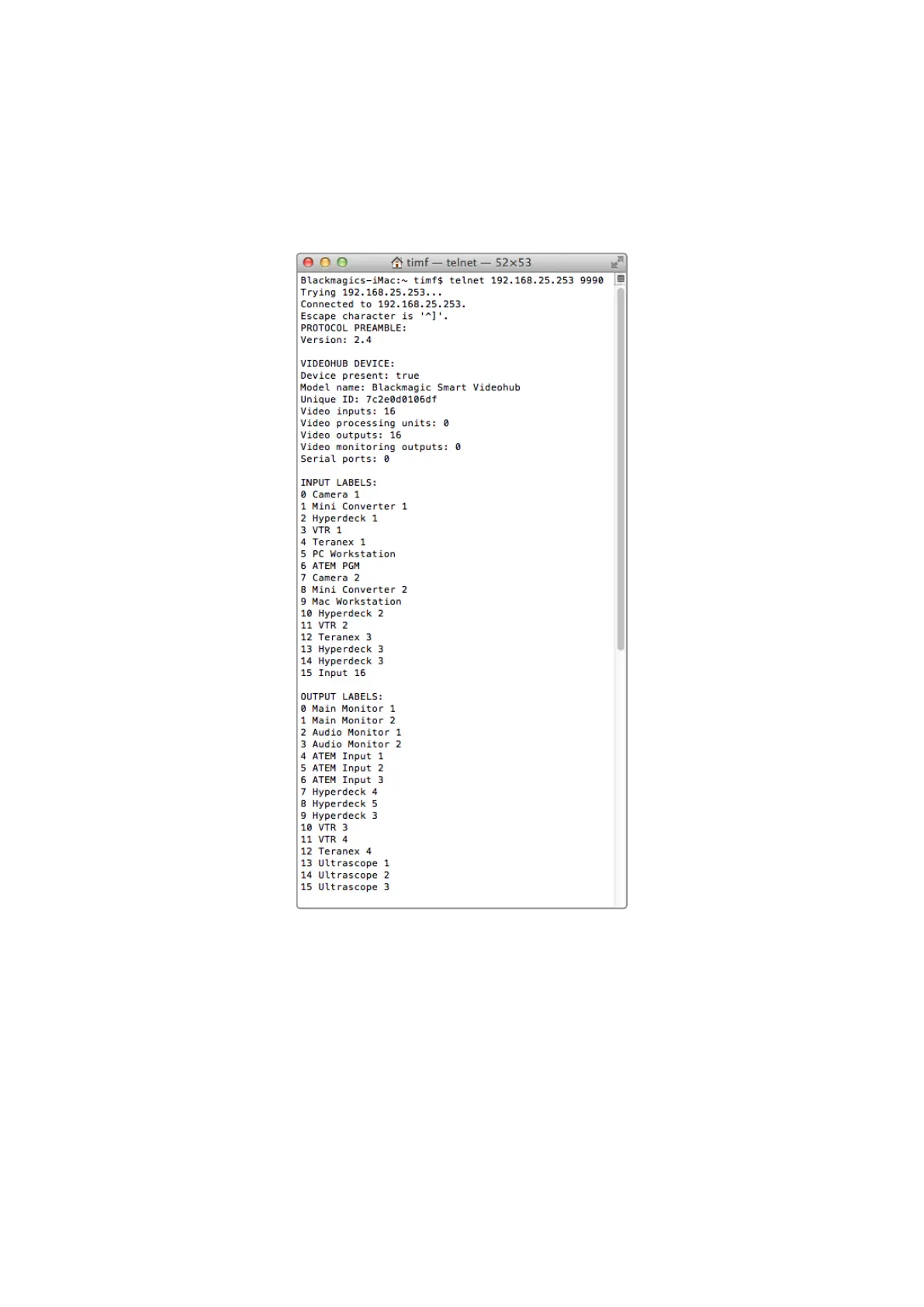
2 Type in “telnet” and a space followed by the IP of your Videohub, then another space and
“9990”, which is the default port number. For example type: telnet 192.168.25.253 9990.
The Protocol Preamble screen will appear.
3 Copy the INPUT LABELS: text including the heading and paste into a word processor or
simple text editor. Name this file “input labels” and save to your favorite location.
4 Copy the OUTPUT LABELS: text including the heading and paste into a word processor or
simple text editor. Name this file “output labels” and save to your favorite location.
5 Close the telnet session by exiting the terminal window.
85Developer Information



 To Next Page