Installing the Videohub Software on iPad
The Videohub software for iPad can be downloaded using your Apple ID account.
To download the Videohub iPad software through your iPad:
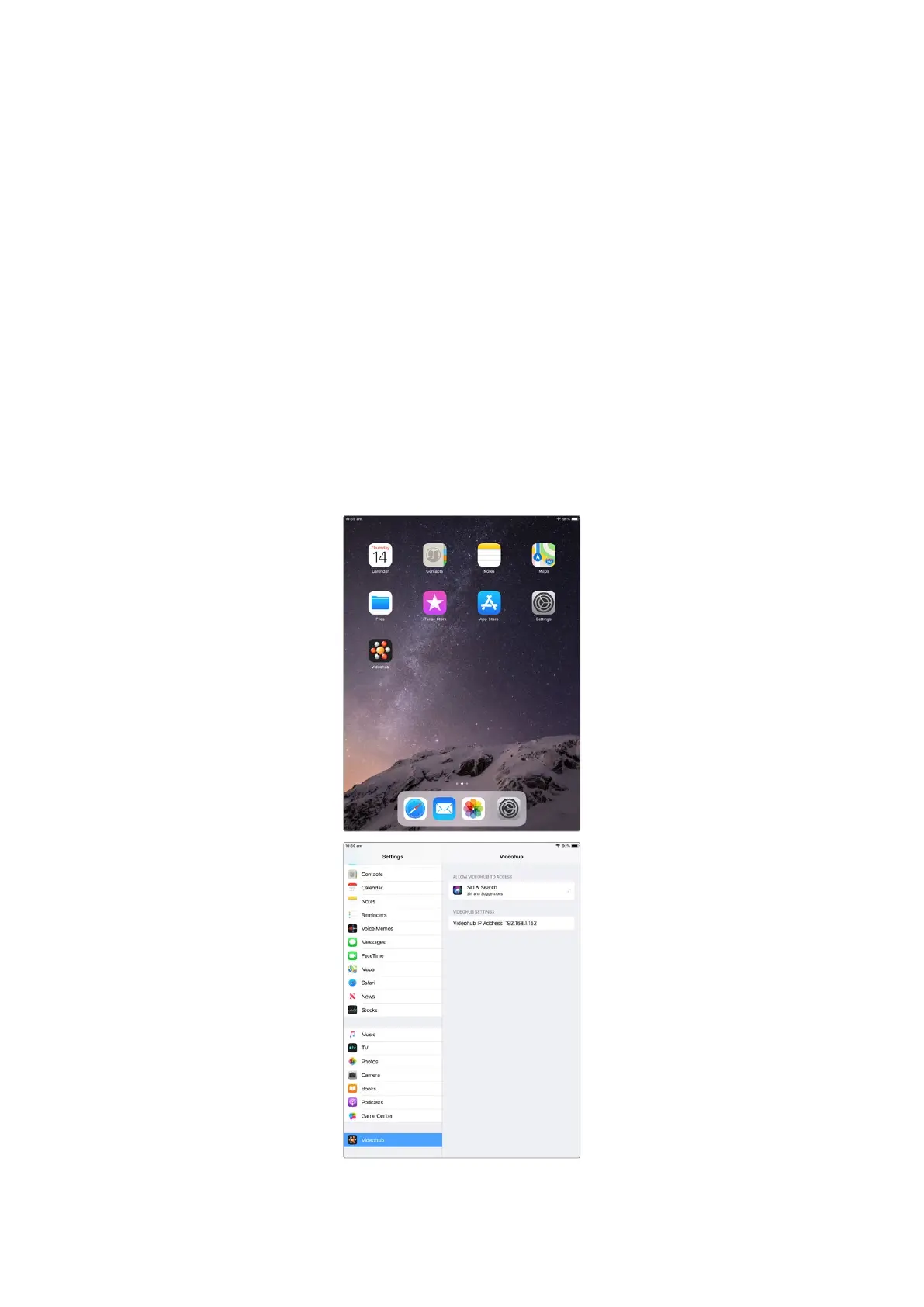
1 Tap the ‘app store’ icon.
2 Tap the ‘search’ field at the top of the screen and enter ‘Videohub’.
3 Tap on the ‘get’ button next to the ‘Blackmagic Videohub app’ icon and tap ‘install’.
Setting up the IP address in Videohub for iPad:
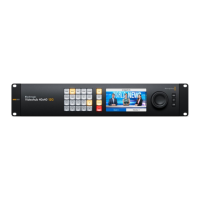
1 Tap the ‘settings’ icon.
2 In the ‘apps’ section, select ‘Videohub’ and enter your Videohub IP address in the
‘Videohub IP address’ field.
3 You can now start using your Videohub software by tapping on the Videohub icon on the
‘home’ screen.
For more information on controlling your Videohub using iPad, see the ‘Apple iPad’ section in
this manual.
Videohub settings on iPad
62Blackmagic Videohub Control



 To Next Page