DS7240-UK Reference Guide Copyright 2003 Bosch Security Systems P/N: 4998122677Cr1 Page 47
PART III: PANEL PROGRAMMING
26.0 Tests
26.1 System Test Configuration Options
• Address: 0244
• Default: See table below
• Selections: 0-15
Enter This Data Digit to Select Options
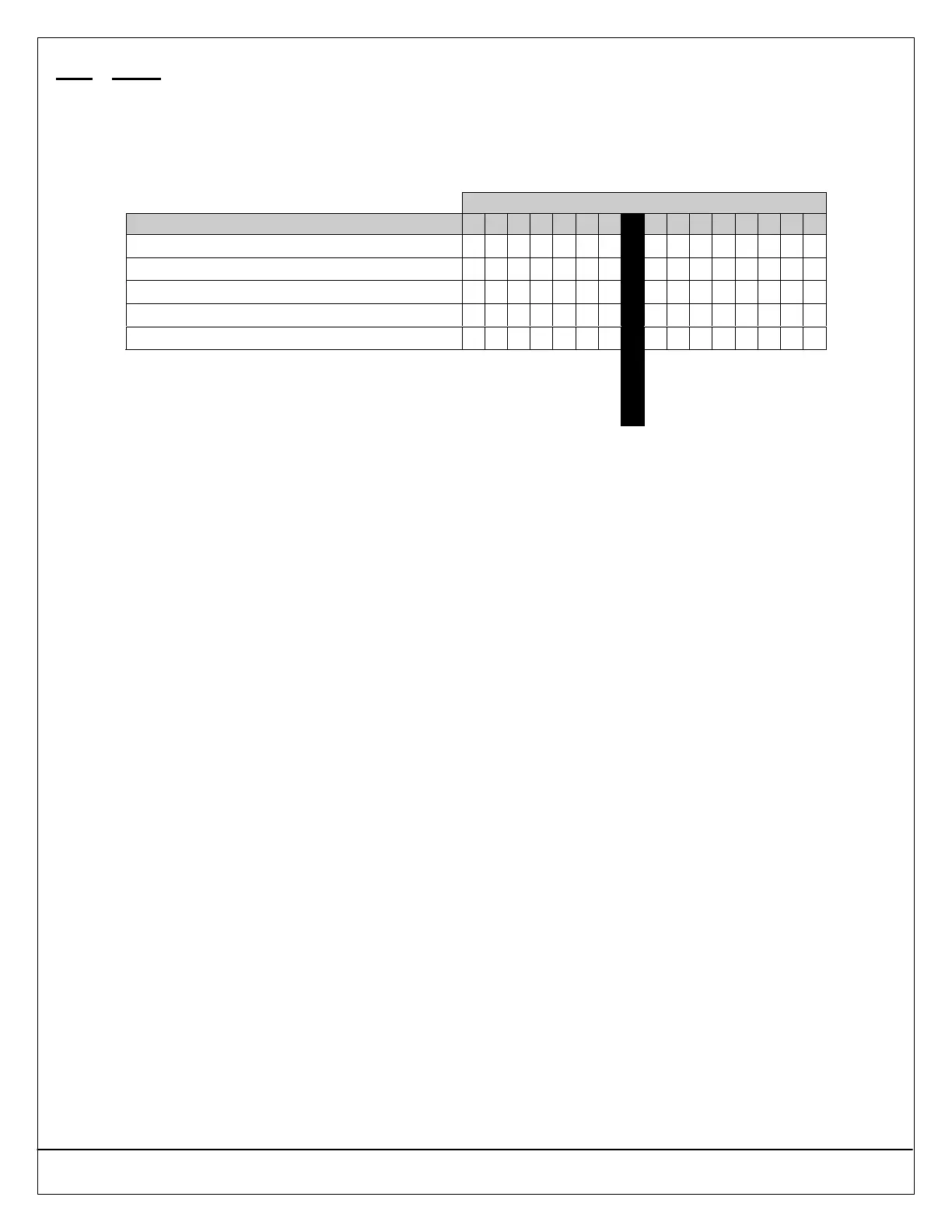
System Test Configuration Options 0 1 2 3 4 5 6 7 8 9 10 11 12 13 14 15
System Test Disabled
••
Test Bell
•• •• •• •• •• •• •• ••
Test Strobe
•• •• •• •• •• •• •• ••
Test Battery
•• •• •• •• •• •• •• ••
Send Test Report
•• •• •• •• •• •• •• ••
Default
26.1.1 Parameter Description
This is a global (affects all areas) option.
When the user enters the System Test key sequence ([#] + [4] + [1]) at the keypad, the system performs a self-test that
includes the options selected at this parameter. The configuration applies to all areas.
26.1.2 Parameter Options
• Test Bell: Makes a “bell test” part of the system test. The panel activates the Bell Time (1–5) and Alarm Output (1-8, 1-9, 1-
10, 1-11, and 1-12) functions for three (3) seconds. See Section 39.0 Outputs on page 110 for a complete description of
output functions.
• Test Strobe: Makes a “strobe test” part of the system test. The panel activates the Strobe Output function (1-6) and waits for
the user to press the [∗] key to end the test. If the user fails to press the [∗] key within 20 minutes, the panel automatically
terminates the strobe test and proceeds to the next programmed test.
• Test Battery: Makes the “battery test” part of the system test. The battery test causes the system to run on battery power
only for four (4) minutes. If the battery voltage falls below 12.1 volts during the four-minute test, or if the battery is missing,
the system restores AC power and displays a system trouble at all keypads. If programmed for battery reports, the panel
sends a low battery or missing battery report. Users can end the test by pressing [#] on the keypad.
• Send Test Report: Makes a “communications test” part of the system test. If selected, this option causes the panel to
attempt to send a Test [137] report when the user initiates a System Test ([#] + [4] + [1]). If there is a system trouble present
at the time of the test, the panel sends a Test, Off Normal [138] report. The test report follows the routing for the Automatic
Test [137] report. If the test communication is unsuccessful, the panel creates a system trouble communication failure.


 To Next Page