Page 64 P/N: 4998122677Cr1 Copyright 2003 Bosch Security Systems DS7240-UK Reference Guide
PART III: PANEL PROGRAMMING
29.3 Lock Area # Reporting
• Address:
• Area 1: 0297
• Area 2: 0319
• Area 3: 0341
• Area 4: 0363
• Default: 0 (Lock Area Disabled)
• Selections:
• 0 = Lock Area Disabled
• 1 = Lock Area Reports to Routing Destination 1
• 2 = Lock Area Reports to Routing Destination 2
29.3.1 Parameter Description
Use this parameter to lock area reporting to either Routing Destination 1 or Routing Destination 2. If you enable this feature for
an area, all reports for that area are sent to the selected destination. Routing parameters for the individual reports are ignored.
For example, if you set this parameter to 1, all reports in the area are sent to Destination 1. If you set this parameter to 2, all
reports in the area are sent to Destination 2.
30.0 Authority Level Configuration
The Authority Level determines which functions are available to system users. Each user is assigned an Authority Level. Use
the parameters in this section to configure each of the four authority levels available in the panel.
30.1 Authority Level Option 1: All On Arming
• Address: 0364
• Default: See table below
• Selections: 0-15
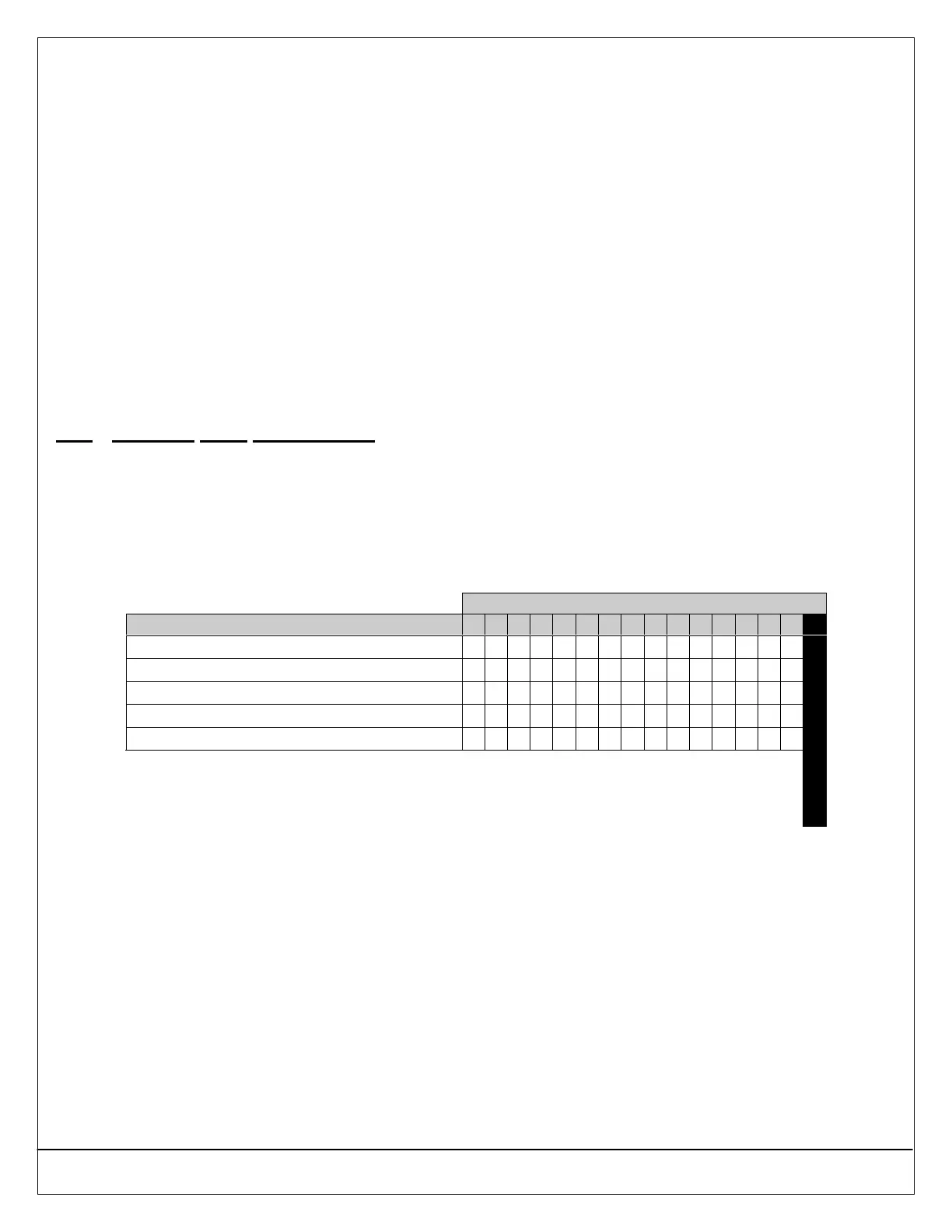
Enter This Data Digit to Select Options
Authority Level Configuration 1 Options 0 1 2 3 4 5 6 7 8 9 10 11 12 13 14 15
No PIN Required (Quick Arm)
••
Assign to Authority Level 1
•• •• •• •• •• •• •• ••
Assign to Authority Level 2
•• •• •• •• •• •• •• ••
Assign to Authority Level 3
•• •• •• •• •• •• •• ••
Assign to Authority Level 4
•• •• •• •• •• •• •• ••
Default
30.1.1 Parameter Description
This parameter enables/restricts the following functions by Authority Level:
• [#] + [1]: All On with Entry Delay
• [#] + [1]: All On with Entry Delay, No Exit Tone*
• [#] + [1]: All On with No Entry Delay
• [On] Key: All On with Entry Delay
• [On] Key: All On with Entry Delay, No Exit Tone*
• [On] Key: All On with No Entry Delay
If a PIN is required and not entered, the system asks for one after the function is entered.
* Exit Time is doubled to a maximum of 254 seconds when arming the system All On with Entry Delay, Silent (no Exit Tone).
To “Quick Arm” the panel All On, set Authority Level Config Option 1 to 0. A user PIN will not be required for All On arming.


 To Next Page