DS7240-UK Reference Guide Copyright 2003 Bosch Security Systems P/N: 4998122677Cr1 Page 65
PART III: PANEL PROGRAMMING
30.2 Authority Level Option 2: Perimeter Only Arming
• Address: 0365
• Default: See table below
• Selections: 0-15
Enter This Data Digit to Select Options
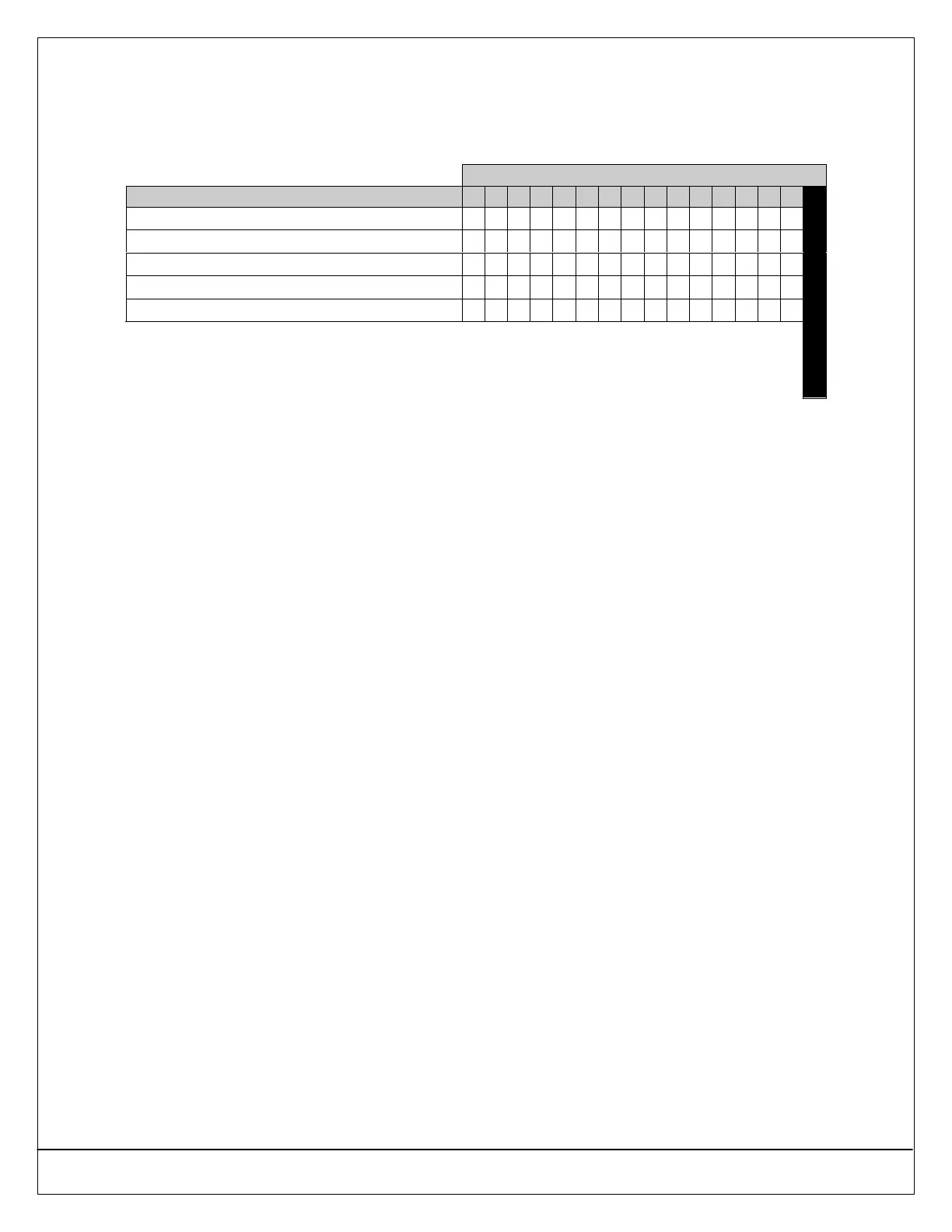
Authority Level Configuration 2 Options 0 1 2 3 4 5 6 7 8 9 10 11 12 13 14 15
No PIN Required (Quick Arm)
••
Assign to Authority Level 1
•• •• •• •• •• •• •• ••
Assign to Authority Level 2
•• •• •• •• •• •• •• ••
Assign to Authority Level 3
•• •• •• •• •• •• •• ••
Assign to Authority Level 4
•• •• •• •• •• •• •• ••
Default
30.2.1 Parameter Description
This parameter enables/restricts the following functions by Authority Level:
• [#] + [2]: Perimeter Only with Entry Delay
• [#] + [2]: Perimeter Only with Entry Delay, No Exit Tone*
• [#] + [2]: Perimeter Only with No Entry Delay
• [Perimeter Only] Key: Perimeter Only with Entry Delay
• [Perimeter Only] Key: Perimeter Only with Entry Delay, No Exit Tone*
• [Perimeter Only] Key: Perimeter Only with No Entry Delay
If a PIN is required and not entered, the system asks for one after the function is entered.
Zones must be configured for Perimeter Only arming. See Section on page 97.
* Exit Time is doubled when arming the system Perimeter Only with Delay, Silent (no Exit Tone).
To “Quick Arm” the panel Perimeter Only, set Authority Level Config Option 2 to 0. A user PIN will not be required for
Perimeter Only arming.


 To Next Page