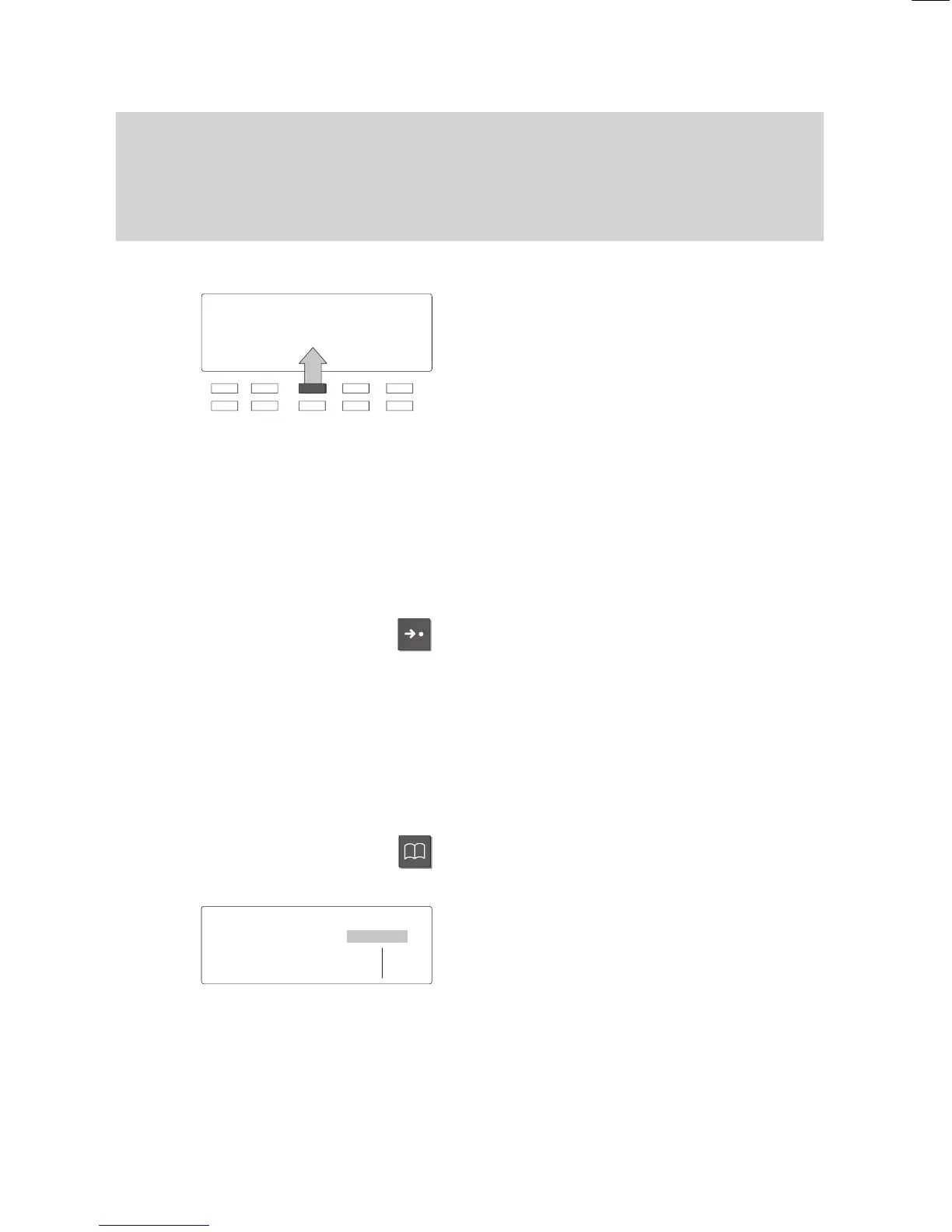
1234 MILL 11.11.94 16:50
FULL JONE DAVI HARR JOHN
CASS THYS SMIT WHIT TRAV
Familiarize yourself with your phone
16
Basic
operating rules
"
On the second level softkeys are limited to functions.
Several functions can be activated in a number of dif
ferent ways:
– The quickest way: using a function key
,
– The simplest way: select it from a menu.
Softkeys
The functions of the top two rows of func
-
tion keys change according to current ope
-
rating activity. (Only the 10 function keys
located below the display!)
The current function of these keys is al
-
ways displayed on the screen.
These keys are known as ”softkeys”. In the
example on the left the marked key serves
as a destination key
, with which you can
call Mr Davis.
Softkeys at several levels:
T
en key assignments are shown on the dis
-
play simultaneously
. However, several
functions can be assigned to one key
.
Press the ”Destination” key to display other
assigned functions.
Y
ou can scroll through the existing levels
using this key.
Keys on the various levels:
Partner keys:
1st level
Function keys:
1st and 2nd level
Destination keys:
1st and 3rd level
Activating functions with function keys
Several functions can also be activated us
-
ing a function key
, e.g. the electronic phone
book.
The display for the activated function ap
-
pears on the screen.
Local
TB search
↓
ABCD EFGH IJKL MNOP Corr
QRST UVWX YZ ÄÖÜß
↓



 To Next Page