10
Never
tum
off the power while the decimal points are
blinking.
3.
Turn the SP-202's power switch to the
OFF
posi-
tion.
2.
Turn
off
the
power
of the amp/mixer etc.
1. Before you
tum off
the power, make sure
that
the
volumes of the
SP-202
and the connected
amp/mixer are set to their
minimum
position.
• Turning off the power
Also adjust the volume of the connected
amp/mixer
etc.
This
unit
is
equipped with
a
protection circuit. A brief
interval
(a
few seconds) after power up
is
required before
the unit
will
operate
normally
.
lf
y
ou
tum
on the
power with
a
memory card
a
l
ready
inserted, the decimal points will blink for several seconds
until
the memory card is
detected
.
The unit will not
oper
-
ate
during
this
time
.
Never
tum
off the
power
while the decimal points are
blinking.
..
0r.-
SP-a:12
-.....
l!!IIIIK:T8
CClilTIIOL
w
EJBB
®
1~,11.a.1
00
-oa·
~EIDSS
4.
Rotate the VOLUME
knob
to adjust
the
SP-202's
volume.
3.
Tum on
the
power of your
amp/mixer etc.
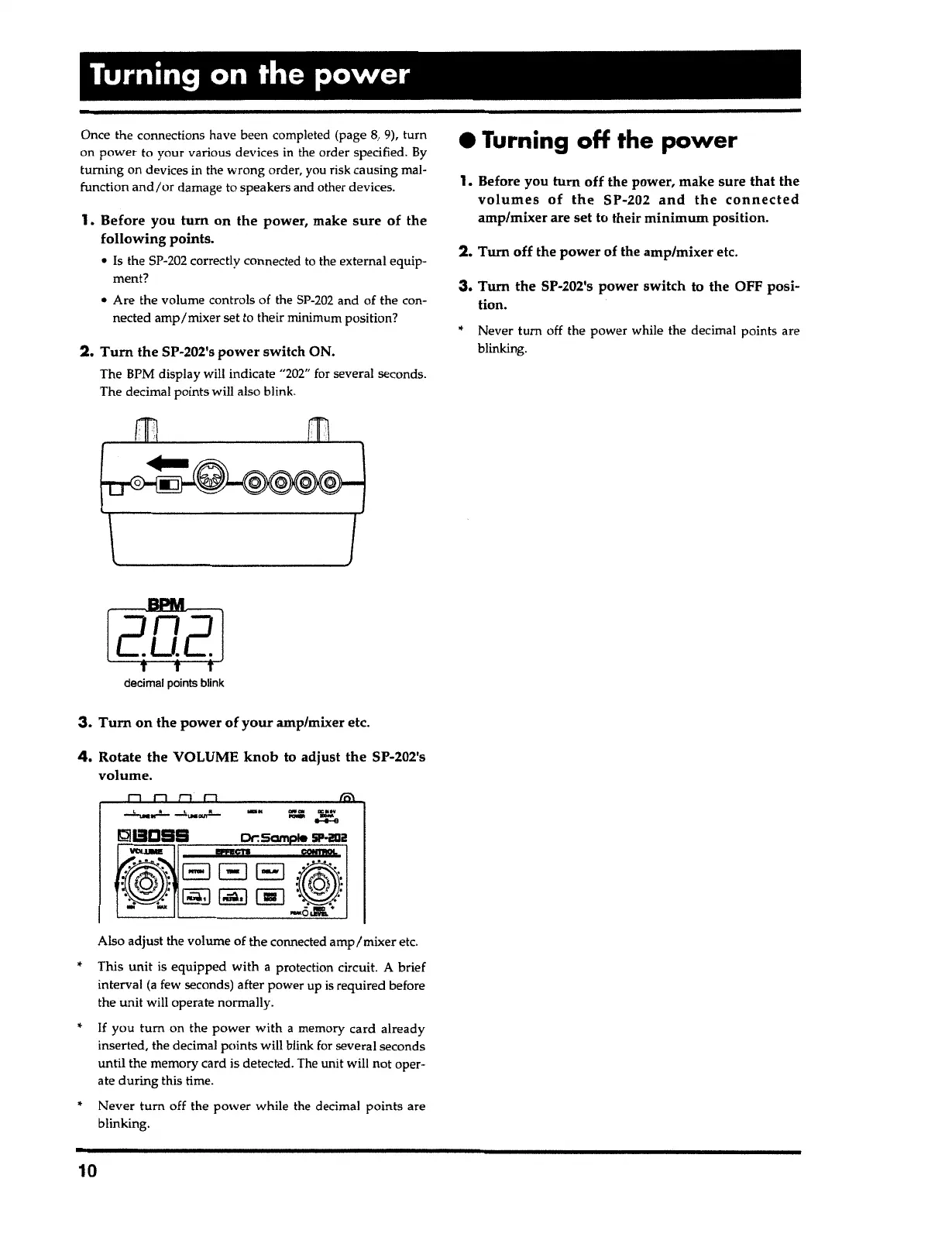
decimal
po
i
nts
blink
2. Tum the
SP-202's
power
switch ON.
The BPM display will indicate
"
202
"
for several seconds.
The decimal points will also
bl
i
nk
.
1.
Before you
tum
on
the
power, make
sure of
the
following points.
• Is the
SP-202
correctly connected to the external equip-
ment?
•
Are the volume controls of the
SP-202
and of the
con
-
nected
amp/mixer
set to their minimum position?
Once the connections have been completed (page
8,
9), turn
on power to your various devices in the order specified
.
By
turning
on devices in the wrong
o
rder, you risk causing mal-
function
and/or
damage to speakers and other devices.
Turning on the power



 To Next Page