32
By
lowering the pitch, you can create sounds that have
a
strong
"Lo-Fi
"
atmosphere
.
• When you change the
pitch
,
the pitch of all samples will
change.
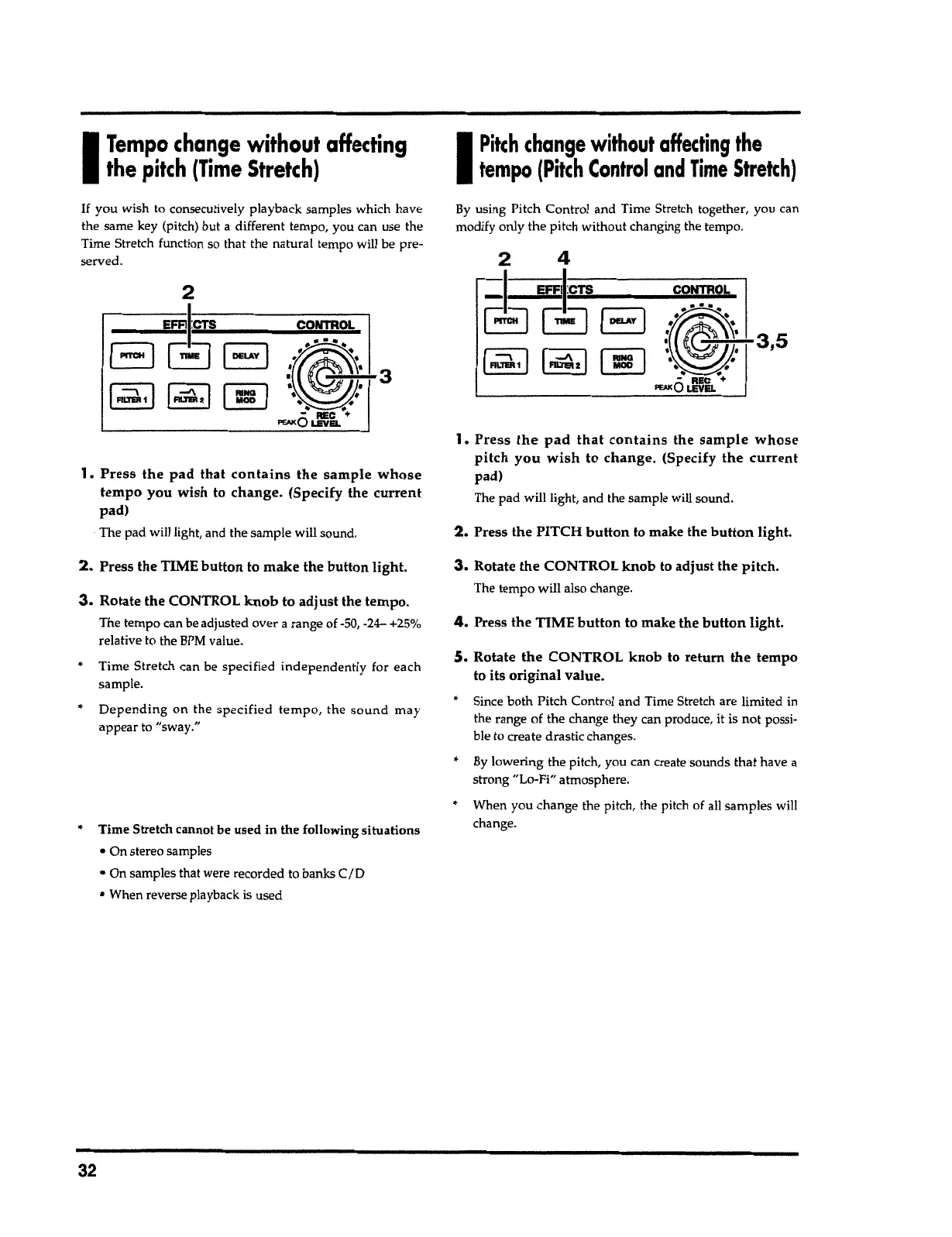
5.
Rotate
the
CONTROL
knob
to return
the
tempo
to its
original
value.
"
Since both Pitch
Contr
o
l
and Time Stretch are limited in
the range of the change they can produce, it is not possi-
ble to create drastic
changes
.
4.
Press the TIME
button
to make the
button
light.
3.
Rotate
the
CONTROL
knob
to adjust the pitch.
T
he tempo will also change.
2.
Press the PITCH
button
to make the
button
light.
1.
Press the pad that contains
the
sample whose
pitch you wish
to
change.
(Specify
the current
pad)
The pad will light, and the sample
will
sound.
B
y
u
s
ing Pitch Control and Time Stretch
together
,
you can
modify
onl
y the
pit
c
h without
changin
g
the
tempo
.
I
Pikh
change
without
affecting
the
tempo
(Pitch
Control
and
Time
Stretch}
"
Time Stretch cannot be used in the following situations
• On
stereo samples
• On samples that were recorded to banks
C
/
0
• When reverse playback is used
Depending
on the
specified tempo,
the
sound
may
appear to
"
sway."
• Time Stretch can be
s
pecified
i
ndependentl
y for
ea
c
h
sample.
3.
Rotate the CONTROL
knob
to
adjust
the
tempo
.
The tempo can be adjusted over
a
range of -50, -24-
+25
%
relative to the
BPM
value
.
2.
Press the TIME
button
to make the
button
light.
1.
Press the
pad
that contains the sample whose
tempo
you wish to change. (Specify the
current
pad)
The pad will light, and the sample will
sound
.
3
______
E_FFl_,
1
_:CTS
c_ONTR__,
....
o_L_
EJGB
2
If
y
ou wish to
consecu
tivel
y
pla
y
back
samp
l
es which have
the same
ke
y (pitch) but a different tempo, you can
u
s
e the
Time Stretch function so
t
hat the
na
tural temp
o
will be pre-
served.
I
Tempo
change without
affecting
the
pitch
(Time
Stretch)



 To Next Page