25
Press
..,.
to halve the displayed value, or press
.&
to double it.
If
you did not set the BPM before sampling, the BPM will be
calculated automatically from the time length of the sample,
and displayed.
•
Since the decimal place of the BPM is
rounded
up or
down,
a
slight error may occur.
Depending on the sampling time, the calculated BPM value
may be half or double the correct BPM.
In
this case, use the
..,.
.&
buttons to set the correct value.
I
Viewing
and changing the
BPM
value after sampling
3.
Press
the
DEL
button (lit),
and
the data will
be
deleted.
The DEL
button
will blink. When the sample has been
deleted, the button will go dark.
• Never
tum
off the power while the DEL button is lit.
• If you decide not to delete, press the CANCEL button.
2. If you wish to delete the contents of internal
memory,
press
the BANK INT A/B
button
(A
and
B
will blink). If
you wish to delete
the contents
of
card memory, press the BANK CARD
CID
button
(C
and
D
will blink).
1.
Hold down the
CANCEL
button and press the
DEL
button.
The DEL
button
will blink.
1
1~™
I
-·----
-·-----
c=i c=i
c::::J
c:::, ~
=-
...............
3 -::.:il
EJEJEaEl
.,.
IL.,..
-2
J
~~EJ.oaa
J~[!JE]
--
•
If you delete all samples on the memory card, the data in
the backup area (refer to page
35)
will be automatically
deleted. So, please check the data carefully before deleting.
• The PITCH settings and MIDI settings will also be delet-
ed at the same time.
You can delete all samples from the SP-202's internal memo-
ry or memory card in one operation.
I
Deleting all samples
3.
Press the DEL
button.
The DEL button will blink. When the sample has been
deleted, the button will go dark.
•
Never turn off the power while the DEL button is lit.
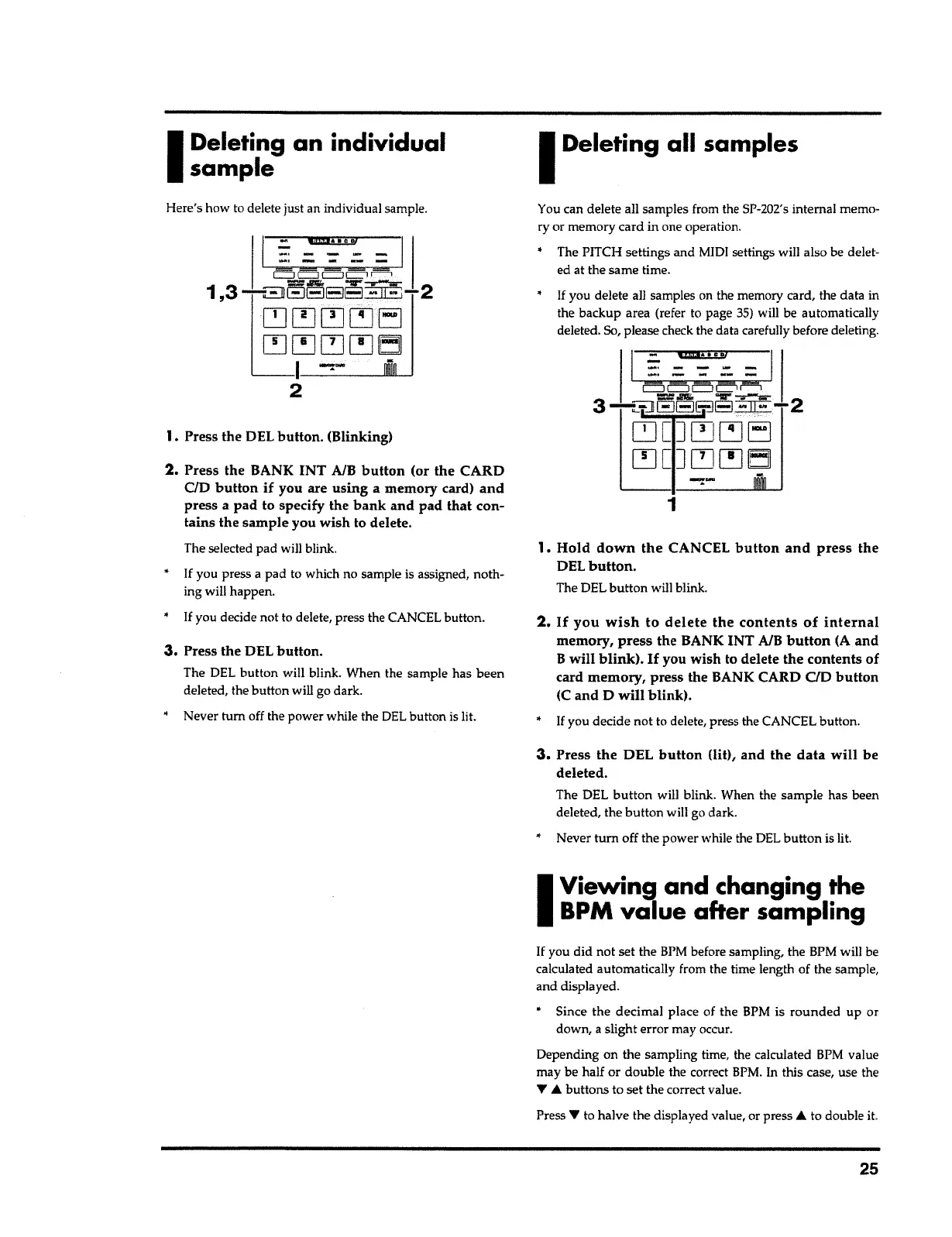
2.
Press the BANK INT A/B
button
(or the CARD
CID
button if
you are
using
a memory card)
and
press a pad to specify the
bank and pad that
con-
tains the sample you wish to delete.
The selected pad will blink.
•
If
you press
a
pad to which no sample is assigned, noth-
ing will happen.
•
If
you decide not to delete, press the CANCEL button.
1. Press the DEL button. (Blinking)
I~™
I
-·
-
-
...
-
-·-----
Here's how to delete just an individual sample.
I
Deleting an
individual
sample



 To Next Page