31
Pitch control cannot be set independently for each sam-
ple. Once
you set
the
pitch, the
PITCH
button
will
remain lit, and the pitch of all samples will be affected.
*
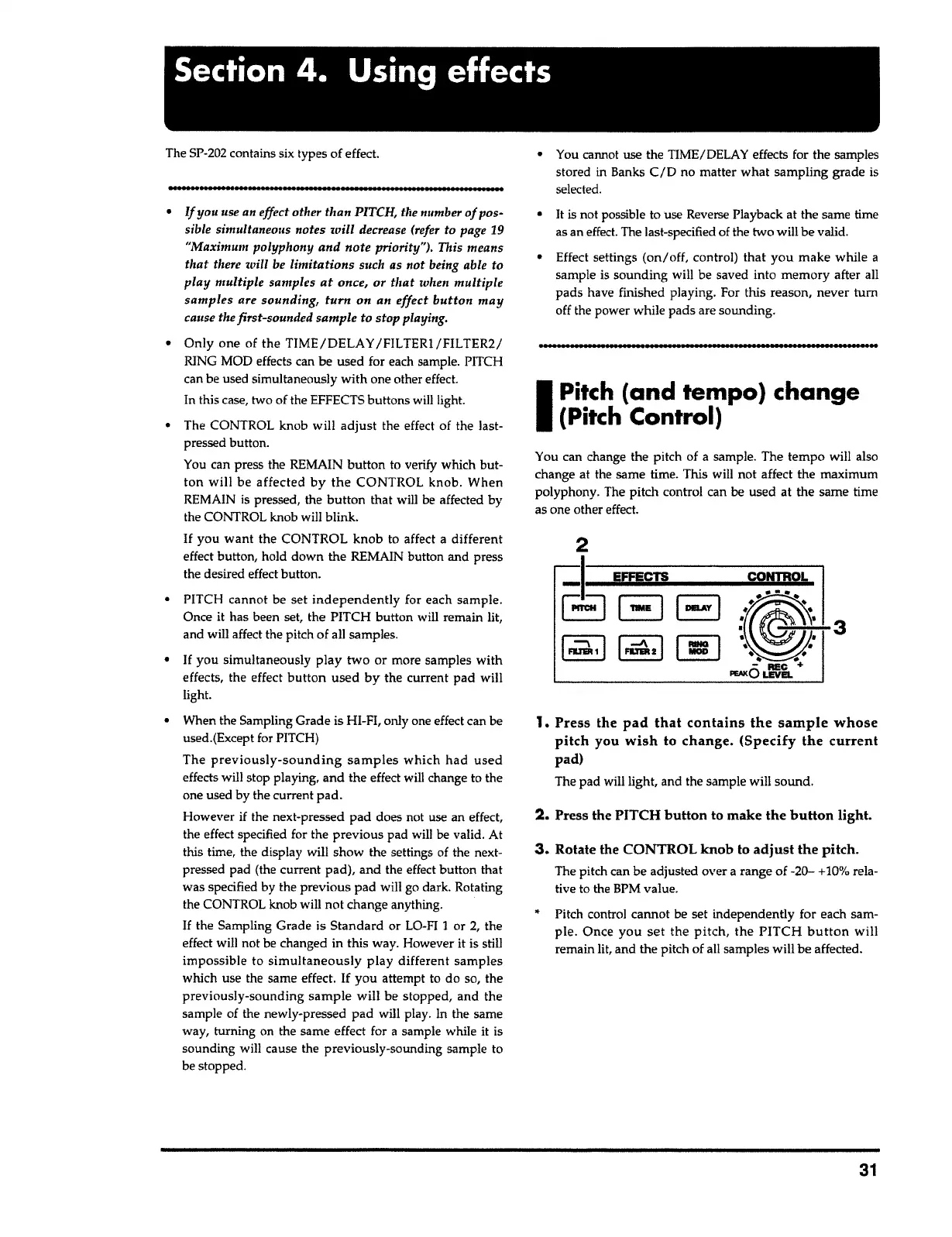
3. Rotate the CONTROL knob to adjust the pitch.
The pitch can be adjusted over
a
range of -20-
+
10% rela-
tive to the BPM value.
2. Press the PITCH button to make the button light.
1.
Press the pad that contains the sample whose
pitch you wish to change. (Specify the current
pad)
The pad will light, and the sample will sound.
3
You can change the pitch of
a
sample. The tempo will also
change at the same time. This will not affect the maximum
polyphony. The pitch control can be used at the same time
as one other effect.
I
Pitch
(and tempo) change
(Pitch Control)
............................................................................
• You cannot use the TIME/DELAY effects for the samples
stored in Banks
C/D
no matter what sampling grade is
selected
.
• It is not possible to use Reverse Playback at the same time
as an effect. The last-specified of the two will be valid.
• Effect settings
(on/off,
control)
that you
make while
a
sample is sounding will be saved into memory after all
pads have finished playing. For this reason, never
tum
off the power while pads are sounding.
• PITCH cannot be set
independently
for each sample.
Once it has been set, the PITCH button will remain lit,
and will affect the pitch of all samples.
•
If
you simultaneously
play two
or more samples with
effects, the effect
button used by
the current pad will
light.
• When the Sampling Grade is HI-FI, only one effect can be
used.(Except for PITCH)
The
previously-sounding samples
which
had used
effects will stop playing, and the effect will change to the
one used by the current
pad.
However
if
the next-pressed pad does not use an effect,
the effect specified for the previous pad will be valid. At
this time, the display will show the settings of the next-
pressed pad (the current pad), and the effect button that
was specified by the previous pad will go dark. Rotating
the CONTROL knob will not change anything.
If
the Sampling Grade is Standard or LO-FI
1
or 2, the
effect will not be changed in this way. However it is still
impossible to
simultaneously play
different samples
which use the same effect.
If
you attempt to do so, the
previously-sounding
sample will
be stopped, and the
sample of the newly-pressed pad will play.
In
the same
way, turning on the same effect for
a
sample while it is
sounding will cause the previously-sounding sample to
be stopped.
• Only one of the TIME/DELAY /FILTER1/FILTER2/
RING MOD effects can be used for each sample. PITCH
can be used simultaneously with one other effect.
In this case, two of the EFFECTS buttons will light.
• The CONTROL knob will
adjust
the effect of the last-
pressed button.
You can press the REMAIN
button
to verify which but-
ton
will be affected
by the
CONTROL knob. When
REMAIN is pressed, the
button
that will be affected by
the CONTROL knob will blink.
If
you
want
the CONTROL knob to affect a different
effect button, hold down the REMAIN button and press
the desired effect button.
•
If
you use an effect other than PITCH, the number
of
pos-
sible simultaneous notes
will
decrease (refer to page 19
"Maximum polyphony and note priority"). This means
that
there will be limitations such as not being able to
play
multiple samples
at
once, or
that
when multiple
samples are sounding, turn on an effect
button
may
cause the first-sounded sample to stop playing.
............................................................................
The SP-202 contains six types of effect.
Section
4.
Using
effects



 To Next Page