13
When effects are used, fewer notes can be played simul-
taneously.
For
details
refer to
page
19 "Maximum
polyphony and note
priority
.
"
*
The
on/off
status of the effects can be specified for each
sample
.
*
With the exception of PITCH, only one effect can be used
for each
sample
.
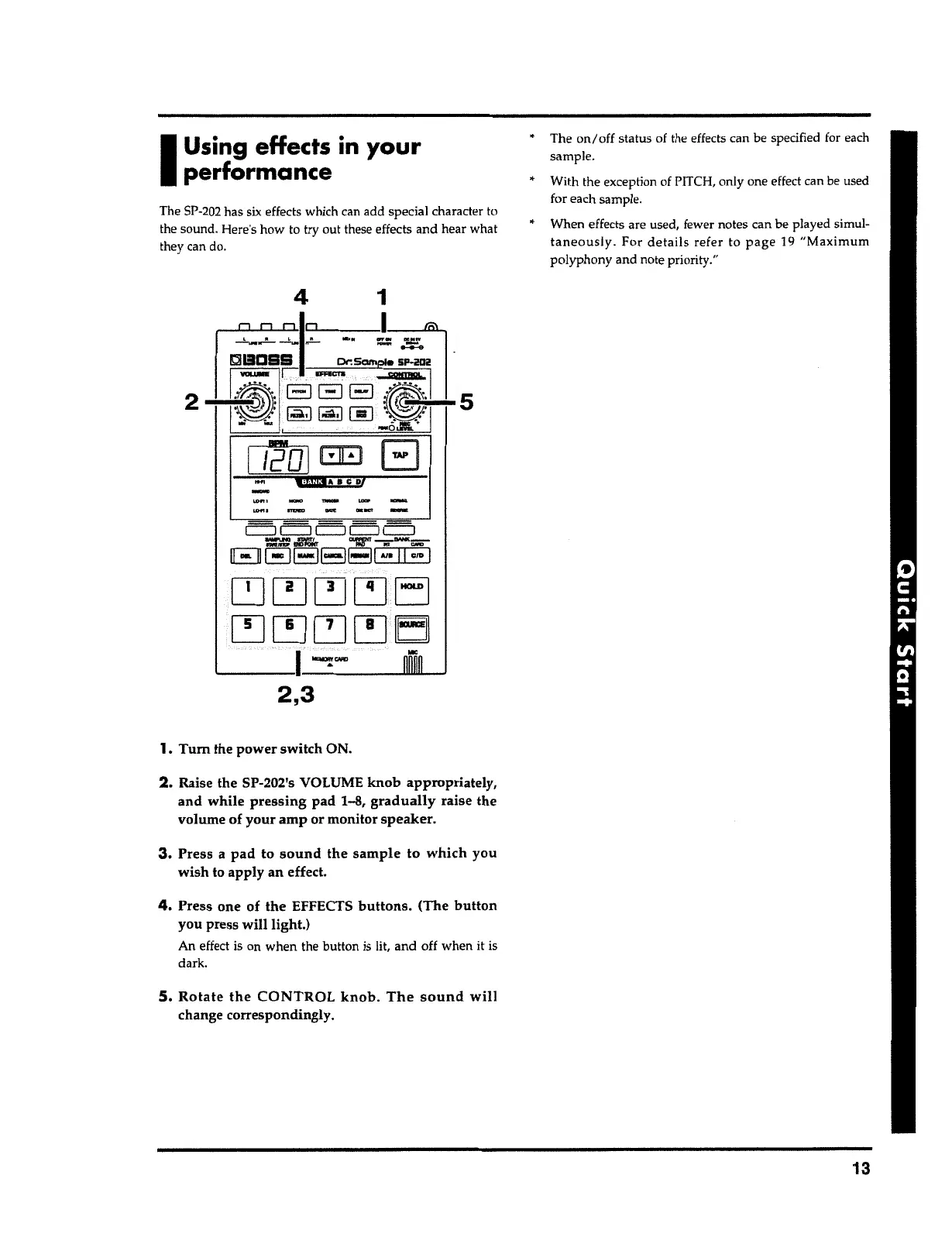
5. Rotate the CONTROL knob. The sound will
change correspondingly.
4.
Press one of the EFFECTS
buttons.
(The
button
you press will light.)
An effect is on when the button is lit, and off when it is
dark.
3.
Press a
pad
to
sound
the
sample to which
you
wish to apply an effect.
2.
Raise the SP-202's VOLUME
knob
appropriately,
and while pressing
pad 1-8,
gradually
raise the
volume of your amp or monitor
speaker.
1.
Tum
the power switch ON.
2,3
[:=J c::J [:=J c::J c=:i
~
,lllJJk
~ .;-MNK;;:;,
Ell EJEl8EJI
AJ•
11
CID
I
~~~[~]EJ
[!] ~ ~
[~]
E3]
'--~~~~'-
''
_
.......
~·,-~~~~.UW:*IIL......J
11201
E:EJ
B
¥:fiWfA
8 CD/
2
The
SP-202
has
six
effects which can add special character to
the sound. Here's how to try out these effects and hear what
they can
do
.
I
Using
effects
in
your
performance



 To Next Page