33
Filter
cannot be used in the following situations
• On stereo samples that were recorded to banks
C/D
• When reverse playback is used
..
The filter can be adjusted independently for each sample.
If
you select FILTER
2
and rotate the knob to left and
right as you play the sample, a "wah" effect can be pro-
duced.
..
3,
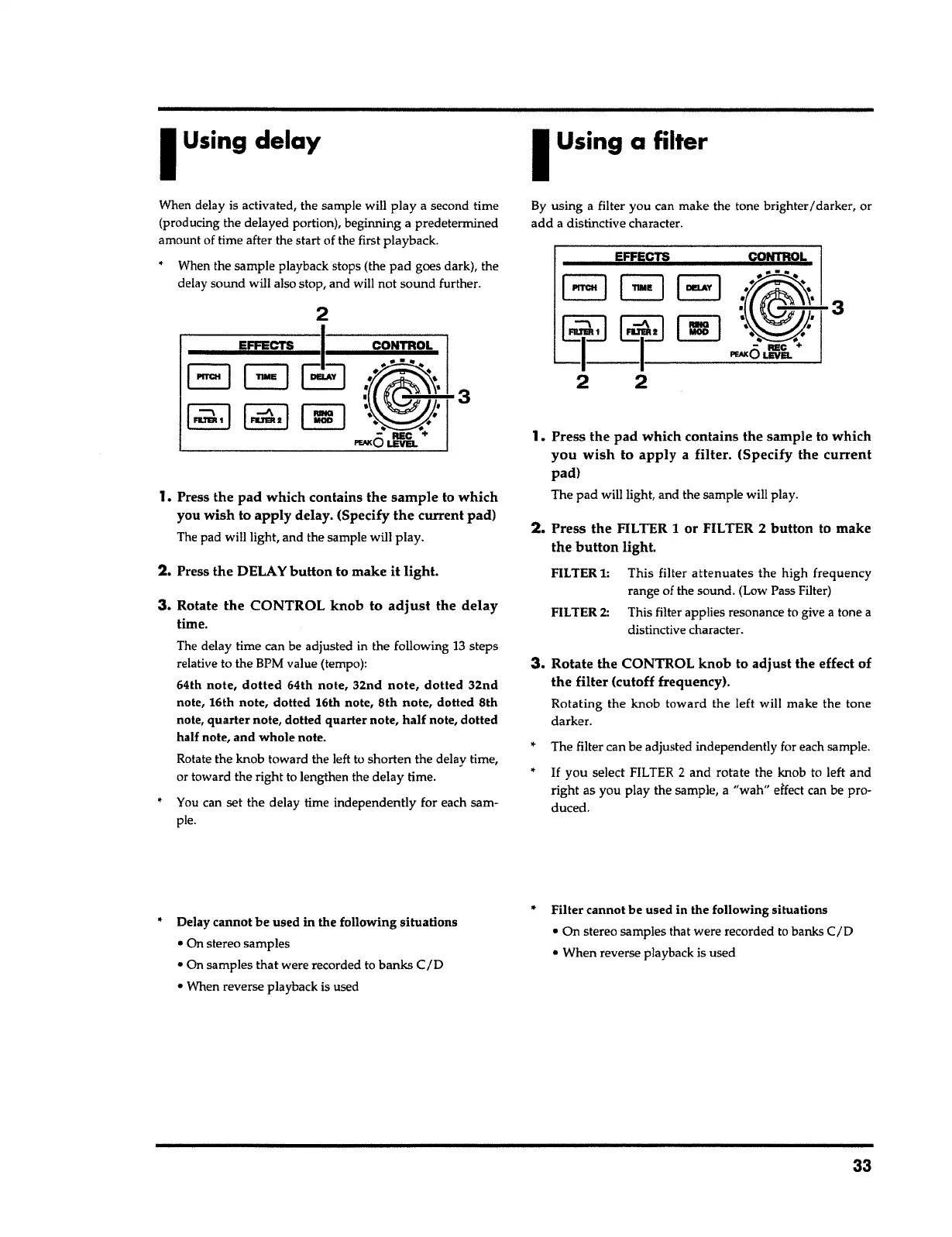
Rotate the CONTROL knob to
adjust
the effect of
the filter
(cutoff frequency).
Rotating the knob toward the left will make the tone
darker.
2.
Press
the
FILTER
1
or FILTER 2
button
to make
the
button
light.
FILTER
1:
This filter
attenuates
the high frequency
range of the sound. (Low Pass Filter)
FILTER
2:
This filter applies resonance to give
a
tone
a
distinctive character.
1.
Press the
pad
which contains the sample to which
you wish
to
apply
a
filter.
(Specify the
current
pad)
The
pad
will light, and the sample will play.
3
CONTROL
EFFECTS
By using
a
filter you can make the tone brighter/darker, or
add
a distinctive character.
I
Using a
filter
• Delay
cannot
be used in the following
situations
• On stereo samples
• On samples
that
were recorded to banks
CID
• When reverse playback is used
3.
Rotate
the
CONTROL
knob
to
adjust
the
delay
time.
The delay time can be adjusted in the following
13
steps
relative to the BPM value (tempo):
64th
note, dotted
64th
note,
32nd
note, dotted 32nd
note, 16th note,
dotted
16th note, 8th
note, dotted
8th
note,
quarter
note, dotted
quarter
note,
half
note,
dotted
half note,
and whole
note.
Rotate the knob toward the left to shorten the delay time,
or toward the right to lengthen the delay time.
•
You can set the delay time independently for each sam-
ple.
2. Press the
DELAY
button
to make it
light.
1.
Press the
pad
which contains
the sample
to
which
you
wish
to
apply
delay. (Specify
the
current pad)
The pad will light, and the sample will play.
3
When delay is activated, the sample will play
a
second time
(producing the delayed portion), beginning a predetermined
amount of time after the start of the first playback.
When the sample playback stops (the
pad
goes dark), the
delay sound will also stop, and will not sound further.
I
Using
delay



 To Next Page