Settings may be different
depend
i
ng on the mixer
.
For
details refer to the owner's manual for your mixer.
Effect: OFF
Effect: ON
Input: line
Input: PHONO
CH
1
CH2
Mixer
settings
When
s
ampling
from a record,
s
et the
mi
x
er fader to the
record
pla
y
er position
(max
i
mum)
.
The volume level
during sampling
is
adjusted
b
y the SP-
202
'
s REC level (page 20, 21) and by the mixer's effect send
level.
DJ
system
setup
The SP-202 does
not
contain an amp or
mixer
.
In
order
to
hear
the
sound, you
will need an amp,
aud
i
o
system, or
headphones etc. Refer to the diagram at right and connect
the SP-202 with
your
external
equipment
.
AC
adaptor, Audio
cables
,
M
I
DI
cables, stereo head-
phone
s and microphone are not included. These can be
purchased separately at
your
dealer
.
To prevent malfunction
and/or
damage to speakers or
other
devices, always turn down the volume, and turn
off the power on all
de
v
ices before making any
connec
-
tions
.
Connections
8
When
th
i
s occurs, replace the battery immediately.
The
co
ntents of the
SP-202'
s
in
t
ernal memory will
be
pre-
served even if the battery runs
down
.
When the battery runs down, the BPM display will become
darker
than normal.
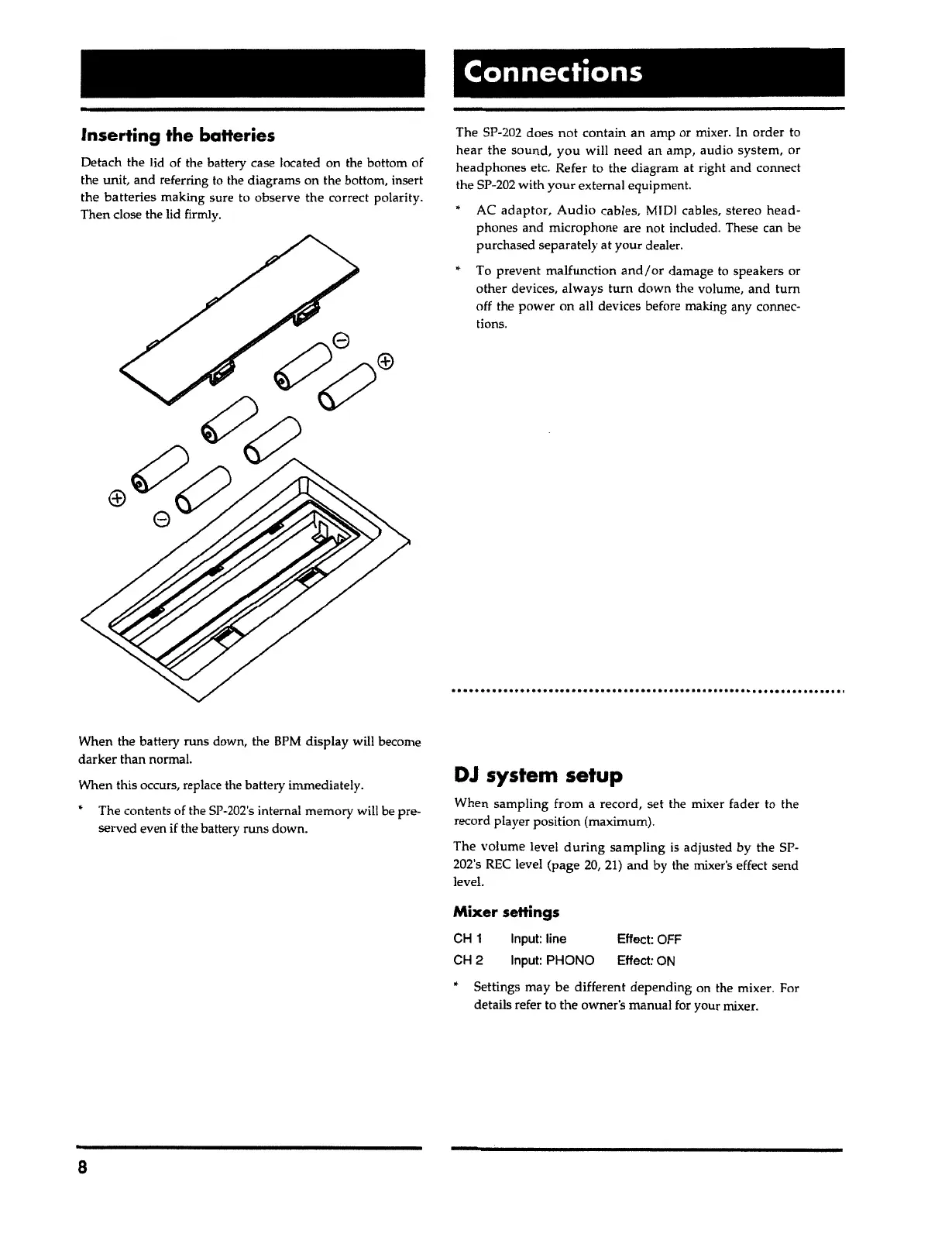
Detach the lid of the battery case located on the bottom of
the
unit
,
and referring to the diagrams on the bottom, insert
the
batteries
making sure to obse
r
ve
the
correct polarity.
Then close the lid firmly.
Inserting the batteries



 To Next Page